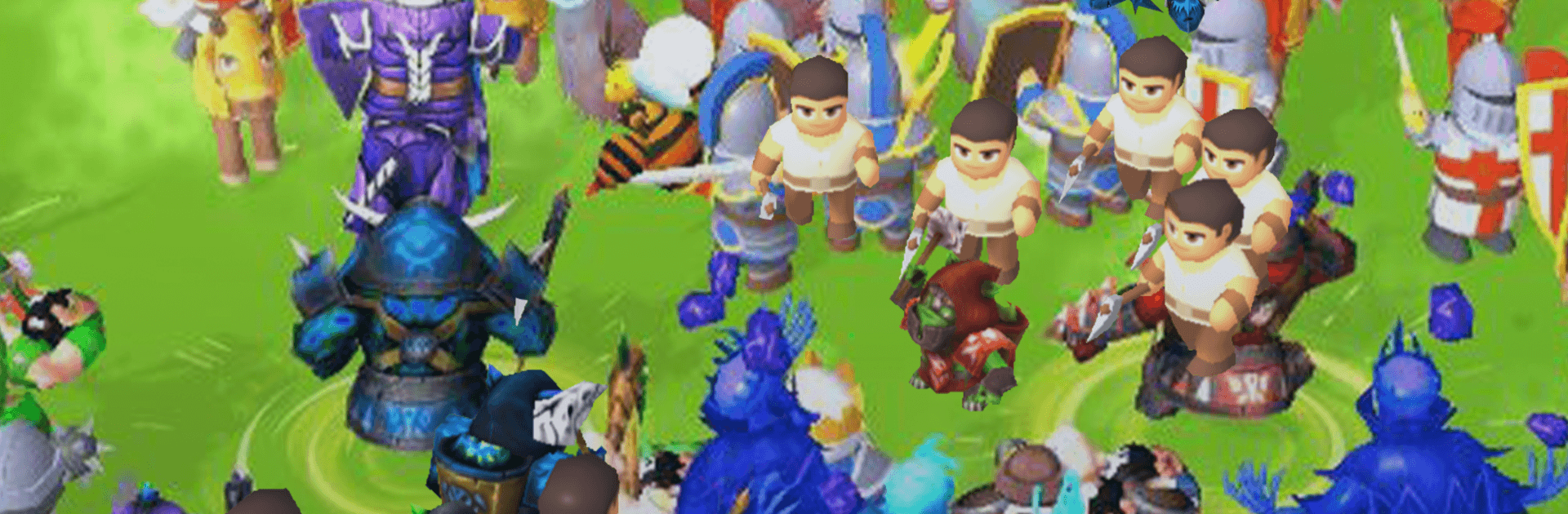
Merge Legions: War Battle Game

Merge Legions: War Battle Game

Puzzle

| SayGames Ltd

Play on PC with BlueStacks or from our cloud

  • Overview
  • Game Features
  • How to Play

Page Modified On: August 24, 2026

Play Merge Legions: War Battle Game on PC or Mac

Explore a whole new adventure with Merge Legions: War Battle Game, a Puzzle game created by SayGames Ltd. Experience great gameplay with BlueStacks, the most popular gaming platform to play Android games on your PC or Mac.

About the Game

Merge Legions: War Battle Game is a Puzzle mashup of army-building and tactical clashes. You start with humble villagers, merge them into tougher units, and send your growing legion to push back incoming threats. It’s quick to pick up, surprisingly strategic, and feels great on BlueStacks if you like playing on a bigger screen.

Game Features

  • Merge-to-grow strategy: Combine matching units to evolve them from peasants into seasoned fighters, but every merge costs energy—so you’ll juggle headcount versus higher tiers before each clash.
  • Balanced army planning: Sometimes a wide frontline wins; other times a compact elite squad carries the day—experiment, hold a few reserves, and remember that losing key units can set your build back.
  • Diverse recruits: Field swordsmen, orcs, archers, buzzing swarms, mages, and more; fuse like-with-like to unlock fiercer skills and heavier hits.
  • Gear and goodies merge too: Upgrade armor, weapons, outfits, potions, portals, and beyond by merging duplicates to reveal stat boosts, extra currency, and handy energy pickups.
  • Quests that keep you moving: Tackle daily, weekly, and campaign goals to stockpile resources, strengthen your roster, and open new upgrade routes.
  • Quick fights with real decisions: Battles are snappy, but choosing when to merge, when to hold, and what to throw into the fray turns every skirmish into a thoughtful puzzle.
  • A world that sounds alive: Enjoy richly drawn fantasy characters, punchy animations, and stirring battle audio that leans into a gritty medieval vibe.
  • PC-friendly option: Prefer playing on your computer? It runs smoothly on BlueStacks with clean visuals and comfortable controls.

Start your journey now. Download the game on BlueStacks, invite your friends, and march on a new adventure.


Game Features

Enhancements

  • Macros
  • Multi Instance
  • Multi Instance Sync
  • Script
  • Enhancements
Macros

Macros

Automate the predictable in Merge Legions: War Battle Game and transform your gameplay with Macros. Get access to inventive Macros in the BlueStacks Macro Community
Multi Instance

Multi Instance

Play Merge Legions: War Battle Game on one window. And chat with your friend on the other. Press CTRL + Shift + 8 to open the Multi-Instance Manager. And start creating fresh instances or clone an existing one.
Multi Instance Sync

Multi Instance Sync

Play Merge Legions: War Battle Game with the power of Multi-Instance Sync. Replicate what you are doing on the main instance on all other instances. Level up faster, play more.
Script

Script

Script your way to gaming glory in Merge Legions: War Battle Game with BlueStacks Script. Write and run a set of commands to automate repeated tasks. Trigger the command by assigning it to any key.
Read More

How to Download and Play Merge Legions: War Battle Game on PC or Mac

  • Download and install BlueStacks on your PC or Mac

  • Complete Google sign-in to access the Play Store, or do it later

  • Look for Merge Legions: War Battle Game in the search bar at the top right corner

  • Click to install Merge Legions: War Battle Game from the search results

  • Complete Google sign-in (if you skipped step 2) to install Merge Legions: War Battle Game

  • Click the Merge Legions: War Battle Game icon on the home screen to start playing

video
Watch Video

Minimum System Requirements

With BlueStacks 5, you can get started on a PC that fulfills the following requirements.

  • Operating System

    Microsoft Windows 7 or above, macOS 11 (Big Sur) or above

  • Processor

    Intel, AMD or Apple Silicon Processor

  • RAM

    at least 4GB

  • HDD

    10GB Free Disk Space

Note:

* You must be an Administrator on your PC. Up to date graphics drivers from Microsoft or the chipset vendor.

Merge Legions: War Battle Game - FAQs

  • How to play Merge Legions: War Battle Game on Windows PC & Mac?

    Play Merge Legions: War Battle Game on your PC or Mac by following these simple steps.

    • Click on 'Play Merge Legions: War Battle Game on PC’ to download BlueStacks
    • Install it and log-in to Google Play Store
    • Launch and play the game.
  • Why is BlueStacks the fastest and safest platform to play games on PC?

    BlueStacks respects your privacy and is always safe and secure to use. It does not carry any malware, spyware, or any sort of additional software that could harm your PC.

    It is engineered to optimize speed and performance for a seamless gaming experience.

  • What are Merge Legions: War Battle Game PC requirements?

    Minimum requirement to run Merge Legions: War Battle Game on your PC

    • OS: Microsoft Windows 7 or above MacOS 11 (Big Sur) or above
    • Processor: Intel, AMD or Apple Silicon Processor
    • RAM: Your PC must have at least 4GB of RAM. (Note that having 4GB or more disk space is not a substitute for RAM)
    • HDD: 10GB Free Disk Space.
    • You must be an Administrator on your PC.