Battle Forge
Battle Forge

Battle Forge

Strategy

| SayGames Ltd

Play on PC with BlueStacks or from our cloud

  • Overview
  • Game Features
  • How to Play

Page Modified On: August 14, 2026

Play Battle Forge on PC or Mac

Explore a whole new adventure with Battle Forge, a Strategy game created by SayGames Ltd. Experience great gameplay with BlueStacks, the most popular gaming platform to play Android games on your PC or Mac.

About the Game

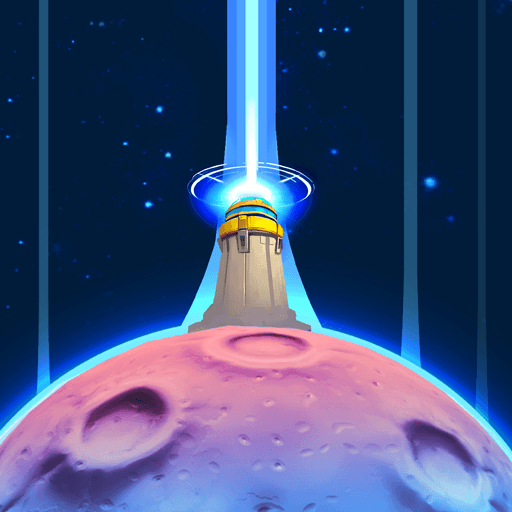
Battle Forge is a Strategy roguelike where you build an army on the fly and see how long your castle can hold. You start with a bare-bones defense and make tough calls after each wave—add fresh troops, stack stats, or evolve the units that are pulling their weight. Every run shakes up your options, and if you like commanding from a bigger screen, it plays smoothly on BlueStacks.

Game Features

  • Build While You Fight: No pre-made squads here. You create your lineup during the action, shaping your approach one decision at a time.
  • Three Choices, Real Consequences: After each wave, pick one of three perks—new units, more bodies in key roles, stat boosts, or powerful evolutions.
  • Big Army Clashes: Watch archers, siege engines, and sturdy frontliners crash into enemy lines at once. Positioning and timing matter when the field gets crowded.
  • Boss Checkpoints: Every fifth wave throws a unique boss at you. The perks you’ve taken can make or break the showdown.
  • Evolve Your Favorites: Earn chests between runs to grab unit cards and evolution shards. Level up fighters and unlock beefier forms that hit harder and last longer.
  • New Castles, New Tools: Clear challenges to open fresh castles and expand your roster with additional units.
  • Fresh Run, New Combo: Perk pools shuffle each time, so today’s unstoppable synergy might be totally different tomorrow—great for tinkering and theorycrafting.

Start playing Battle Forge on BlueStacks and get a smoother, more comfortable PC or Mac setup.

Game Features

Enhancements

  • Macros
  • Multi Instance
  • Multi Instance Sync
  • Eco Mode
  • Enhancements
Macros

Macros

Skip the boring parts of a game. Play Battle Forge with Macros and get the edge. Simply record a sequence of commands and execute them at any moment.
Multi Instance

Multi Instance

Why limit to one game on your phone when you can play many on your PC? Open multiple instances of Battle Forge at once with Multi-Instance. Leverage the power of different accounts by doing more.
Multi Instance Sync

Multi Instance Sync

Get the best out of Battle Forge with Multi-Instance Sync. Play the game from different accounts and build your own empire. Use Multi-instance sync to repeat the action in the main BlueStacks instance on all other instances.
Eco Mode

Eco Mode

Find the rarest heroes by making multiple summons in Battle Forge. And while you are at it, reduce your PC’s resource consumption with the Eco Mode. Farm efficiently. Get the best results.
Read More

How to Download and Play Battle Forge on PC or Mac

  • Download and install BlueStacks on your PC or Mac

  • Complete Google sign-in to access the Play Store, or do it later

  • Look for Battle Forge in the search bar at the top right corner

  • Click to install Battle Forge from the search results

  • Complete Google sign-in (if you skipped step 2) to install Battle Forge

  • Click the Battle Forge icon on the home screen to start playing

video
Watch Video

Minimum System Requirements

With BlueStacks 5, you can get started on a PC that fulfills the following requirements.

  • Operating System

    Microsoft Windows 7 or above, macOS 11 (Big Sur) or above

  • Processor

    Intel, AMD or Apple Silicon Processor

  • RAM

    at least 4GB

  • HDD

    10GB Free Disk Space

Note:

* You must be an Administrator on your PC. Up to date graphics drivers from Microsoft or the chipset vendor.

Battle Forge - FAQs

  • How to play Battle Forge on Windows PC & Mac?

    Play Battle Forge on your PC or Mac by following these simple steps.

    • Click on 'Play Battle Forge on PC’ to download BlueStacks
    • Install it and log-in to Google Play Store
    • Launch and play the game.
  • Why is BlueStacks the fastest and safest platform to play games on PC?

    BlueStacks respects your privacy and is always safe and secure to use. It does not carry any malware, spyware, or any sort of additional software that could harm your PC.

    It is engineered to optimize speed and performance for a seamless gaming experience.

  • What are Battle Forge PC requirements?

    Minimum requirement to run Battle Forge on your PC

    • OS: Microsoft Windows 7 or above MacOS 11 (Big Sur) or above
    • Processor: Intel, AMD or Apple Silicon Processor
    • RAM: Your PC must have at least 4GB of RAM. (Note that having 4GB or more disk space is not a substitute for RAM)
    • HDD: 10GB Free Disk Space.
    • You must be an Administrator on your PC.