MyColorful – Coloring Book

MyColorful – Coloring Book

Puzzle

| Severex

Play on PC with BlueStacks or from our cloud

  • Overview
  • Game Features
  • How to Play

Page Modified On: January 06, 2026

Play MyColorful – Coloring Book on PC or Mac

Explore a whole new adventure with MyColorful – Coloring Book, a Puzzle game created by Severex. Experience great gameplay with BlueStacks, the most popular gaming platform to play Android games on your PC or Mac.

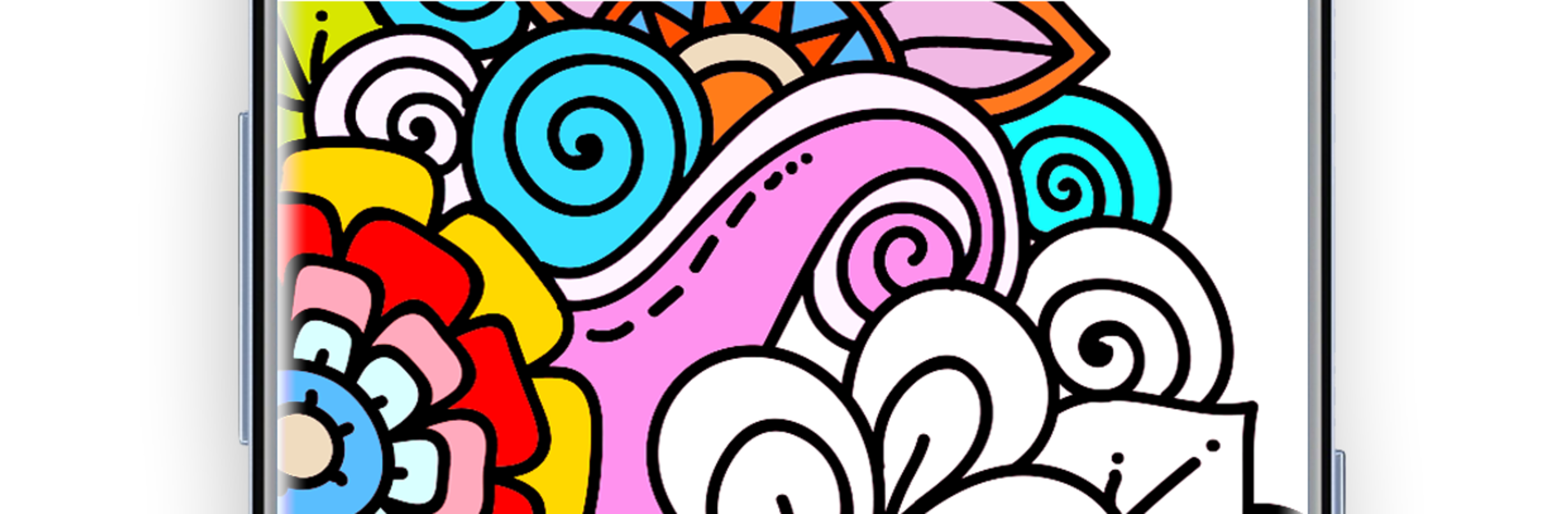
MyColorful is basically a chill coloring book on a screen, the kind that lets a player zone out and fill intricate drawings without dragging out real pencils. It focuses on clean line art and lots of tiny details, so the fun is in picking shades, zooming in, and watching a flat sketch turn into something that actually looks finished. The interface is simple enough that anyone can jump in within a minute. On PC with BlueStacks it feels extra comfy since the mouse makes small sections easier to hit and the bigger display helps with those tight mandala corners. There is no pressure, no timer, just pick a page, pick a palette, and let the brain idle for a while. Works offline too, which is handy when a person just wants quiet time.

There is a big library to pick from, not just generic flowers. Mandalas and paisley patterns are here of course, but also animals, birds, sea life, fairy tale scenes, places, arabesque designs, people, and more. New pages roll in on a regular basis, so the list does not feel stale. The color tools hit the right notes: lots of palettes from soft pastels to loud neons, a color picker to match shades already on the page, plus undo and redo for those moments when a choice did not land. Everything is neatly sorted by category, and there is a gallery where players can peek at other people’s finished pieces and vote on favorites. If someone cares about keeping progress across phone and PC, there is sync, and finished art can be saved to a gallery or shared out. It is the kind of relaxing, low-effort activity that actually feels good after work, with just enough choice to feel creative without getting fussy.

Get ready for a buttery smooth, high-performance gaming action only on BlueStacks.

Game Features

Enhancements

  • Macros
  • Multi Instance
  • Multi Instance Sync
  • Script
  • Enhancements
Macros

Macros

Automate the predictable in MyColorful – Coloring Book and transform your gameplay with Macros. Get access to inventive Macros in the BlueStacks Macro Community
Multi Instance

Multi Instance

Play MyColorful – Coloring Book on one window. And chat with your friend on the other. Press CTRL + Shift + 8 to open the Multi-Instance Manager. And start creating fresh instances or clone an existing one.
Multi Instance Sync

Multi Instance Sync

Play MyColorful – Coloring Book with the power of Multi-Instance Sync. Replicate what you are doing on the main instance on all other instances. Level up faster, play more.
Script

Script

Script your way to gaming glory in MyColorful – Coloring Book with BlueStacks Script. Write and run a set of commands to automate repeated tasks. Trigger the command by assigning it to any key.
Read More

How to Download and Play MyColorful – Coloring Book on PC or Mac

  • Download and install BlueStacks on your PC or Mac

  • Complete Google sign-in to access the Play Store, or do it later

  • Look for MyColorful – Coloring Book in the search bar at the top right corner

  • Click to install MyColorful – Coloring Book from the search results

  • Complete Google sign-in (if you skipped step 2) to install MyColorful – Coloring Book

  • Click the MyColorful – Coloring Book icon on the home screen to start playing

video
Watch Video

Minimum System Requirements

With BlueStacks 5, you can get started on a PC that fulfills the following requirements.

  • Operating System

    Microsoft Windows 7 or above, macOS 11 (Big Sur) or above

  • Processor

    Intel, AMD or Apple Silicon Processor

  • RAM

    at least 4GB

  • HDD

    10GB Free Disk Space

Note:

* You must be an Administrator on your PC. Up to date graphics drivers from Microsoft or the chipset vendor.

MyColorful – Coloring Book - FAQs

  • How to play MyColorful – Coloring Book on Windows PC & Mac?

    Play MyColorful – Coloring Book on your PC or Mac by following these simple steps.

    • Click on 'Play MyColorful – Coloring Book on PC’ to download BlueStacks
    • Install it and log-in to Google Play Store
    • Launch and play the game.
  • Why is BlueStacks the fastest and safest platform to play games on PC?

    BlueStacks respects your privacy and is always safe and secure to use. It does not carry any malware, spyware, or any sort of additional software that could harm your PC.

    It is engineered to optimize speed and performance for a seamless gaming experience.

  • What are MyColorful – Coloring Book PC requirements?

    Minimum requirement to run MyColorful – Coloring Book on your PC

    • OS: Microsoft Windows 7 or above MacOS 11 (Big Sur) or above
    • Processor: Intel, AMD or Apple Silicon Processor
    • RAM: Your PC must have at least 4GB of RAM. (Note that having 4GB or more disk space is not a substitute for RAM)
    • HDD: 10GB Free Disk Space.
    • You must be an Administrator on your PC.