PathPix Color
PathPix Color

PathPix Color

Puzzle

| Kris Pixton

Play on PC with BlueStacks or from our cloud

  • Overview
  • Game Features
  • How to Play

Page Modified On: May 18, 2026

Play PathPix Color on PC or Mac

Bring your A-game to PathPix Color, the Puzzle game sensation from Kris Pixton. Give your gameplay the much-needed boost with precise game controls, high FPS graphics, and top-tier features on your PC or Mac with BlueStacks.

About the Game

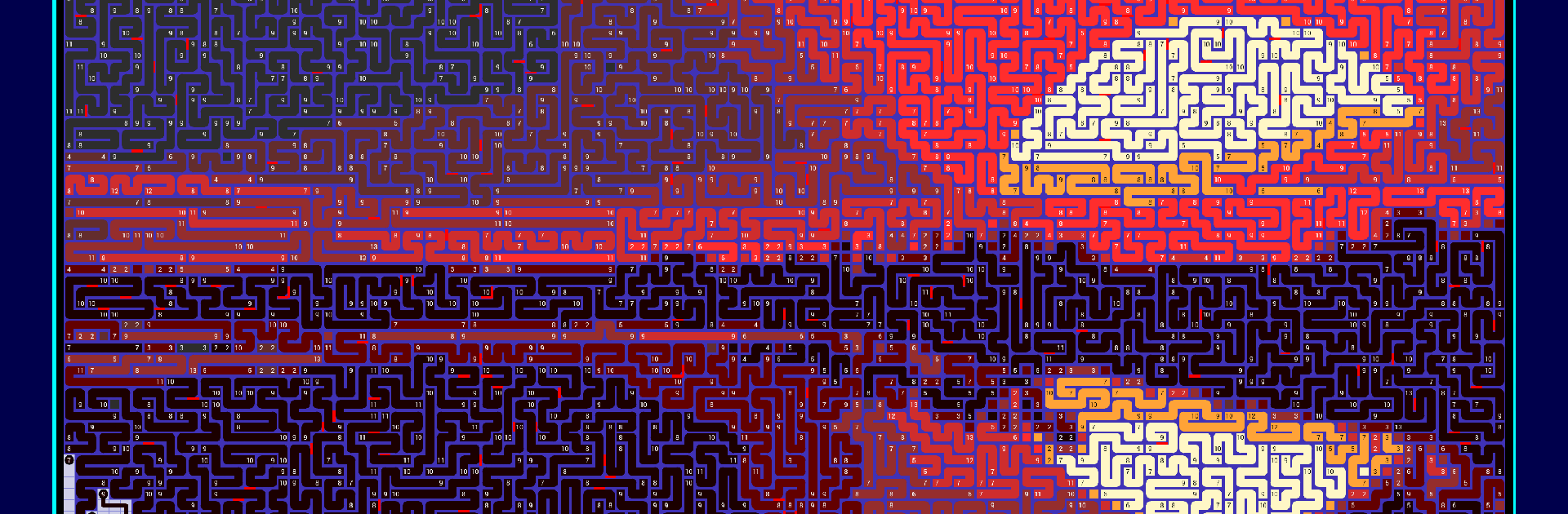
PathPix Color turns logic into art. This Puzzle game from Kris Pixton hands you giant grids where each smart path you lay adds a fresh splash of color, gradually building a picture that wasn’t obvious at the start. Expect long, satisfying sessions, clever reveals, and that “just one more section” itch.

Game Features

  • Huge canvases: Tackle massive boards measured in thousands of cells—some topping fifteen thousand—so there’s plenty of room to think, plan, and paint.
  • 150 hand-crafted challenges: Work through a full set of brand-new, oversized puzzles designed to keep you busy for ages.
  • Mixed difficulty in every board: Each puzzle blends Easy, Medium, and Hard sections, so you can warm up, dig deeper, and push yourself without swapping levels.
  • Colorful reveals and quotes: Finish a grid to uncover a vibrant image and a short, witty or thoughtful line as a little victory lap.
  • Art-inspired set: Find 20 puzzles that reimagine famous paintings as playable mosaics—recognizable, but with a PathPix twist.
  • Built for seasoned solvers: The scale and structure favor players who enjoy hefty, layered challenges and meticulous pathmaking.
  • Marathon-worthy content: Across the collection you’ll be coloring well over a million tiny squares—ideal for slow-burn progress and epic completions.
  • Smooth, paint-as-you-go flow: Trace clean paths that lock into place and gradually fill the canvas, turning logic steps into a satisfying visual.
  • Play big with BlueStacks: Prefer a larger view? Run PathPix Color on PC to spread out and enjoy the giant grids on a bigger screen.

Start your journey now. Download the game on BlueStacks, invite your friends, and march on a new adventure.


Game Features

Enhancements

  • Macros
  • Multi Instance
  • Multi Instance Sync
  • Script
  • Enhancements
Macros

Macros

Automate the predictable in PathPix Color and transform your gameplay with Macros. Get access to inventive Macros in the BlueStacks Macro Community
Multi Instance

Multi Instance

Play PathPix Color on one window. And chat with your friend on the other. Press CTRL + Shift + 8 to open the Multi-Instance Manager. And start creating fresh instances or clone an existing one.
Multi Instance Sync

Multi Instance Sync

Play PathPix Color with the power of Multi-Instance Sync. Replicate what you are doing on the main instance on all other instances. Level up faster, play more.
Script

Script

Script your way to gaming glory in PathPix Color with BlueStacks Script. Write and run a set of commands to automate repeated tasks. Trigger the command by assigning it to any key.
Read More

How to Download and Play PathPix Color on PC or Mac

  • Download and install BlueStacks on your PC or Mac

  • Complete Google sign-in to access the Play Store, or do it later

  • Look for PathPix Color in the search bar at the top right corner

  • Click to install PathPix Color from the search results

  • Complete Google sign-in (if you skipped step 2) to install PathPix Color

  • Click the PathPix Color icon on the home screen to start playing

video
Watch Video

Minimum System Requirements

With BlueStacks 5, you can get started on a PC that fulfills the following requirements.

  • Operating System

    Microsoft Windows 7 or above, macOS 11 (Big Sur) or above

  • Processor

    Intel, AMD or Apple Silicon Processor

  • RAM

    at least 4GB

  • HDD

    10GB Free Disk Space

Note:

* You must be an Administrator on your PC. Up to date graphics drivers from Microsoft or the chipset vendor.

PathPix Color - FAQs

  • How to play PathPix Color on Windows PC & Mac?

    Play PathPix Color on your PC or Mac by following these simple steps.

    • Click on 'Play PathPix Color on PC’ to download BlueStacks
    • Install it and log-in to Google Play Store
    • Launch and play the game.
  • Why is BlueStacks the fastest and safest platform to play games on PC?

    BlueStacks respects your privacy and is always safe and secure to use. It does not carry any malware, spyware, or any sort of additional software that could harm your PC.

    It is engineered to optimize speed and performance for a seamless gaming experience.

  • What are PathPix Color PC requirements?

    Minimum requirement to run PathPix Color on your PC

    • OS: Microsoft Windows 7 or above MacOS 11 (Big Sur) or above
    • Processor: Intel, AMD or Apple Silicon Processor
    • RAM: Your PC must have at least 4GB of RAM. (Note that having 4GB or more disk space is not a substitute for RAM)
    • HDD: 10GB Free Disk Space.
    • You must be an Administrator on your PC.