Sudoku - Classic Logic Puzzles

Sudoku - Classic Logic Puzzles

Puzzle

| Evkar games

Play on PC with BlueStacks or from our cloud

  • Overview
  • Game Features
  • How to Play

Page Modified On: May 26, 2026

Play Sudoku - Classic Logic Puzzles on PC or Mac

Step into the World of Sudoku – Classic Logic Puzzles, a thrilling Puzzle game from the house of Evkar games. Play this Android game on BlueStacks App Player and experience immersive gaming on PC or Mac.

About the Game

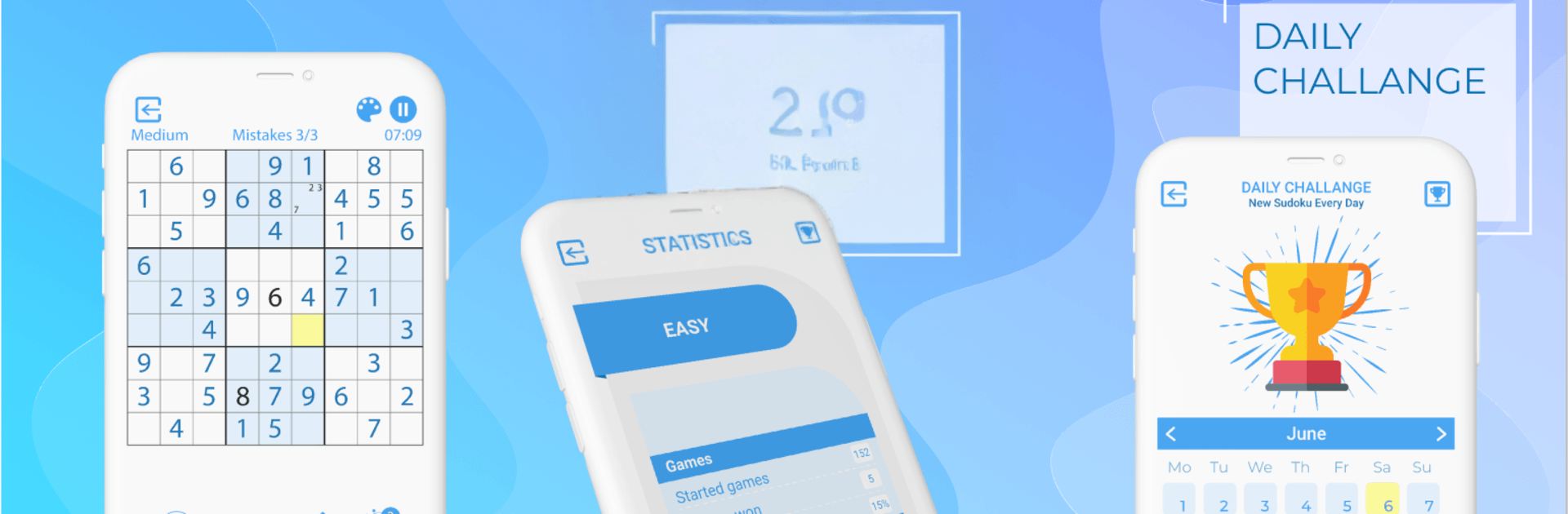
Sudoku – Classic Logic Puzzles brings that clean, satisfying number-crunching feel to your daily routine. It’s all about classic 9×9 Sudoku with thoughtful tools that help you learn, relax, or really push yourself—whatever you’re in the mood for. Want a quick brain refresh on the train or a marathon challenge on the couch? You’ve got options.

Game Features

  • Classic 9×9 rules: Fill each row, column, and 3×3 box with digits 1–9. Every puzzle is crafted with a single, fair solution.
  • Four difficulties: Pick from Easy, Medium, Hard, or the ruthless “Impossible” for when you’re feeling brave.
  • Notes your way: Toggle Pencil Mode to jot down candidates, switch it off when you’re confident—play exactly how you like.
  • Smart nudges: Stuck? Hints guide your thinking without handing over the answer, so you actually learn strategies.
  • Mistake control: Turn on auto-check to catch slips early, and highlight duplicates to avoid repeating numbers.
  • Clear visual focus: Selected-cell and number highlighting help you track patterns fast and cut down on mis-taps.
  • Themes for comfort: Choose a look that’s gentle on your eyes for long sessions, day or night.
  • Offline anytime: No connection needed—perfect for flights, commutes, or quiet breaks.
  • Plenty to solve: Thousands of handcrafted boards waiting, with fresh puzzles added daily to keep things interesting.
  • Made for big screens: Smooth on tablets, and it feels great on a larger display with BlueStacks if you prefer playing on your PC.

Start your journey now. Download the game on BlueStacks, invite your friends, and march on a new adventure.


Game Features

Enhancements

  • Macros
  • Multi Instance
  • Multi Instance Sync
  • Script
  • Enhancements
Macros

Macros

Automate the predictable in Sudoku - Classic Logic Puzzles and transform your gameplay with Macros. Get access to inventive Macros in the BlueStacks Macro Community
Multi Instance

Multi Instance

Play Sudoku - Classic Logic Puzzles on one window. And chat with your friend on the other. Press CTRL + Shift + 8 to open the Multi-Instance Manager. And start creating fresh instances or clone an existing one.
Multi Instance Sync

Multi Instance Sync

Play Sudoku - Classic Logic Puzzles with the power of Multi-Instance Sync. Replicate what you are doing on the main instance on all other instances. Level up faster, play more.
Script

Script

Script your way to gaming glory in Sudoku - Classic Logic Puzzles with BlueStacks Script. Write and run a set of commands to automate repeated tasks. Trigger the command by assigning it to any key.
Read More

How to Download and Play Sudoku - Classic Logic Puzzles on PC or Mac

  • Download and install BlueStacks on your PC or Mac

  • Complete Google sign-in to access the Play Store, or do it later

  • Look for Sudoku - Classic Logic Puzzles in the search bar at the top right corner

  • Click to install Sudoku - Classic Logic Puzzles from the search results

  • Complete Google sign-in (if you skipped step 2) to install Sudoku - Classic Logic Puzzles

  • Click the Sudoku - Classic Logic Puzzles icon on the home screen to start playing

video
Watch Video

Minimum System Requirements

With BlueStacks 5, you can get started on a PC that fulfills the following requirements.

  • Operating System

    Microsoft Windows 7 or above, macOS 11 (Big Sur) or above

  • Processor

    Intel, AMD or Apple Silicon Processor

  • RAM

    at least 4GB

  • HDD

    10GB Free Disk Space

Note:

* You must be an Administrator on your PC. Up to date graphics drivers from Microsoft or the chipset vendor.

Sudoku - Classic Logic Puzzles - FAQs

  • How to play Sudoku - Classic Logic Puzzles on Windows PC & Mac?

    Play Sudoku - Classic Logic Puzzles on your PC or Mac by following these simple steps.

    • Click on 'Play Sudoku - Classic Logic Puzzles on PC’ to download BlueStacks
    • Install it and log-in to Google Play Store
    • Launch and play the game.
  • Why is BlueStacks the fastest and safest platform to play games on PC?

    BlueStacks respects your privacy and is always safe and secure to use. It does not carry any malware, spyware, or any sort of additional software that could harm your PC.

    It is engineered to optimize speed and performance for a seamless gaming experience.

  • What are Sudoku - Classic Logic Puzzles PC requirements?

    Minimum requirement to run Sudoku - Classic Logic Puzzles on your PC

    • OS: Microsoft Windows 7 or above MacOS 11 (Big Sur) or above
    • Processor: Intel, AMD or Apple Silicon Processor
    • RAM: Your PC must have at least 4GB of RAM. (Note that having 4GB or more disk space is not a substitute for RAM)
    • HDD: 10GB Free Disk Space.
    • You must be an Administrator on your PC.