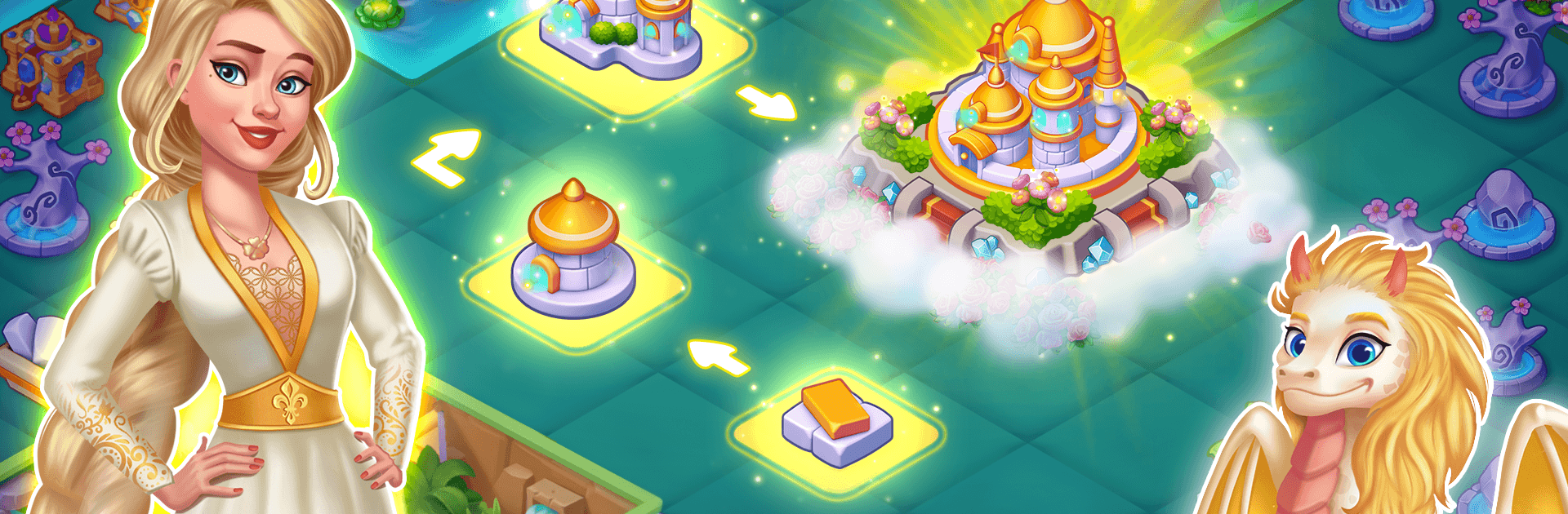
Tales & Dragons: Merge Puzzle

Tales & Dragons: Merge Puzzle

Puzzle

| GamesTown

Play on PC with BlueStacks or from our cloud

  • Overview
  • Game Features
  • How to Play

Page Modified On: August 24, 2026

Play Tales & Dragons: Merge Puzzle on PC or Mac

Tales & Dragons: Merge Puzzle brings the Puzzle genre to life, and throws up exciting challenges for gamers. Developed by GamesTown, this Android game is best experienced on BlueStacks, the World’s #1 app player for PC and Mac users.

About the Game

Tales & Dragons: Merge Puzzle drops you into a fairy-tale world where merging trinkets grows into building castles, hatching dragons, and rallying storybook heroes. It’s a Puzzle game with a cozy, collectible vibe and a full-on adventure about pushing back an undead invasion. Prefer playing on a bigger screen? It runs smoothly on PC with BlueStacks, too.

Game Features

  • Pick‑up‑and‑merge gameplay: Drag matching pieces together to create stronger items, unlock new tools, and spark fresh chains of discoveries across your map.
  • A roster of fairy‑tale heroes: Recruit familiar faces like Rapunzel, Mulan, Cinderella, Snow White, the Little Mermaid, Thor, Tarzan, and more to help defend the realm.
  • Elemental dragon buddies: Hatch and befriend dragons of fire, air, water, earth, and lightning—Fyro, Drago, Hydro, Treehorn, and Thundril each bring their own perks.
  • Build out your kingdom: Turn overgrown plots into thriving settlements, raise castles, and arrange your lands exactly how you like them.
  • Mythical creatures to nurture: Rescue and evolve beings from legends—think phoenixes and kitsune—and grow your collection on a dedicated sanctuary island.
  • Story with real stakes: Face the Necro King and his undead hordes in a chaptered adventure that mixes exploration, discovery, and big set‑piece clashes.
  • Keys through character care: Feed and assist your heroes to earn keys that open new areas, puzzles, and upgrades across the map.
  • Handy boosters when you need them: Use the Magical Crystal to complete tricky merges or clear bottlenecks when your board gets crowded.
  • Light farming and crafting: Plant crops, gather resources, and craft materials that fuel merges, construction, and creature growth.
  • Eggs to epics: Hatch dragon eggs, merge hatchlings, and watch them grow into powerful companions that supercharge your progress.

Start your journey now. Download the game on BlueStacks, invite your friends, and march on a new adventure.


Game Features

Enhancements

  • Macros
  • Multi Instance
  • Multi Instance Sync
  • Script
  • Enhancements
Macros

Macros

Automate the predictable in Tales & Dragons: Merge Puzzle and transform your gameplay with Macros. Get access to inventive Macros in the BlueStacks Macro Community
Multi Instance

Multi Instance

Play Tales & Dragons: Merge Puzzle on one window. And chat with your friend on the other. Press CTRL + Shift + 8 to open the Multi-Instance Manager. And start creating fresh instances or clone an existing one.
Multi Instance Sync

Multi Instance Sync

Play Tales & Dragons: Merge Puzzle with the power of Multi-Instance Sync. Replicate what you are doing on the main instance on all other instances. Level up faster, play more.
Script

Script

Script your way to gaming glory in Tales & Dragons: Merge Puzzle with BlueStacks Script. Write and run a set of commands to automate repeated tasks. Trigger the command by assigning it to any key.
Read More

How to Download and Play Tales & Dragons: Merge Puzzle on PC or Mac

  • Download and install BlueStacks on your PC or Mac

  • Complete Google sign-in to access the Play Store, or do it later

  • Look for Tales & Dragons: Merge Puzzle in the search bar at the top right corner

  • Click to install Tales & Dragons: Merge Puzzle from the search results

  • Complete Google sign-in (if you skipped step 2) to install Tales & Dragons: Merge Puzzle

  • Click the Tales & Dragons: Merge Puzzle icon on the home screen to start playing

video
Watch Video

Minimum System Requirements

With BlueStacks 5, you can get started on a PC that fulfills the following requirements.

  • Operating System

    Microsoft Windows 7 or above, macOS 11 (Big Sur) or above

  • Processor

    Intel, AMD or Apple Silicon Processor

  • RAM

    at least 4GB

  • HDD

    10GB Free Disk Space

Note:

* You must be an Administrator on your PC. Up to date graphics drivers from Microsoft or the chipset vendor.

Tales & Dragons: Merge Puzzle - FAQs

  • How to play Tales & Dragons: Merge Puzzle on Windows PC & Mac?

    Play Tales & Dragons: Merge Puzzle on your PC or Mac by following these simple steps.

    • Click on 'Play Tales & Dragons: Merge Puzzle on PC’ to download BlueStacks
    • Install it and log-in to Google Play Store
    • Launch and play the game.
  • Why is BlueStacks the fastest and safest platform to play games on PC?

    BlueStacks respects your privacy and is always safe and secure to use. It does not carry any malware, spyware, or any sort of additional software that could harm your PC.

    It is engineered to optimize speed and performance for a seamless gaming experience.

  • What are Tales & Dragons: Merge Puzzle PC requirements?

    Minimum requirement to run Tales & Dragons: Merge Puzzle on your PC

    • OS: Microsoft Windows 7 or above MacOS 11 (Big Sur) or above
    • Processor: Intel, AMD or Apple Silicon Processor
    • RAM: Your PC must have at least 4GB of RAM. (Note that having 4GB or more disk space is not a substitute for RAM)
    • HDD: 10GB Free Disk Space.
    • You must be an Administrator on your PC.