Twin Mind: Hunter
Twin Mind: Hunter

Twin Mind: Hunter

Puzzle

| Do Games Limited

Play on PC with BlueStacks or from our cloud

  • Overview
  • Game Features
  • How to Play

Page Modified On: January 02, 2026

Play Twin Mind: Hunter on PC or Mac

Explore a whole new adventure with Twin Mind: Hunter, a Puzzle game created by Do Games Limited. Experience great gameplay with BlueStacks, the most popular gaming platform to play Android games on your PC or Mac.

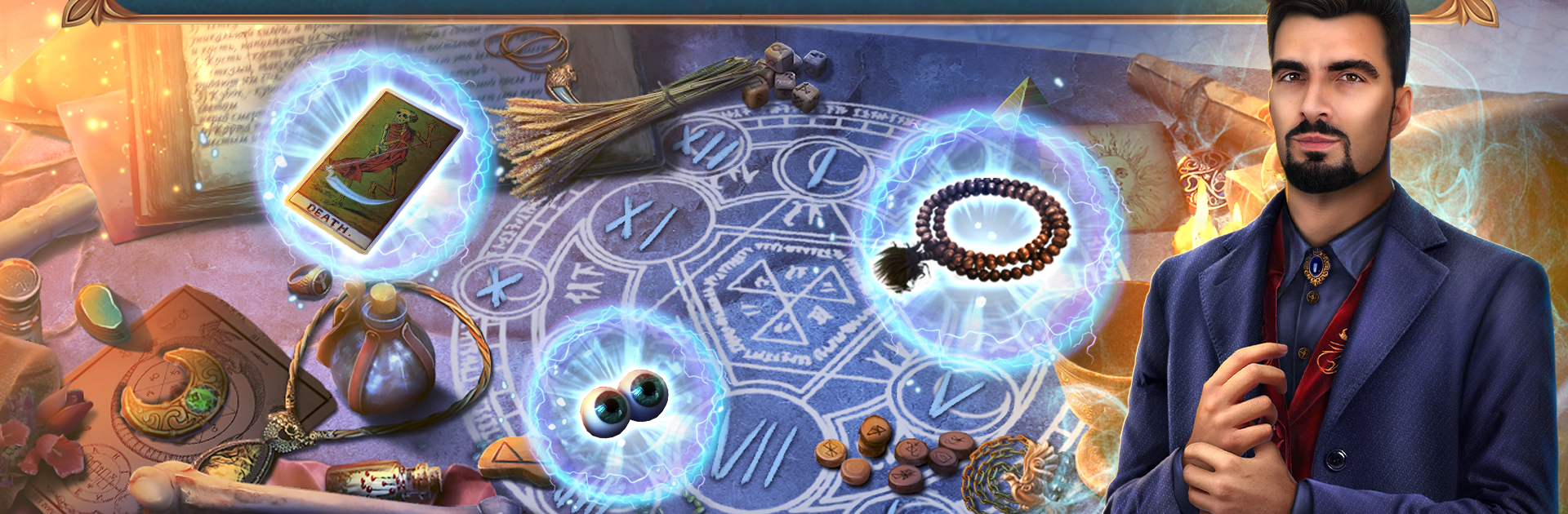
Twin Mind: Hunter is a hidden object mystery that leans into the whole detective drama without getting too heavy. Two siblings, Eleanor and Randall, pick up a weird case at a movie theater where a girl turns up with no blood left, and the rumor mill starts calling the killer Dracula. It looks straightforward at first, then the story swerves and dips into dark magic and messy motives. You swap between the twins as the investigation moves along, and the perspective shift actually changes what you do, so the scenes do not feel repetitive. Expect a steady mix of search scenes, small logic puzzles, and those neat little mini games like decoding symbols or piecing together broken clues. It does the moody crime vibe well, lots of cool set pieces like backstage corridors, late night streets, and dusty projection rooms.

The game feeds collectors too, with morphing objects and trinkets tucked into almost every location, which gives a reason to slow down and scan the art. There is a built in guide if something makes no sense, so getting stuck never turns into frustration. After the main case, a bonus chapter opens that focuses on a love triangle gone wrong, and it ties back into the main mystery in a satisfying way without dragging on. On PC with BlueStacks, the mouse makes pixel hunting less annoying, and the bigger screen helps spot those sneaky items that blend into the background. It runs smooth, and the cutscenes look tidy. There is a free slice to try before paying for the full story, and the achievement replays are there for anyone who wants to perfect the mini games later.

Make your gaming sessions memorable with precise controls that give you an edge in close combats and visuals that pop up, bringing every character to life.


Game Features

Enhancements

  • Macros
  • Multi Instance
  • Multi Instance Sync
  • Script
  • Enhancements
Macros

Macros

Automate the predictable in Twin Mind: Hunter and transform your gameplay with Macros. Get access to inventive Macros in the BlueStacks Macro Community
Multi Instance

Multi Instance

Play Twin Mind: Hunter on one window. And chat with your friend on the other. Press CTRL + Shift + 8 to open the Multi-Instance Manager. And start creating fresh instances or clone an existing one.
Multi Instance Sync

Multi Instance Sync

Play Twin Mind: Hunter with the power of Multi-Instance Sync. Replicate what you are doing on the main instance on all other instances. Level up faster, play more.
Script

Script

Script your way to gaming glory in Twin Mind: Hunter with BlueStacks Script. Write and run a set of commands to automate repeated tasks. Trigger the command by assigning it to any key.
Read More

How to Download and Play Twin Mind: Hunter on PC or Mac

  • Download and install BlueStacks on your PC or Mac

  • Complete Google sign-in to access the Play Store, or do it later

  • Look for Twin Mind: Hunter in the search bar at the top right corner

  • Click to install Twin Mind: Hunter from the search results

  • Complete Google sign-in (if you skipped step 2) to install Twin Mind: Hunter

  • Click the Twin Mind: Hunter icon on the home screen to start playing

video
Watch Video

Minimum System Requirements

With BlueStacks 5, you can get started on a PC that fulfills the following requirements.

  • Operating System

    Microsoft Windows 7 or above, macOS 11 (Big Sur) or above

  • Processor

    Intel, AMD or Apple Silicon Processor

  • RAM

    at least 4GB

  • HDD

    10GB Free Disk Space

Note:

* You must be an Administrator on your PC. Up to date graphics drivers from Microsoft or the chipset vendor.

Twin Mind: Hunter - FAQs

  • How to play Twin Mind: Hunter on Windows PC & Mac?

    Play Twin Mind: Hunter on your PC or Mac by following these simple steps.

    • Click on 'Play Twin Mind: Hunter on PC’ to download BlueStacks
    • Install it and log-in to Google Play Store
    • Launch and play the game.
  • Why is BlueStacks the fastest and safest platform to play games on PC?

    BlueStacks respects your privacy and is always safe and secure to use. It does not carry any malware, spyware, or any sort of additional software that could harm your PC.

    It is engineered to optimize speed and performance for a seamless gaming experience.

  • What are Twin Mind: Hunter PC requirements?

    Minimum requirement to run Twin Mind: Hunter on your PC

    • OS: Microsoft Windows 7 or above MacOS 11 (Big Sur) or above
    • Processor: Intel, AMD or Apple Silicon Processor
    • RAM: Your PC must have at least 4GB of RAM. (Note that having 4GB or more disk space is not a substitute for RAM)
    • HDD: 10GB Free Disk Space.
    • You must be an Administrator on your PC.