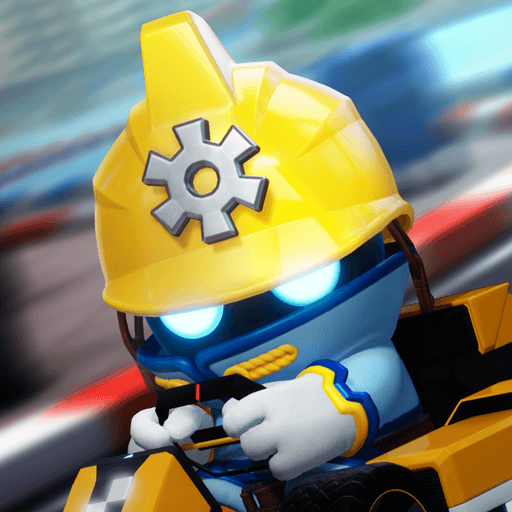
Asphalt Track Star Watch Face

Asphalt Track Star Watch Face

Racing

| Gameloft SE

Play on PC with BlueStacks or from our cloud

  • Overview
  • Game Features
  • How to Play

Page Modified On: October 21, 2026

Play Asphalt Track Star Watch Face on PC or Mac

Asphalt Track Star Watch Face brings the Racing genre to life, and throws up exciting challenges for gamers. Developed by Gameloft SE, this Android game is best experienced on BlueStacks, the World’s #1 app player for PC and Mac users.

About the Game

Asphalt Track Star Watch Face turns your everyday wear into a tiny dashboard built for speed and style. It channels the thrill of Racing into a bold, colorful display that’s easy to read at a glance and fun to show off. Designed for Wear OS, it blends slick visuals with practical info so your watch feels fresh without getting in the way. Prefer checking out Android apps on your computer first? You can explore it on BlueStacks if that’s your thing.

Game Features

  • Official vibe: The authentic Asphalt Track Star look, crafted as a watch face so the series’ energy lives right on your wrist.
  • Dynamic, sporty layout: Clean dials, bold accents, and sharp text keep time and key details clear whether you’re walking, working out, or waiting in line.
  • Deep customization: Pick colors, tweak complications, and set the layout to match your band, outfit, or mood in a couple of taps.
  • Battery-friendly design: Efficient refresh and streamlined visuals help stretch your day, so style doesn’t come at the cost of power.
  • Built for Wear OS: Optimized for supported Wear OS smartwatches with smooth performance and consistent responsiveness.
  • Always-on clarity: High-contrast elements and ambient mode support keep everything legible in bright daylight or dim environments.
  • Asphalt flair, everywhere: Carry that fast, playful spirit wherever you go—commute, gym session, or weekend coffee run.
  • Quick-glance readability: Information is arranged for instant recognition, so you can check time and stats without breaking stride.

Start playing Asphalt Track Star Watch Face on BlueStacks and get a smoother, more comfortable PC or Mac setup.


Game Features

Enhancements

  • Macros
  • Multi Instance
  • Multi Instance Sync
  • Script
  • Enhancements
Macros

Macros

Automate the predictable in Asphalt Track Star Watch Face and transform your gameplay with Macros. Get access to inventive Macros in the BlueStacks Macro Community
Multi Instance

Multi Instance

Play Asphalt Track Star Watch Face on one window. And chat with your friend on the other. Press CTRL + Shift + 8 to open the Multi-Instance Manager. And start creating fresh instances or clone an existing one.
Multi Instance Sync

Multi Instance Sync

Play Asphalt Track Star Watch Face with the power of Multi-Instance Sync. Replicate what you are doing on the main instance on all other instances. Level up faster, play more.
Script

Script

Script your way to gaming glory in Asphalt Track Star Watch Face with BlueStacks Script. Write and run a set of commands to automate repeated tasks. Trigger the command by assigning it to any key.
Read More

How to Download and Play Asphalt Track Star Watch Face on PC or Mac

  • Download and install BlueStacks on your PC or Mac

  • Complete Google sign-in to access the Play Store, or do it later

  • Look for Asphalt Track Star Watch Face in the search bar at the top right corner

  • Click to install Asphalt Track Star Watch Face from the search results

  • Complete Google sign-in (if you skipped step 2) to install Asphalt Track Star Watch Face

  • Click the Asphalt Track Star Watch Face icon on the home screen to start playing

video
Watch Video

Minimum System Requirements

With BlueStacks 5, you can get started on a PC that fulfills the following requirements.

  • Operating System

    Microsoft Windows 7 or above, macOS 11 (Big Sur) or above

  • Processor

    Intel, AMD or Apple Silicon Processor

  • RAM

    at least 4GB

  • HDD

    10GB Free Disk Space

Note:

* You must be an Administrator on your PC. Up to date graphics drivers from Microsoft or the chipset vendor.

Asphalt Track Star Watch Face - FAQs

  • How to play Asphalt Track Star Watch Face on Windows PC & Mac?

    Play Asphalt Track Star Watch Face on your PC or Mac by following these simple steps.

    • Click on 'Play Asphalt Track Star Watch Face on PC’ to download BlueStacks
    • Install it and log-in to Google Play Store
    • Launch and play the game.
  • Why is BlueStacks the fastest and safest platform to play games on PC?

    BlueStacks respects your privacy and is always safe and secure to use. It does not carry any malware, spyware, or any sort of additional software that could harm your PC.

    It is engineered to optimize speed and performance for a seamless gaming experience.

  • What are Asphalt Track Star Watch Face PC requirements?

    Minimum requirement to run Asphalt Track Star Watch Face on your PC

    • OS: Microsoft Windows 7 or above MacOS 11 (Big Sur) or above
    • Processor: Intel, AMD or Apple Silicon Processor
    • RAM: Your PC must have at least 4GB of RAM. (Note that having 4GB or more disk space is not a substitute for RAM)
    • HDD: 10GB Free Disk Space.
    • You must be an Administrator on your PC.