MechCom 3 - 3D RTS
MechCom 3 - 3D RTS

MechCom 3 - 3D RTS

Strategy

| Game Dev Team

Play on PC with BlueStacks or from our cloud

  • Overview
  • Game Features
  • How to Play

Page Modified On: June 09, 2026

Play MechCom 3 - 3D RTS on PC or Mac

Step into the World of MechCom 3 – 3D RTS, a thrilling Strategy game from the house of Game Dev Team. Play this Android game on BlueStacks App Player and experience immersive gaming on PC or Mac.

About the Game

MechCom 3 – 3D RTS drops you into a corporate war for the Sigma Galaxy, where every decision on the battlefield actually matters. It’s a sharp, fast-moving Strategy experience built around base building, resource juggling, and brutal mech skirmishes. You’ll pick a side, plot your tech path, and push through a campaign that rewards smart planning and bold moves. Prefer playing on a bigger screen with keyboard and mouse? It runs smoothly on BlueStacks as well.

Game Features

  • Genre: Strategy: Classic real-time action with base building, territory control, and smart resource management at the core.
  • Custom Mechs, Real Counters: Mix and match parts to create 16 distinct loadouts. Switch builds on the fly to answer artillery, heavy armor, or sneaky flanks.
  • Factions and a Living War: Align with a powerful corporation and tackle missions across the Sigma Galaxy as you edge rivals out of key zones.
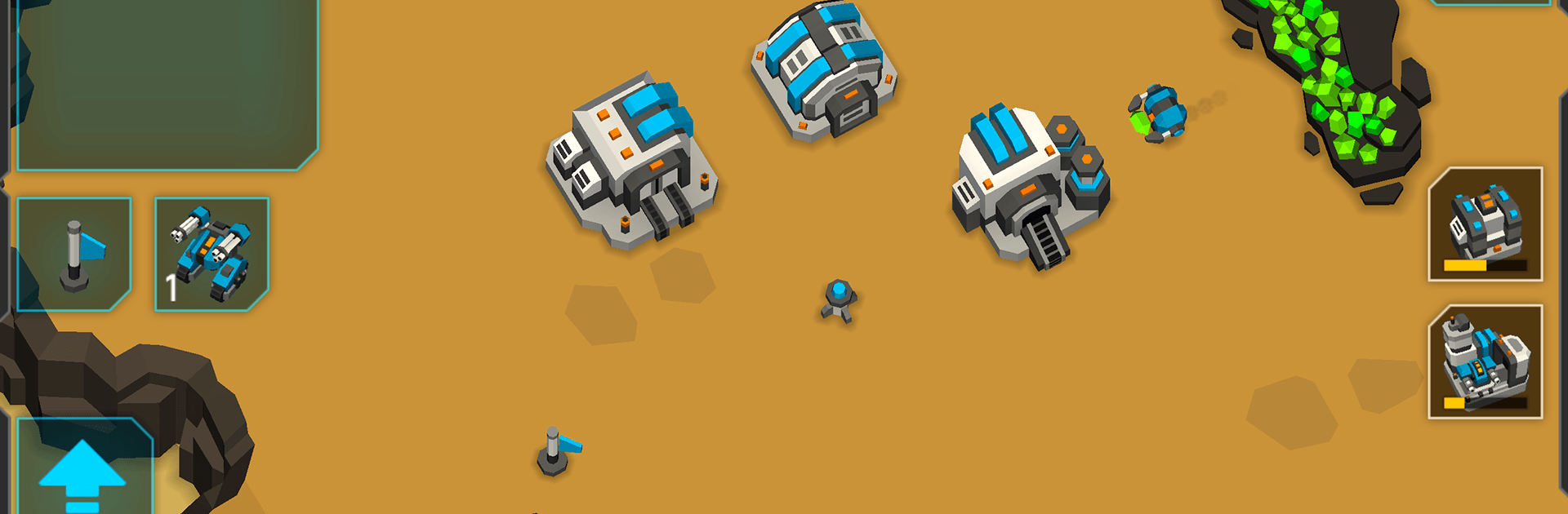
  • Clean, Stylized 3D Look: Read the battlefield at a glance. Units pop, effects are crisp, and explosions stay dramatic without turning fights into chaos.
  • Controls That Make Sense: Snappy taps, smooth grouping, and clear commands keep your focus on strategy—not wrestling with the interface.
  • AI With Teeth: Expect scouting, flanking, and pressure on weak points. Think you can turtle forever? The enemy won’t let you.
  • Modes for Every Mood: Jump into quick skirmishes or longer scenarios when you want something meatier.
  • No Distractions, Just Play: No ads and no in-app purchases—just you, your mechs, and the next hard-fought victory.

Start playing MechCom 3 – 3D RTS on BlueStacks and get a smoother, more comfortable PC or Mac setup.


Game Features

Enhancements

  • Macros
  • Multi Instance
  • Multi Instance Sync
  • Eco Mode
  • Enhancements
Macros

Macros

Skip the boring parts of a game. Play MechCom 3 - 3D RTS with Macros and get the edge. Simply record a sequence of commands and execute them at any moment.
Multi Instance

Multi Instance

Why limit to one game on your phone when you can play many on your PC? Open multiple instances of MechCom 3 - 3D RTS at once with Multi-Instance. Leverage the power of different accounts by doing more.
Multi Instance Sync

Multi Instance Sync

Get the best out of MechCom 3 - 3D RTS with Multi-Instance Sync. Play the game from different accounts and build your own empire. Use Multi-instance sync to repeat the action in the main BlueStacks instance on all other instances.
Eco Mode

Eco Mode

Find the rarest heroes by making multiple summons in MechCom 3 - 3D RTS. And while you are at it, reduce your PC’s resource consumption with the Eco Mode. Farm efficiently. Get the best results.
Read More

How to Download and Play MechCom 3 - 3D RTS on PC or Mac

  • Download and install BlueStacks on your PC or Mac

  • Complete Google sign-in to access the Play Store, or do it later

  • Look for MechCom 3 - 3D RTS in the search bar at the top right corner

  • Click to install MechCom 3 - 3D RTS from the search results

  • Complete Google sign-in (if you skipped step 2) to install MechCom 3 - 3D RTS

  • Click the MechCom 3 - 3D RTS icon on the home screen to start playing

video
Watch Video

Minimum System Requirements

With BlueStacks 5, you can get started on a PC that fulfills the following requirements.

  • Operating System

    Microsoft Windows 7 or above, macOS 11 (Big Sur) or above

  • Processor

    Intel, AMD or Apple Silicon Processor

  • RAM

    at least 4GB

  • HDD

    10GB Free Disk Space

Note:

* You must be an Administrator on your PC. Up to date graphics drivers from Microsoft or the chipset vendor.

MechCom 3 - 3D RTS - FAQs

  • How to play MechCom 3 - 3D RTS on Windows PC & Mac?

    Play MechCom 3 - 3D RTS on your PC or Mac by following these simple steps.

    • Click on 'Play MechCom 3 - 3D RTS on PC’ to download BlueStacks
    • Install it and log-in to Google Play Store
    • Launch and play the game.
  • Why is BlueStacks the fastest and safest platform to play games on PC?

    BlueStacks respects your privacy and is always safe and secure to use. It does not carry any malware, spyware, or any sort of additional software that could harm your PC.

    It is engineered to optimize speed and performance for a seamless gaming experience.

  • What are MechCom 3 - 3D RTS PC requirements?

    Minimum requirement to run MechCom 3 - 3D RTS on your PC

    • OS: Microsoft Windows 7 or above MacOS 11 (Big Sur) or above
    • Processor: Intel, AMD or Apple Silicon Processor
    • RAM: Your PC must have at least 4GB of RAM. (Note that having 4GB or more disk space is not a substitute for RAM)
    • HDD: 10GB Free Disk Space.
    • You must be an Administrator on your PC.