Door Slammers 3 Drag Racing

Door Slammers 3 Drag Racing

Racing

| Horsepower 1 Studios

Play on PC with BlueStacks or from our cloud

  • Overview
  • Game Features
  • How to Play

Page Modified On: June 25, 2026

Play Door Slammers 3 Drag Racing on PC or Mac

Play Door Slammers 3 Drag Racing by Horsepower 1 Studios on PC or Mac with BlueStacks. Use a bigger screen, mouse and keyboard controls, and smoother performance while you play.

About the Game

Door Slammers 3 Drag Racing is a Racing game built for people who care about the craft of going fast in a straight line. It puts you in control of every launch, shift, and setup tweak, so your time slip reflects your hands, not a script. Prefer a bigger display and steady inputs while you wrench and race? BlueStacks is an easy way to play on PC without changing the feel.

Game Features

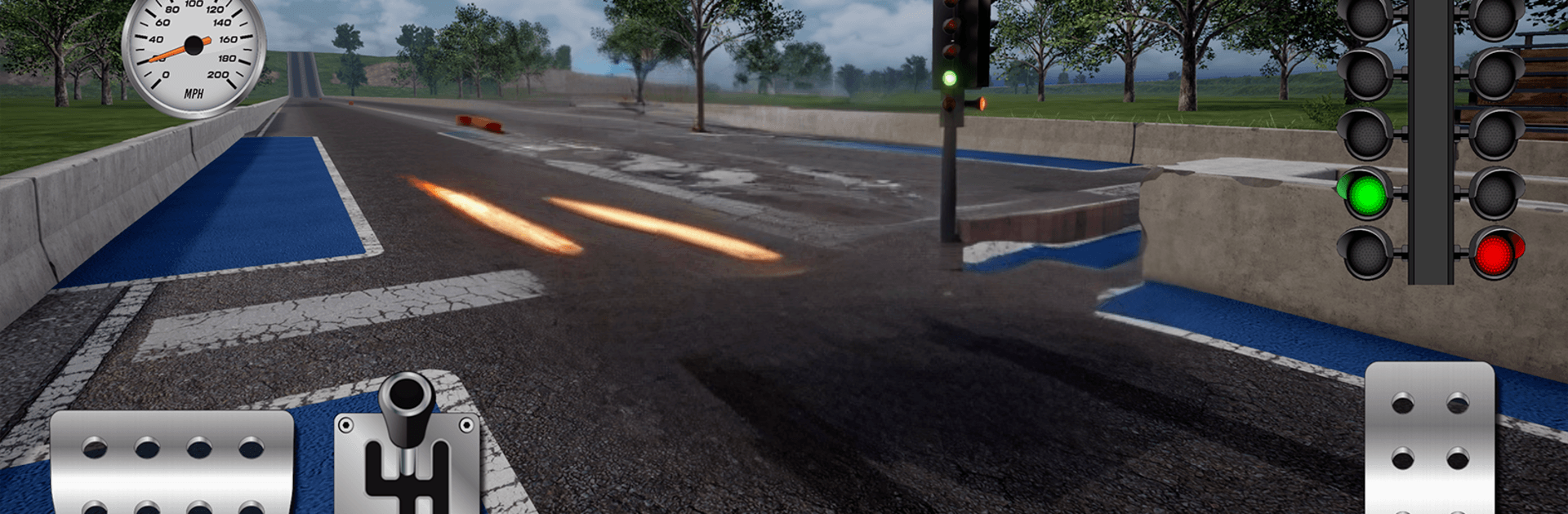
  • Hands-on launches: Stage up, read the tree, set your launch RPM, and manage boost right off the line. Nothing drives itself here—your timing decides the 60-foot and everything after.

  • Shifts that count: Bang gears at the right moment or watch your ET slip away. Nail the rhythm and you’ll feel the car pull harder all the way to the stripe.

  • Tuning that actually works: Engines, gear ratios, tires, suspension, final drive, boost, and nitrous all influence how the car hooks, carries, and traps. Tiny adjustments can shave real time.

  • Real parts, real interplay: Add power and you’ll need grip. Stiffen the rear and you might spin. Every upgrade interacts with the rest of your setup, so balance matters.

  • Modes for every session:

  • Test & Tune to dial in your setup without pressure.
  • Bracket Racing for consistency and smart strategy.
  • Heads-Up when it’s just fastest car wins.

  • Earn it, build it: Race to fund new parts and unlock more performance. Want to speed things up? In-app purchases offer quicker access to builds without skipping the work.

  • Consistent, grounded feel: Cars accelerate the way you expect, and runs are repeatable—so when you improve, you know it’s your driving and tuning paying off.

Get ready for a buttery smooth, high-performance gaming action only on BlueStacks.

Game Features

Enhancements

  • Macros
  • Multi Instance
  • Multi Instance Sync
  • Script
  • Enhancements
Macros

Macros

Automate the predictable in Door Slammers 3 Drag Racing and transform your gameplay with Macros. Get access to inventive Macros in the BlueStacks Macro Community
Multi Instance

Multi Instance

Play Door Slammers 3 Drag Racing on one window. And chat with your friend on the other. Press CTRL + Shift + 8 to open the Multi-Instance Manager. And start creating fresh instances or clone an existing one.
Multi Instance Sync

Multi Instance Sync

Play Door Slammers 3 Drag Racing with the power of Multi-Instance Sync. Replicate what you are doing on the main instance on all other instances. Level up faster, play more.
Script

Script

Script your way to gaming glory in Door Slammers 3 Drag Racing with BlueStacks Script. Write and run a set of commands to automate repeated tasks. Trigger the command by assigning it to any key.
Read More

How to Download and Play Door Slammers 3 Drag Racing on PC or Mac

  • Download and install BlueStacks on your PC or Mac

  • Complete Google sign-in to access the Play Store, or do it later

  • Look for Door Slammers 3 Drag Racing in the search bar at the top right corner

  • Click to install Door Slammers 3 Drag Racing from the search results

  • Complete Google sign-in (if you skipped step 2) to install Door Slammers 3 Drag Racing

  • Click the Door Slammers 3 Drag Racing icon on the home screen to start playing

video
Watch Video

Minimum System Requirements

With BlueStacks 5, you can get started on a PC that fulfills the following requirements.

  • Operating System

    Microsoft Windows 7 or above, macOS 11 (Big Sur) or above

  • Processor

    Intel, AMD or Apple Silicon Processor

  • RAM

    at least 4GB

  • HDD

    10GB Free Disk Space

Note:

* You must be an Administrator on your PC. Up to date graphics drivers from Microsoft or the chipset vendor.

Door Slammers 3 Drag Racing - FAQs

  • How to play Door Slammers 3 Drag Racing on Windows PC & Mac?

    Play Door Slammers 3 Drag Racing on your PC or Mac by following these simple steps.

    • Click on 'Play Door Slammers 3 Drag Racing on PC’ to download BlueStacks
    • Install it and log-in to Google Play Store
    • Launch and play the game.
  • Why is BlueStacks the fastest and safest platform to play games on PC?

    BlueStacks respects your privacy and is always safe and secure to use. It does not carry any malware, spyware, or any sort of additional software that could harm your PC.

    It is engineered to optimize speed and performance for a seamless gaming experience.

  • What are Door Slammers 3 Drag Racing PC requirements?

    Minimum requirement to run Door Slammers 3 Drag Racing on your PC

    • OS: Microsoft Windows 7 or above MacOS 11 (Big Sur) or above
    • Processor: Intel, AMD or Apple Silicon Processor
    • RAM: Your PC must have at least 4GB of RAM. (Note that having 4GB or more disk space is not a substitute for RAM)
    • HDD: 10GB Free Disk Space.
    • You must be an Administrator on your PC.