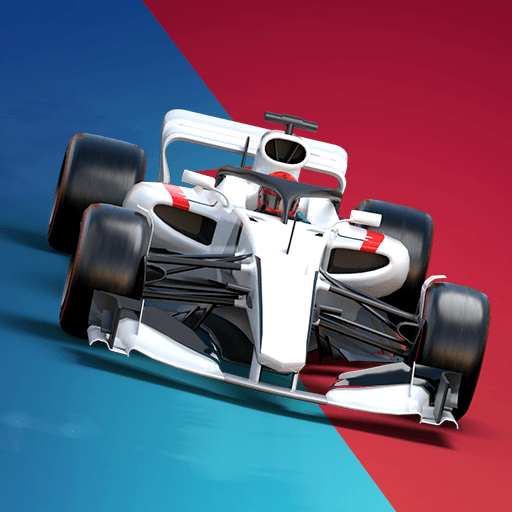
Draw Your Car - Create Build and Make Your Own Car

Draw Your Car - Create Build and Make Your Own Car

Racing

| Alex Naronov

Play on PC with BlueStacks or from our cloud

  • Overview
  • Game Features
  • How to Play

Page Modified On: August 25, 2025

Play Draw Your Car - Create Build and Make Your Own Car on PC or Mac

Step into the World of Draw Your Car – Create Build and Make Your Own Car, a thrilling Racing game from the house of Alex Naronov. Play this Android game on BlueStacks App Player and experience immersive gaming on PC or Mac.

About the Game

Ever wished you could just sketch out your own wild car ideas and see them race across the screen? Draw Your Car – Create Build and Make Your Own Car lets you do exactly that. Grab your device, let your finger do the talking, and shape a one-of-a-kind ride to take on crazy obstacles and colorful tracks. If you like a little creativity mixed in with your Racing gameplay, this one’s packed with those moments where your imagination is the limit.

Game Features

  • Draw and Build from Scratch
    Start by doodling any car shape you can dream up—seriously, draw it however you want! From boxy buggies to noodle-shaped dragsters, your finger is the blueprint.

  • Custom Wheels and Colors
    Once your masterpiece is outlined, pick out wheels and splash on your favorite colors. Want hot-pink tires or a lightning bolt body? Go for it.

  • Creative Level Design
    It’s not just your car you can sketch—sometimes, you’ll craft the roads too. Whether it’s slippery slopes or bumpy turns, you’re the architect of your adventure.

  • Challenging Racing Action
    Take your freshly-made vehicle for a spin and race it through a bunch of levels, each one throwing new obstacles your way. Quick tip: your design makes all the difference, so don’t be afraid to get wacky.

  • Endless Mode
    Fancy a never-ending test of just how far your imagination (and your wild car) can go? Check out the endless road mode and keep creating, building, and racing.

  • Coin Collection and Upgrades
    Collect coins as you play—they’re useful for unlocking new customizations, colors, and imaginative parts. Little tweaks can turn your ride into an unstoppable force.

  • Show Off Your Creation
    After all that work, check out your totally custom build in action as it races, flips, and maybe even flops in true jelly car style.

For that curious crowd who loves experimenting, the mix of drawing and racing here really stands out, and trying it on BlueStacks only adds to the fun.

Slay your opponents with your epic moves. Play it your way on BlueStacks and dominate the battlefield.


Game Features

Enhancements

  • Macros
  • Multi Instance
  • Multi Instance Sync
  • Script
  • Enhancements
Macros

Macros

Automate the predictable in Draw Your Car - Create Build and Make Your Own Car and transform your gameplay with Macros. Get access to inventive Macros in the BlueStacks Macro Community
Multi Instance

Multi Instance

Play Draw Your Car - Create Build and Make Your Own Car on one window. And chat with your friend on the other. Press CTRL + Shift + 8 to open the Multi-Instance Manager. And start creating fresh instances or clone an existing one.
Multi Instance Sync

Multi Instance Sync

Play Draw Your Car - Create Build and Make Your Own Car with the power of Multi-Instance Sync. Replicate what you are doing on the main instance on all other instances. Level up faster, play more.
Script

Script

Script your way to gaming glory in Draw Your Car - Create Build and Make Your Own Car with BlueStacks Script. Write and run a set of commands to automate repeated tasks. Trigger the command by assigning it to any key.
Read More

How to Download and Play Draw Your Car - Create Build and Make Your Own Car on PC or Mac

  • Download and install BlueStacks on your PC or Mac

  • Complete Google sign-in to access the Play Store, or do it later

  • Look for Draw Your Car - Create Build and Make Your Own Car in the search bar at the top right corner

  • Click to install Draw Your Car - Create Build and Make Your Own Car from the search results

  • Complete Google sign-in (if you skipped step 2) to install Draw Your Car - Create Build and Make Your Own Car

  • Click the Draw Your Car - Create Build and Make Your Own Car icon on the home screen to start playing

video
Watch Video

Minimum System Requirements

With BlueStacks 5, you can get started on a PC that fulfills the following requirements.

  • Operating System

    Microsoft Windows 7 or above, macOS 11 (Big Sur) or above

  • Processor

    Intel, AMD or Apple Silicon Processor

  • RAM

    at least 4GB

  • HDD

    10GB Free Disk Space

Note:

* You must be an Administrator on your PC. Up to date graphics drivers from Microsoft or the chipset vendor.

Draw Your Car - Create Build and Make Your Own Car - FAQs

  • How to play Draw Your Car - Create Build and Make Your Own Car on Windows PC & Mac?

    Play Draw Your Car - Create Build and Make Your Own Car on your PC or Mac by following these simple steps.

    • Click on 'Play Draw Your Car - Create Build and Make Your Own Car on PC’ to download BlueStacks
    • Install it and log-in to Google Play Store
    • Launch and play the game.
  • Why is BlueStacks the fastest and safest platform to play games on PC?

    BlueStacks respects your privacy and is always safe and secure to use. It does not carry any malware, spyware, or any sort of additional software that could harm your PC.

    It is engineered to optimize speed and performance for a seamless gaming experience.

  • What are Draw Your Car - Create Build and Make Your Own Car PC requirements?

    Minimum requirement to run Draw Your Car - Create Build and Make Your Own Car on your PC

    • OS: Microsoft Windows 7 or above MacOS 11 (Big Sur) or above
    • Processor: Intel, AMD or Apple Silicon Processor
    • RAM: Your PC must have at least 4GB of RAM. (Note that having 4GB or more disk space is not a substitute for RAM)
    • HDD: 10GB Free Disk Space.
    • You must be an Administrator on your PC.