Flash Racer
Flash Racer

Flash Racer

Racing

| Quiz Game Pub

Play on PC with BlueStacks or from our cloud

  • Overview
  • Game Features
  • How to Play

Page Modified On: August 11, 2025

Play Flash Racer on PC or Mac

Step into the World of Flash Racer, a thrilling Racing game from the house of Quiz Game Pub. Play this Android game on BlueStacks App Player and experience immersive gaming on PC or Mac.

About the Game

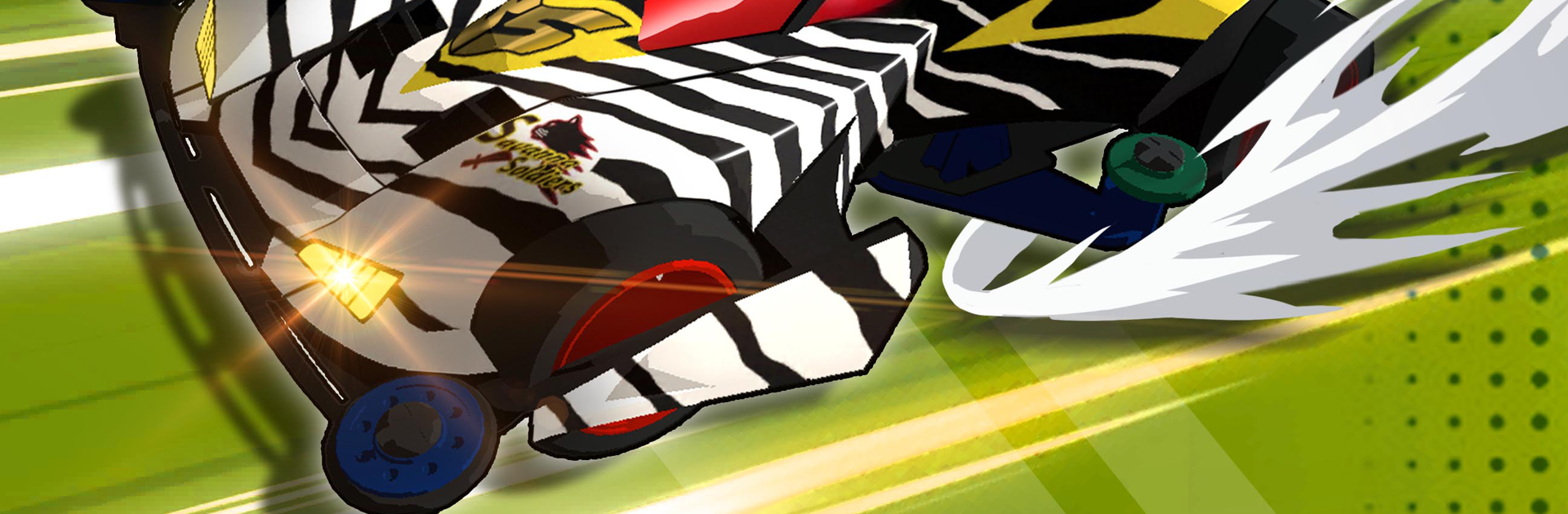
Flash Racer from Quiz Game Pub calls out to anyone who grew up loving four-wheel drive cars—or anyone itching for some fast-paced Racing excitement. Slip behind the wheel of your own mini racer, build it up with custom parts, and challenge friends or rivals in real-time. Whether you’re chasing that nostalgic rush from classic animation or just want to see how your DIY creation handles at full throttle, it’s all packed in here.

Game Features

  • Iconic Cars, Rebuilt
    Want to take your favorite animated racers for a spin? Flash Racer brings all those legendary cars to life, letting you assemble, race, and compete with the models you remember (or wish you did).

  • Hundreds of Custom Parts
    Tinker to your heart’s content. There are shells, chassis, motors, wheels, and a ton of extras—stickers, colors, even oddball add-ons—so you can make your racer truly your own. Mixing and matching is all part of the fun.

  • Feels Just Like the Real Thing
    Parts matter: swap in a faster motor, tweak your tires, or mess with your battery for that extra edge. The game’s all about capturing the real deal, so every little change can give you an advantage—or send you spinning.

  • Simple, Satisfying Controls
    You won’t need a degree in engineering or lightning-fast reflexes. With intuitive tapping and streamlined commands, just focus on the race and the sound of your motor as you blast down realistic four-wheel drive tracks.

  • Animated Rivals & Speedy Competition
    Put your skills to the test against classic characters or other players. It’s not just about speed; strategy matters too. Those little tweaks to your build could be the difference between first and “maybe next time.”

  • Great on BlueStacks
    Looking for a bigger screen and smoother handling? You can check out Flash Racer using BlueStacks for a more comfortable, turbo-charged Racing experience.

Slay your opponents with your epic moves. Play it your way on BlueStacks and dominate the battlefield.


Game Features

Enhancements

  • Macros
  • Multi Instance
  • Multi Instance Sync
  • Script
  • Enhancements
Macros

Macros

Automate the predictable in Flash Racer and transform your gameplay with Macros. Get access to inventive Macros in the BlueStacks Macro Community
Multi Instance

Multi Instance

Play Flash Racer on one window. And chat with your friend on the other. Press CTRL + Shift + 8 to open the Multi-Instance Manager. And start creating fresh instances or clone an existing one.
Multi Instance Sync

Multi Instance Sync

Play Flash Racer with the power of Multi-Instance Sync. Replicate what you are doing on the main instance on all other instances. Level up faster, play more.
Script

Script

Script your way to gaming glory in Flash Racer with BlueStacks Script. Write and run a set of commands to automate repeated tasks. Trigger the command by assigning it to any key.
Read More

How to Download and Play Flash Racer on PC or Mac

  • Download and install BlueStacks on your PC or Mac

  • Complete Google sign-in to access the Play Store, or do it later

  • Look for Flash Racer in the search bar at the top right corner

  • Click to install Flash Racer from the search results

  • Complete Google sign-in (if you skipped step 2) to install Flash Racer

  • Click the Flash Racer icon on the home screen to start playing

video
Watch Video

Minimum System Requirements

With BlueStacks 5, you can get started on a PC that fulfills the following requirements.

  • Operating System

    Microsoft Windows 7 or above, macOS 11 (Big Sur) or above

  • Processor

    Intel, AMD or Apple Silicon Processor

  • RAM

    at least 4GB

  • HDD

    10GB Free Disk Space

Note:

* You must be an Administrator on your PC. Up to date graphics drivers from Microsoft or the chipset vendor.

Flash Racer - FAQs

  • How to play Flash Racer on Windows PC & Mac?

    Play Flash Racer on your PC or Mac by following these simple steps.

    • Click on 'Play Flash Racer on PC’ to download BlueStacks
    • Install it and log-in to Google Play Store
    • Launch and play the game.
  • Why is BlueStacks the fastest and safest platform to play games on PC?

    BlueStacks respects your privacy and is always safe and secure to use. It does not carry any malware, spyware, or any sort of additional software that could harm your PC.

    It is engineered to optimize speed and performance for a seamless gaming experience.

  • What are Flash Racer PC requirements?

    Minimum requirement to run Flash Racer on your PC

    • OS: Microsoft Windows 7 or above MacOS 11 (Big Sur) or above
    • Processor: Intel, AMD or Apple Silicon Processor
    • RAM: Your PC must have at least 4GB of RAM. (Note that having 4GB or more disk space is not a substitute for RAM)
    • HDD: 10GB Free Disk Space.
    • You must be an Administrator on your PC.