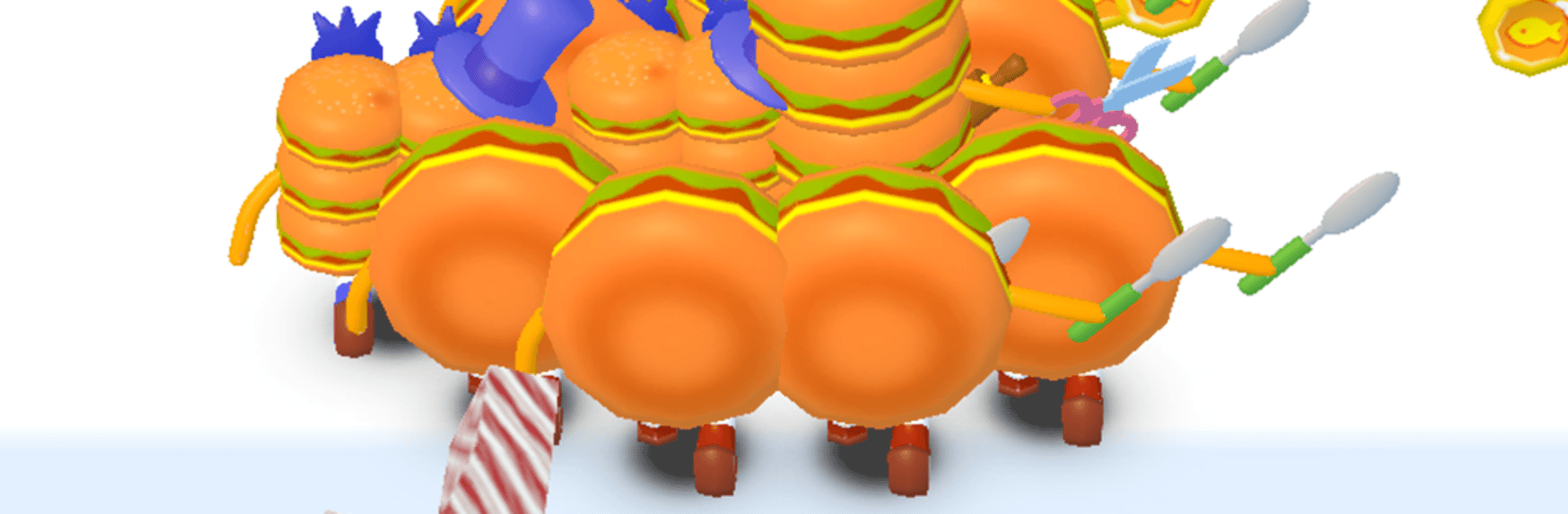
Foodie Runner: Merge & Run

Foodie Runner: Merge & Run

Racing

| MobGame Pte. Ltd.

Play on PC with BlueStacks or from our cloud

  • Overview
  • Game Features
  • How to Play

Page Modified On: April 07, 2026

Play Foodie Runner: Merge & Run on PC or Mac

Foodie Runner: Merge & Run brings the Racing genre to life, and throws up exciting challenges for gamers. Developed by MobGame Pte. Ltd., this Android game is best experienced on BlueStacks, the World’s #1 app player for PC and Mac users.

About the Game

Foodie Runner: Merge & Run is a fast, funny mash-up where sprinting down a track meets fusing food into ridiculous power-ups. From MobGame Pte. Ltd., this take on Racing mixes quick swipes, smart merges, and cheeky food combat against noodle nightmares and sauce-slinging bosses. Want a bigger screen for your feast? It also plays smoothly on PC with BlueStacks.

Game Features

  • Runner + Merge Hybrid: Dash through 3D lanes, scoop up food cubes, and combine matching dishes on the fly to stack strength for the finish.
  • Eat-or-Be-Eaten Battles: Absorb smaller snacks to bulk up, then throw down with pasta creeps in a final arena showdown.
  • Tasty Strategy: When you merge matters—choose what to fuse, what to save, and how to prep your squad before the boss gate.
  • Worlds on a Plate: Sprint across colorful kitchens, street‑food strips, steamy noodle caverns, and pasta-filled caves.
  • Big, Saucy Bosses: Face spaghetti colossi and noodle monsters with patterns to read and openings to exploit.
  • Unlockable Recipes: Discover new evolution paths and rare fusions that turn humble snacks into legendary mega-meals.
  • Skills with Sizzle: Trigger wild foodie abilities like Sauce Splash, Turbo Boil, and Mega Bite to flip tough encounters.
  • Ramps, Gates, and Traps: Pick upgrade gates wisely, dodge hazards, and tackle escalating merge challenges as the pace spikes.
  • Daily Goals & Rewards: Short, snackable quests that feed your progression and keep your pantry stocked.
  • Bright 3D Style: Chunky cubes, goofy food creatures, and an energetic soundtrack keep every run lively.
  • Build Your Best Bite: Upgrade favorite food characters and shape a go-to lineup that survives the crunch.
  • On the Horizon: Multiplayer Food vs Food battles are in the works, perfect for testing your ultimate mega-meal.

Slay your opponents with your epic moves. Play it your way on BlueStacks and dominate the battlefield.


Game Features

Enhancements

  • Macros
  • Multi Instance
  • Multi Instance Sync
  • Script
  • Enhancements
Macros

Macros

Automate the predictable in Foodie Runner: Merge & Run and transform your gameplay with Macros. Get access to inventive Macros in the BlueStacks Macro Community
Multi Instance

Multi Instance

Play Foodie Runner: Merge & Run on one window. And chat with your friend on the other. Press CTRL + Shift + 8 to open the Multi-Instance Manager. And start creating fresh instances or clone an existing one.
Multi Instance Sync

Multi Instance Sync

Play Foodie Runner: Merge & Run with the power of Multi-Instance Sync. Replicate what you are doing on the main instance on all other instances. Level up faster, play more.
Script

Script

Script your way to gaming glory in Foodie Runner: Merge & Run with BlueStacks Script. Write and run a set of commands to automate repeated tasks. Trigger the command by assigning it to any key.
Read More

How to Download and Play Foodie Runner: Merge & Run on PC or Mac

  • Download and install BlueStacks on your PC or Mac

  • Complete Google sign-in to access the Play Store, or do it later

  • Look for Foodie Runner: Merge & Run in the search bar at the top right corner

  • Click to install Foodie Runner: Merge & Run from the search results

  • Complete Google sign-in (if you skipped step 2) to install Foodie Runner: Merge & Run

  • Click the Foodie Runner: Merge & Run icon on the home screen to start playing

video
Watch Video

Minimum System Requirements

With BlueStacks 5, you can get started on a PC that fulfills the following requirements.

  • Operating System

    Microsoft Windows 7 or above, macOS 11 (Big Sur) or above

  • Processor

    Intel, AMD or Apple Silicon Processor

  • RAM

    at least 4GB

  • HDD

    10GB Free Disk Space

Note:

* You must be an Administrator on your PC. Up to date graphics drivers from Microsoft or the chipset vendor.

Foodie Runner: Merge & Run - FAQs

  • How to play Foodie Runner: Merge & Run on Windows PC & Mac?

    Play Foodie Runner: Merge & Run on your PC or Mac by following these simple steps.

    • Click on 'Play Foodie Runner: Merge & Run on PC’ to download BlueStacks
    • Install it and log-in to Google Play Store
    • Launch and play the game.
  • Why is BlueStacks the fastest and safest platform to play games on PC?

    BlueStacks respects your privacy and is always safe and secure to use. It does not carry any malware, spyware, or any sort of additional software that could harm your PC.

    It is engineered to optimize speed and performance for a seamless gaming experience.

  • What are Foodie Runner: Merge & Run PC requirements?

    Minimum requirement to run Foodie Runner: Merge & Run on your PC

    • OS: Microsoft Windows 7 or above MacOS 11 (Big Sur) or above
    • Processor: Intel, AMD or Apple Silicon Processor
    • RAM: Your PC must have at least 4GB of RAM. (Note that having 4GB or more disk space is not a substitute for RAM)
    • HDD: 10GB Free Disk Space.
    • You must be an Administrator on your PC.