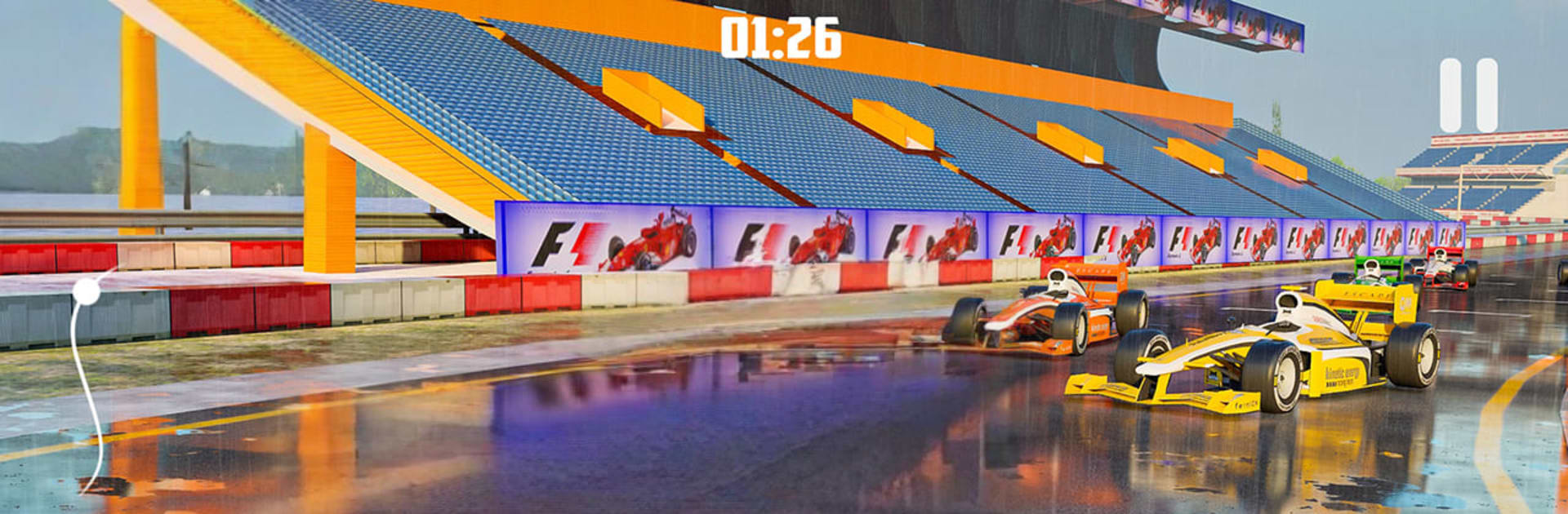
Formula Car Racing Games 3D

Formula Car Racing Games 3D

Racing

| TapSol Ltd

Play on PC with BlueStacks or from our cloud

  • Overview
  • Game Features
  • How to Play

Page Modified On: September 25, 2026

Play Formula Car Racing Games 3D on PC or Mac

Explore a whole new adventure with Formula Car Racing Games 3D, a Racing game created by TapSol Ltd. Experience great gameplay with BlueStacks, the most popular gaming platform to play Android games on your PC or Mac.

About the Game

Formula Car Racing Games 3D drops you into the cockpit of single-seat, open-wheel machines that live for speed and precision. This Racing experience blends high-velocity thrills with smart car management—tires wear, brakes heat up, and fuel strategy actually matters—so every corner counts. Prefer a bigger view and smoother control feel? It plays nicely on BlueStacks, too.

Game Features

  • Authentic handling: Feel the car react to throttle, brake pressure, curb strikes, and track camber—push too hard and you’ll know it.
  • Strategic management: Watch fuel load, tire wear, and brake temps to keep your pace sharp from lights to flag.
  • Rival-packed events: Enter tournaments, battle tough AI, and face players from around the world for bragging rights.
  • Varied circuits: Conquer stadium-style layouts filled with hairpins, chicanes, and nasty off-camber turns that punish mistakes.
  • Drifting moments: Catch slides through tricky bends and balance the car when grip falls away on corner exit.
  • Stunt sections: Launch over ramps and tackle bold set pieces designed for clean air and cleaner landings.
  • Car garage: Choose from a range of sporty formula machines, each with its own feel and learning curve.
  • Season chase: Work through event calendars, stack podiums, and gear up for a shot at the big championship.
  • Immersive audio: Engine wail, tire squeal, and trackside ambience pull you into the noise and nerves of race day.
  • Flexible control feel: Smooth steering and responsive inputs make trail-braking, throttle feathering, and apex hunting satisfying.

Start playing Formula Car Racing Games 3D on BlueStacks and get a smoother, more comfortable PC or Mac setup.


Game Features

Enhancements

  • Macros
  • Multi Instance
  • Multi Instance Sync
  • Script
  • Enhancements
Macros

Macros

Automate the predictable in Formula Car Racing Games 3D and transform your gameplay with Macros. Get access to inventive Macros in the BlueStacks Macro Community
Multi Instance

Multi Instance

Play Formula Car Racing Games 3D on one window. And chat with your friend on the other. Press CTRL + Shift + 8 to open the Multi-Instance Manager. And start creating fresh instances or clone an existing one.
Multi Instance Sync

Multi Instance Sync

Play Formula Car Racing Games 3D with the power of Multi-Instance Sync. Replicate what you are doing on the main instance on all other instances. Level up faster, play more.
Script

Script

Script your way to gaming glory in Formula Car Racing Games 3D with BlueStacks Script. Write and run a set of commands to automate repeated tasks. Trigger the command by assigning it to any key.
Read More

How to Download and Play Formula Car Racing Games 3D on PC or Mac

  • Download and install BlueStacks on your PC or Mac

  • Complete Google sign-in to access the Play Store, or do it later

  • Look for Formula Car Racing Games 3D in the search bar at the top right corner

  • Click to install Formula Car Racing Games 3D from the search results

  • Complete Google sign-in (if you skipped step 2) to install Formula Car Racing Games 3D

  • Click the Formula Car Racing Games 3D icon on the home screen to start playing

video
Watch Video

Minimum System Requirements

With BlueStacks 5, you can get started on a PC that fulfills the following requirements.

  • Operating System

    Microsoft Windows 7 or above, macOS 11 (Big Sur) or above

  • Processor

    Intel, AMD or Apple Silicon Processor

  • RAM

    at least 4GB

  • HDD

    10GB Free Disk Space

Note:

* You must be an Administrator on your PC. Up to date graphics drivers from Microsoft or the chipset vendor.

Formula Car Racing Games 3D - FAQs

  • How to play Formula Car Racing Games 3D on Windows PC & Mac?

    Play Formula Car Racing Games 3D on your PC or Mac by following these simple steps.

    • Click on 'Play Formula Car Racing Games 3D on PC’ to download BlueStacks
    • Install it and log-in to Google Play Store
    • Launch and play the game.
  • Why is BlueStacks the fastest and safest platform to play games on PC?

    BlueStacks respects your privacy and is always safe and secure to use. It does not carry any malware, spyware, or any sort of additional software that could harm your PC.

    It is engineered to optimize speed and performance for a seamless gaming experience.

  • What are Formula Car Racing Games 3D PC requirements?

    Minimum requirement to run Formula Car Racing Games 3D on your PC

    • OS: Microsoft Windows 7 or above MacOS 11 (Big Sur) or above
    • Processor: Intel, AMD or Apple Silicon Processor
    • RAM: Your PC must have at least 4GB of RAM. (Note that having 4GB or more disk space is not a substitute for RAM)
    • HDD: 10GB Free Disk Space.
    • You must be an Administrator on your PC.