Horizon Chase 3D Racing

Horizon Chase 3D Racing

Racing

| ArenaKick Games

Play on PC with BlueStacks or from our cloud

  • Overview
  • Game Features
  • How to Play

Page Modified On: October 21, 2026

Play Horizon Chase 3D Racing on PC or Mac

Bring your A-game to Horizon Chase 3D Racing, the Racing game sensation from ArenaKick Games. Give your gameplay the much-needed boost with precise game controls, high FPS graphics, and top-tier features on your PC or Mac with BlueStacks.

About the Game

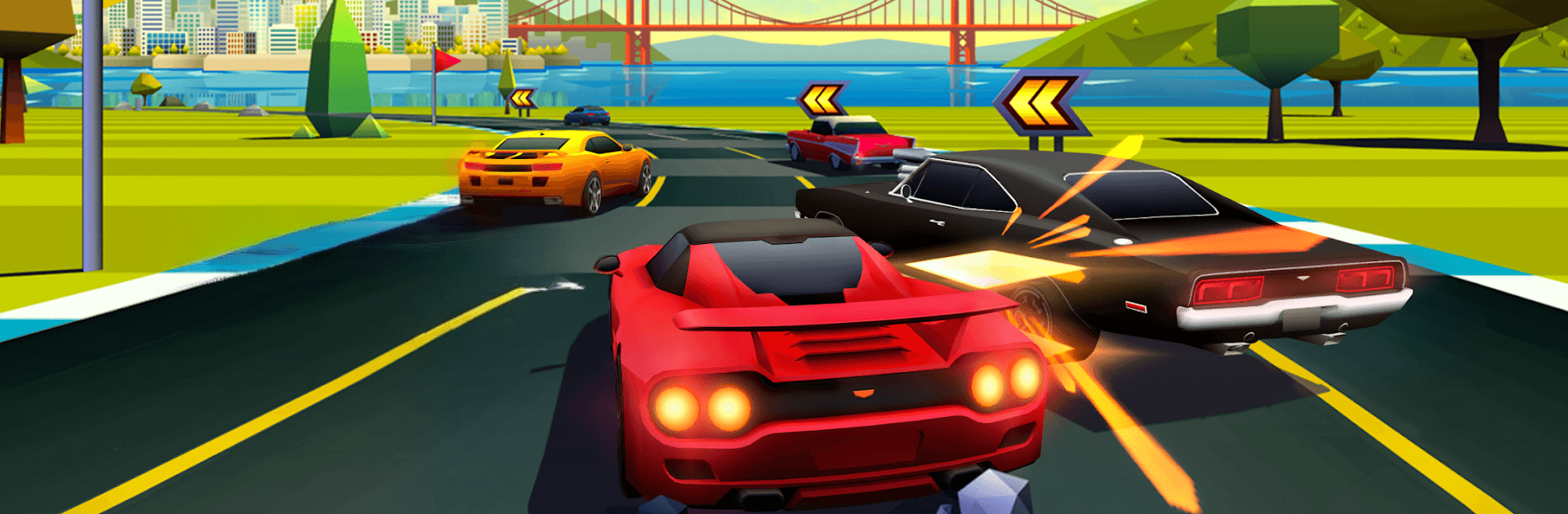
Horizon Chase 3D Racing brings back the feel of old-school arcades and blends it with a clean, modern look. It’s a Racing game built for pure speed and tight, satisfying turns, taking you on a colorful world tour packed with quick, high-energy races. Prefer a bigger screen? It also runs great on BlueStacks if that’s your setup.

Game Features

  • Retro style, modern polish: Soak in a vibrant 16-bit-inspired aesthetic—chunky polygons, bold colors, and crisp horizons—refined with smooth effects and a contemporary finish.
  • Global tracks and wild weather: Sprint through circuits inspired by real destinations while sunsets, rain, snow, sandstorms, and drifting volcanic ash keep every lap fresh, day or night.
  • Fast, no-fuss handling: Jump in and go—slam the gas, drift through sweeping corners, and punch nitro for that satisfying burst; easy to pick up, rewarding to master.
  • Senna Forever content: Relive iconic moments through a special set of events inspired by Ayrton Senna, featuring new cars, handcrafted tracks, and tailored challenges.
  • Turn-it-up soundtrack: Race to an energizing score by Barry Leitch, the legendary composer behind classic arcade vibes—catchy, punchy, and perfectly timed to each horizon.
  • Built for quick sessions: Races are short and punchy, ideal for squeezing in a few laps whenever you’ve got a spare minute, or settling in for a full cup run.

Ready to top the leaderboard? We bet you do. Let precise controls and sharp visuals optimized on BlueStacks lead you to victory.


Game Features

Enhancements

  • Macros
  • Multi Instance
  • Multi Instance Sync
  • Script
  • Enhancements
Macros

Macros

Automate the predictable in Horizon Chase 3D Racing and transform your gameplay with Macros. Get access to inventive Macros in the BlueStacks Macro Community
Multi Instance

Multi Instance

Play Horizon Chase 3D Racing on one window. And chat with your friend on the other. Press CTRL + Shift + 8 to open the Multi-Instance Manager. And start creating fresh instances or clone an existing one.
Multi Instance Sync

Multi Instance Sync

Play Horizon Chase 3D Racing with the power of Multi-Instance Sync. Replicate what you are doing on the main instance on all other instances. Level up faster, play more.
Script

Script

Script your way to gaming glory in Horizon Chase 3D Racing with BlueStacks Script. Write and run a set of commands to automate repeated tasks. Trigger the command by assigning it to any key.
Read More

How to Download and Play Horizon Chase 3D Racing on PC or Mac

  • Download and install BlueStacks on your PC or Mac

  • Complete Google sign-in to access the Play Store, or do it later

  • Look for Horizon Chase 3D Racing in the search bar at the top right corner

  • Click to install Horizon Chase 3D Racing from the search results

  • Complete Google sign-in (if you skipped step 2) to install Horizon Chase 3D Racing

  • Click the Horizon Chase 3D Racing icon on the home screen to start playing

video
Watch Video

Minimum System Requirements

With BlueStacks 5, you can get started on a PC that fulfills the following requirements.

  • Operating System

    Microsoft Windows 7 or above, macOS 11 (Big Sur) or above

  • Processor

    Intel, AMD or Apple Silicon Processor

  • RAM

    at least 4GB

  • HDD

    10GB Free Disk Space

Note:

* You must be an Administrator on your PC. Up to date graphics drivers from Microsoft or the chipset vendor.

Horizon Chase 3D Racing - FAQs

  • How to play Horizon Chase 3D Racing on Windows PC & Mac?

    Play Horizon Chase 3D Racing on your PC or Mac by following these simple steps.

    • Click on 'Play Horizon Chase 3D Racing on PC’ to download BlueStacks
    • Install it and log-in to Google Play Store
    • Launch and play the game.
  • Why is BlueStacks the fastest and safest platform to play games on PC?

    BlueStacks respects your privacy and is always safe and secure to use. It does not carry any malware, spyware, or any sort of additional software that could harm your PC.

    It is engineered to optimize speed and performance for a seamless gaming experience.

  • What are Horizon Chase 3D Racing PC requirements?

    Minimum requirement to run Horizon Chase 3D Racing on your PC

    • OS: Microsoft Windows 7 or above MacOS 11 (Big Sur) or above
    • Processor: Intel, AMD or Apple Silicon Processor
    • RAM: Your PC must have at least 4GB of RAM. (Note that having 4GB or more disk space is not a substitute for RAM)
    • HDD: 10GB Free Disk Space.
    • You must be an Administrator on your PC.