Kids Car Racers
Kids Car Racers

Kids Car Racers

Racing

| 3583 Bytes

Play on PC with BlueStacks or from our cloud

  • Overview
  • Game Features
  • How to Play

Page Modified On: July 27, 2026

Play Kids Car Racers on PC or Mac

Explore a whole new adventure with Kids Car Racers, a Racing game created by 3583 Bytes. Experience great gameplay with BlueStacks, the most popular gaming platform to play Android games on your PC or Mac.

About the Game

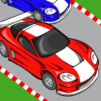
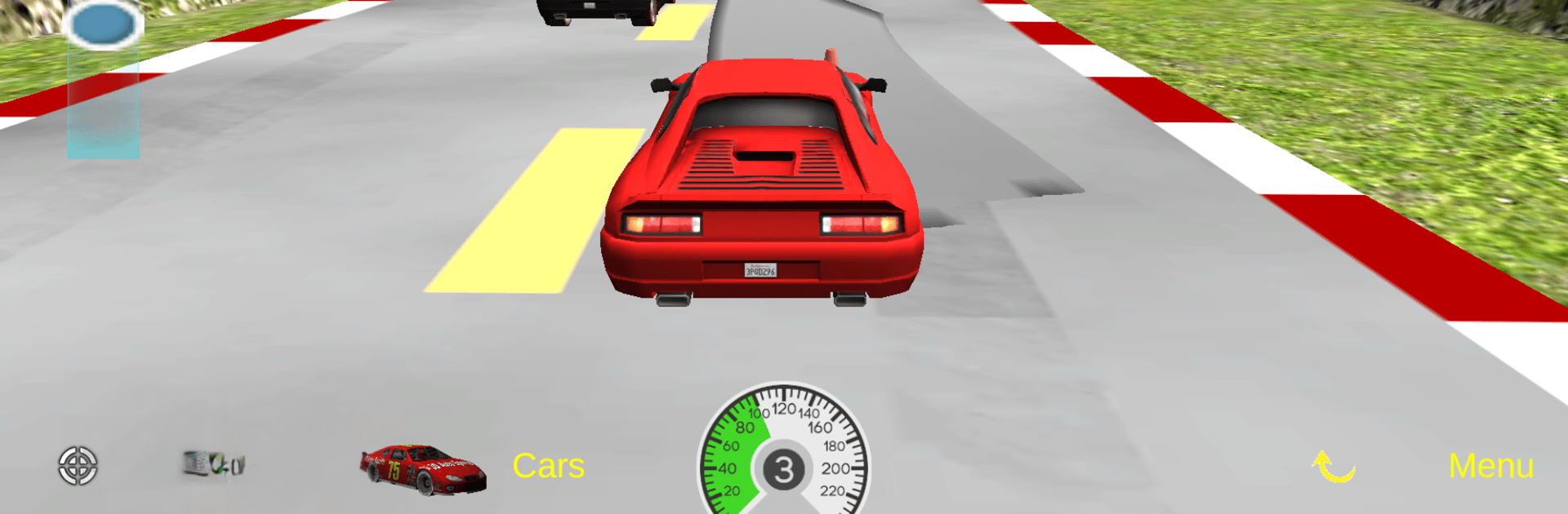
Kids Car Racers is a cheerful Racing game that lets little drivers jump right into the action without fuss. It’s easy enough for toddlers to steer, yet there’s plenty for older kids to tinker with—chasing faster laps, bumping rivals, and swapping viewpoints. Expect bright worlds, playful physics, and quick sessions that fit any spare moment.

Game Features

  • Gentle, kid-first controls: Tilt to steer or tap either side of the screen—both work great. Speed is a single touch, and your car won’t fly off the course, so even the youngest drivers stay on track.
  • 18 cars to love: Pick from modern speedsters, chunky off-roaders, and classic rides. Feel like a change mid-race? Switch models on the fly.
  • Three ways to see the road: Go first-person for the “driver’s seat” view, use a rear-style look for a sense of speed, or pop up to a top-down angle to see the whole track.
  • Colorful worlds: Race through the City, a cozy Living Room, the Desert, the Mountains, and the whimsical Rainbow Castle—each with its own vibe.
  • AR mode for real‑world fun: Turn on augmented reality to place your track in your surroundings using your camera. Drive across the table, floor, or wherever you are.
  • Friendly competition: Nudge opponents, fling a barrel at just the right moment, and try to set a new best lap. Races can go on as long as you want—the game saves your top time automatically.
  • No in‑app purchases: Kids can play freely without pop‑ups or extra buys. It’s simple, safe, and focused on driving.
  • Plays great on PC: Prefer a bigger screen and comfy controls? Fire it up on BlueStacks and cruise with plenty of room to see the action.

Get ready for a buttery smooth, high-performance gaming action only on BlueStacks.

Game Features

Enhancements

  • Macros
  • Multi Instance
  • Multi Instance Sync
  • Script
  • Enhancements
Macros

Macros

Automate the predictable in Kids Car Racers and transform your gameplay with Macros. Get access to inventive Macros in the BlueStacks Macro Community
Multi Instance

Multi Instance

Play Kids Car Racers on one window. And chat with your friend on the other. Press CTRL + Shift + 8 to open the Multi-Instance Manager. And start creating fresh instances or clone an existing one.
Multi Instance Sync

Multi Instance Sync

Play Kids Car Racers with the power of Multi-Instance Sync. Replicate what you are doing on the main instance on all other instances. Level up faster, play more.
Script

Script

Script your way to gaming glory in Kids Car Racers with BlueStacks Script. Write and run a set of commands to automate repeated tasks. Trigger the command by assigning it to any key.
Read More

How to Download and Play Kids Car Racers on PC or Mac

  • Download and install BlueStacks on your PC or Mac

  • Complete Google sign-in to access the Play Store, or do it later

  • Look for Kids Car Racers in the search bar at the top right corner

  • Click to install Kids Car Racers from the search results

  • Complete Google sign-in (if you skipped step 2) to install Kids Car Racers

  • Click the Kids Car Racers icon on the home screen to start playing

video
Watch Video

Minimum System Requirements

With BlueStacks 5, you can get started on a PC that fulfills the following requirements.

  • Operating System

    Microsoft Windows 7 or above, macOS 11 (Big Sur) or above

  • Processor

    Intel, AMD or Apple Silicon Processor

  • RAM

    at least 4GB

  • HDD

    10GB Free Disk Space

Note:

* You must be an Administrator on your PC. Up to date graphics drivers from Microsoft or the chipset vendor.

Kids Car Racers - FAQs

  • How to play Kids Car Racers on Windows PC & Mac?

    Play Kids Car Racers on your PC or Mac by following these simple steps.

    • Click on 'Play Kids Car Racers on PC’ to download BlueStacks
    • Install it and log-in to Google Play Store
    • Launch and play the game.
  • Why is BlueStacks the fastest and safest platform to play games on PC?

    BlueStacks respects your privacy and is always safe and secure to use. It does not carry any malware, spyware, or any sort of additional software that could harm your PC.

    It is engineered to optimize speed and performance for a seamless gaming experience.

  • What are Kids Car Racers PC requirements?

    Minimum requirement to run Kids Car Racers on your PC

    • OS: Microsoft Windows 7 or above MacOS 11 (Big Sur) or above
    • Processor: Intel, AMD or Apple Silicon Processor
    • RAM: Your PC must have at least 4GB of RAM. (Note that having 4GB or more disk space is not a substitute for RAM)
    • HDD: 10GB Free Disk Space.
    • You must be an Administrator on your PC.