Real Car Driving Car Drifting

Real Car Driving Car Drifting

Adventure

| TRY Games

Play on PC with BlueStacks or from our cloud

  • Overview
  • Game Features
  • How to Play

Page Modified On: October 26, 2026

Play Real Car Driving Car Drifting on PC or Mac

Play Real Car Driving Car Drifting by TRY Games on PC or Mac with BlueStacks. Use a bigger screen, mouse and keyboard controls, and smoother performance while you play.

About the Game

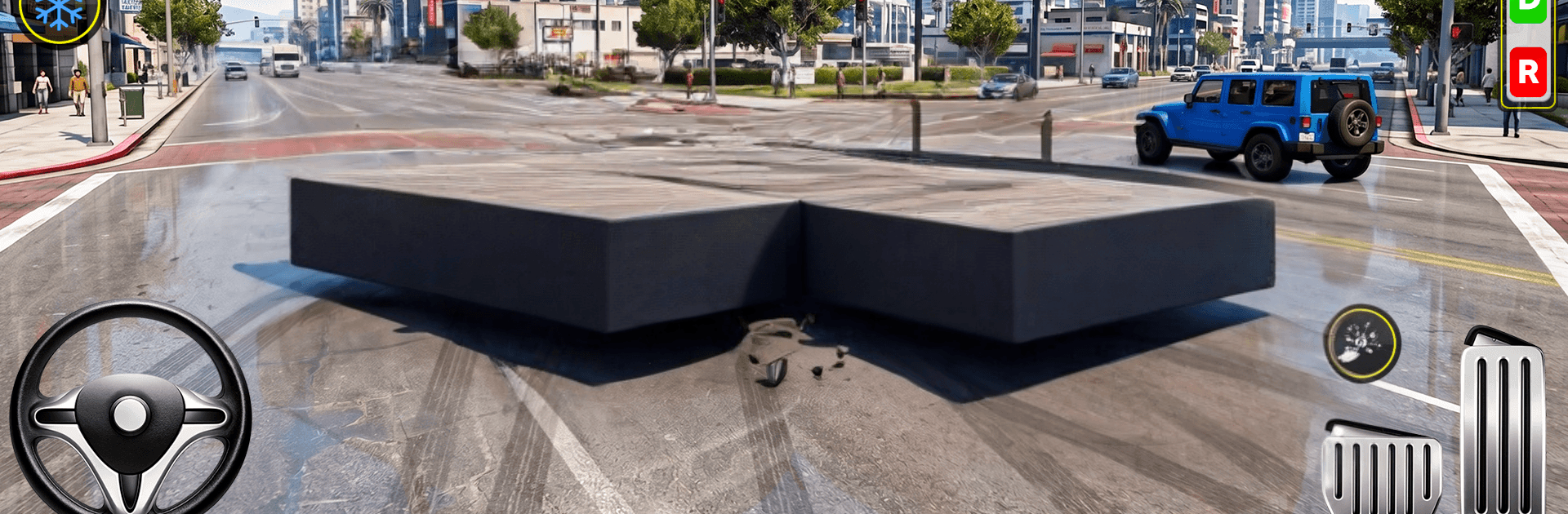
Real Car Driving Car Drifting is an Adventure driving playground built for people who love the feel of real cars and the thrill of mastering tight corners. It mixes free-roam cruising with focused challenges—think smooth city drifts, clever parking puzzles, off-road detours, and mission-based goals that keep you moving. Want a wider view and steadier control? It also runs nicely on BlueStacks.

Game Features

  • Open-city freedom: Explore wide boulevards, side streets, and highway stretches at your own pace, picking up challenges whenever you spot them.
  • Authentic car feel: Enjoy responsive steering, believable weight transfer, and handbrake slides that reward timing and precision.
  • Multiple ways to play: Swap between free drive, drift runs, tricky parking stages, stunt spots, and off-road routes without breaking the flow.
  • Traffic-rule missions: Test your discipline with tasks that ask you to respect signals, lanes, and speed—fun and surprisingly tense.
  • Varied garage: Jump into compact cruisers, sleek luxury rides, and sturdy SUVs, each offering a distinct driving style.
  • Smooth, simple controls: Intuitive inputs make getting started easy, while the handling model keeps things engaging as you improve.
  • Realistic environments: Cruise through bright, detailed cityscapes and open areas that feel big enough to learn, loop, and perfect lines.
  • Multiple camera views: Switch angles on the fly—from cockpit to chase—to nail tight drifts or line up that last-inch parking spot.
  • Offline-friendly play: Keep the momentum going even without a connection; great for quick sessions or longer practice runs.
  • Level-based progression: Tackle increasingly challenging objectives across structured stages to sharpen your skills and unlock fresh tests.

Ready to top the leaderboard? We bet you do. Let precise controls and sharp visuals optimized on BlueStacks lead you to victory.


Game Features

Enhancements

  • Macros
  • Multi Instance
  • Multi Instance Sync
  • Script
  • Enhancements
Macros

Macros

Automate the predictable in Real Car Driving Car Drifting and transform your gameplay with Macros. Get access to inventive Macros in the BlueStacks Macro Community
Multi Instance

Multi Instance

Play Real Car Driving Car Drifting on one window. And chat with your friend on the other. Press CTRL + Shift + 8 to open the Multi-Instance Manager. And start creating fresh instances or clone an existing one.
Multi Instance Sync

Multi Instance Sync

Play Real Car Driving Car Drifting with the power of Multi-Instance Sync. Replicate what you are doing on the main instance on all other instances. Level up faster, play more.
Script

Script

Script your way to gaming glory in Real Car Driving Car Drifting with BlueStacks Script. Write and run a set of commands to automate repeated tasks. Trigger the command by assigning it to any key.
Read More

How to Download and Play Real Car Driving Car Drifting on PC or Mac

  • Download and install BlueStacks on your PC or Mac

  • Complete Google sign-in to access the Play Store, or do it later

  • Look for Real Car Driving Car Drifting in the search bar at the top right corner

  • Click to install Real Car Driving Car Drifting from the search results

  • Complete Google sign-in (if you skipped step 2) to install Real Car Driving Car Drifting

  • Click the Real Car Driving Car Drifting icon on the home screen to start playing

video
Watch Video

Minimum System Requirements

With BlueStacks 5, you can get started on a PC that fulfills the following requirements.

  • Operating System

    Microsoft Windows 7 or above, macOS 11 (Big Sur) or above

  • Processor

    Intel, AMD or Apple Silicon Processor

  • RAM

    at least 4GB

  • HDD

    10GB Free Disk Space

Note:

* You must be an Administrator on your PC. Up to date graphics drivers from Microsoft or the chipset vendor.

Real Car Driving Car Drifting - FAQs

  • How to play Real Car Driving Car Drifting on Windows PC & Mac?

    Play Real Car Driving Car Drifting on your PC or Mac by following these simple steps.

    • Click on 'Play Real Car Driving Car Drifting on PC’ to download BlueStacks
    • Install it and log-in to Google Play Store
    • Launch and play the game.
  • Why is BlueStacks the fastest and safest platform to play games on PC?

    BlueStacks respects your privacy and is always safe and secure to use. It does not carry any malware, spyware, or any sort of additional software that could harm your PC.

    It is engineered to optimize speed and performance for a seamless gaming experience.

  • What are Real Car Driving Car Drifting PC requirements?

    Minimum requirement to run Real Car Driving Car Drifting on your PC

    • OS: Microsoft Windows 7 or above MacOS 11 (Big Sur) or above
    • Processor: Intel, AMD or Apple Silicon Processor
    • RAM: Your PC must have at least 4GB of RAM. (Note that having 4GB or more disk space is not a substitute for RAM)
    • HDD: 10GB Free Disk Space.
    • You must be an Administrator on your PC.