Nitro Car Driving Master

Nitro Car Driving Master

Racing

| NitroTech Studio

Play on PC with BlueStacks or from our cloud

  • Overview
  • Game Features
  • How to Play

Page Modified On: July 14, 2026

Play Nitro Car Driving Master on PC or Mac

Nitro Car Driving Master brings the Racing genre to life, and throws up exciting challenges for gamers. Developed by NitroTech Studio, this Android game is best experienced on BlueStacks, the World’s #1 app player for PC and Mac users.

About the Game

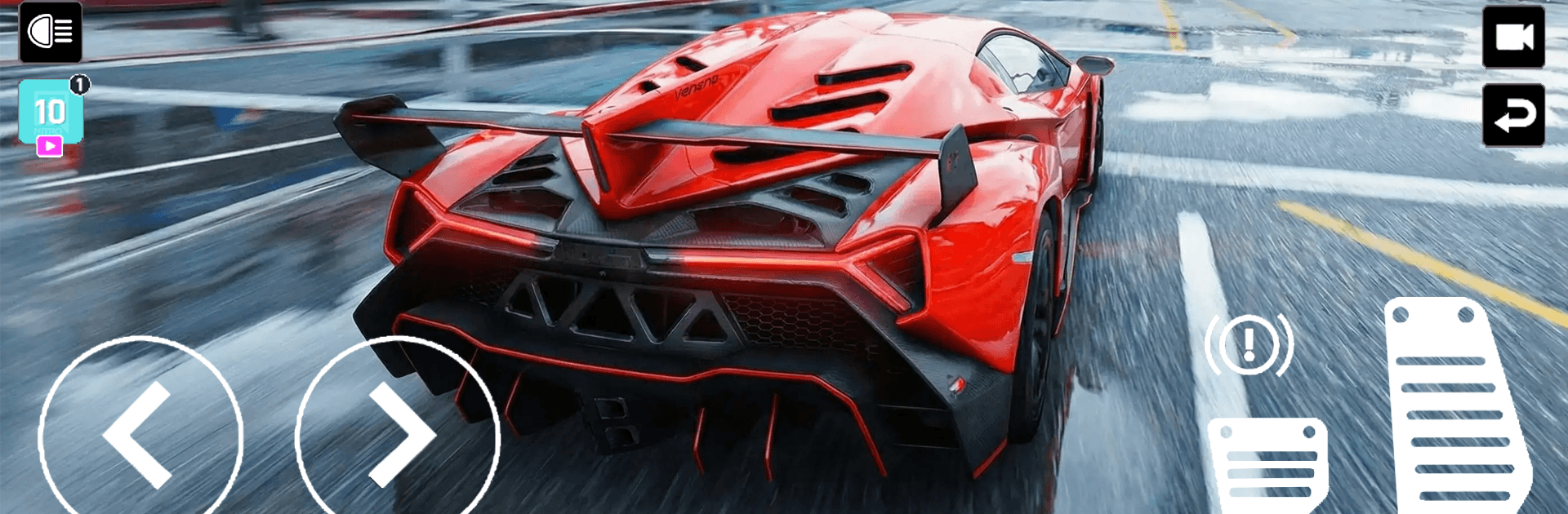
Nitro Car Driving Master is a high-speed Racing game built around razor-sharp driving and that “one more run” feeling. You’re threading through busy city streets, carving through technical corners, and relying on instinct when a truck changes lanes at the worst possible moment. Want a bigger screen and keyboard steering? It also plays smoothly on BlueStacks.

Game Features

  • Real-Deal Handling: A responsive driving model gives each car weight and grip, so throttle, braking, and steering actually matter.
  • Traffic Gauntlet: Squeeze through tight gaps, read the road ahead, and dodge sudden obstacles without lifting off the gas.
  • Precision Cornering: Nail late apexes, control weight transfer, and keep momentum through hairpins to shave precious seconds.
  • Controlled Drifting: Kick the rear out on purpose, link slides, and stabilize the car on exit without scrubbing too much speed.
  • High-Pressure Challenges: Short, intense scenarios test your reflexes and consistency under stress—blink and you’ll miss your line.
  • Smooth, Snappy Controls: Inputs feel immediate and clean, making tiny corrections mid-corner second nature.
  • Crisp Visuals and Effects: Clear presentation highlights speed and motion so you can read the road, the traffic, and your slide angle at a glance.
  • Dynamic Runs: No two attempts feel identical; traffic, pacing, and your approach keep every sprint fresh and demanding.
  • Skill Over Luck: Progress comes from practice—better braking points, smarter lines, and calm reactions at top speed pay off big.

BlueStacks gives you more room to focus on the game and less time adjusting around mobile limitations.


Game Features

Enhancements

  • Macros
  • Multi Instance
  • Multi Instance Sync
  • Script
  • Enhancements
Macros

Macros

Automate the predictable in Nitro Car Driving Master and transform your gameplay with Macros. Get access to inventive Macros in the BlueStacks Macro Community
Multi Instance

Multi Instance

Play Nitro Car Driving Master on one window. And chat with your friend on the other. Press CTRL + Shift + 8 to open the Multi-Instance Manager. And start creating fresh instances or clone an existing one.
Multi Instance Sync

Multi Instance Sync

Play Nitro Car Driving Master with the power of Multi-Instance Sync. Replicate what you are doing on the main instance on all other instances. Level up faster, play more.
Script

Script

Script your way to gaming glory in Nitro Car Driving Master with BlueStacks Script. Write and run a set of commands to automate repeated tasks. Trigger the command by assigning it to any key.
Read More

How to Download and Play Nitro Car Driving Master on PC or Mac

  • Download and install BlueStacks on your PC or Mac

  • Complete Google sign-in to access the Play Store, or do it later

  • Look for Nitro Car Driving Master in the search bar at the top right corner

  • Click to install Nitro Car Driving Master from the search results

  • Complete Google sign-in (if you skipped step 2) to install Nitro Car Driving Master

  • Click the Nitro Car Driving Master icon on the home screen to start playing

video
Watch Video

Minimum System Requirements

With BlueStacks 5, you can get started on a PC that fulfills the following requirements.

  • Operating System

    Microsoft Windows 7 or above, macOS 11 (Big Sur) or above

  • Processor

    Intel, AMD or Apple Silicon Processor

  • RAM

    at least 4GB

  • HDD

    10GB Free Disk Space

Note:

* You must be an Administrator on your PC. Up to date graphics drivers from Microsoft or the chipset vendor.

Nitro Car Driving Master - FAQs

  • How to play Nitro Car Driving Master on Windows PC & Mac?

    Play Nitro Car Driving Master on your PC or Mac by following these simple steps.

    • Click on 'Play Nitro Car Driving Master on PC’ to download BlueStacks
    • Install it and log-in to Google Play Store
    • Launch and play the game.
  • Why is BlueStacks the fastest and safest platform to play games on PC?

    BlueStacks respects your privacy and is always safe and secure to use. It does not carry any malware, spyware, or any sort of additional software that could harm your PC.

    It is engineered to optimize speed and performance for a seamless gaming experience.

  • What are Nitro Car Driving Master PC requirements?

    Minimum requirement to run Nitro Car Driving Master on your PC

    • OS: Microsoft Windows 7 or above MacOS 11 (Big Sur) or above
    • Processor: Intel, AMD or Apple Silicon Processor
    • RAM: Your PC must have at least 4GB of RAM. (Note that having 4GB or more disk space is not a substitute for RAM)
    • HDD: 10GB Free Disk Space.
    • You must be an Administrator on your PC.