Phantom Horizon Racing

Phantom Horizon Racing

Racing

| Outplanish Games

Play on PC with BlueStacks or from our cloud

  • Overview
  • Game Features
  • How to Play

Page Modified On: July 27, 2026

Play Phantom Horizon Racing on PC or Mac

Phantom Horizon Racing by Outplanish Games has plenty to keep you busy. BlueStacks lets you play it on PC or Mac with more screen space, better control, and fewer mobile limits.

About the Game

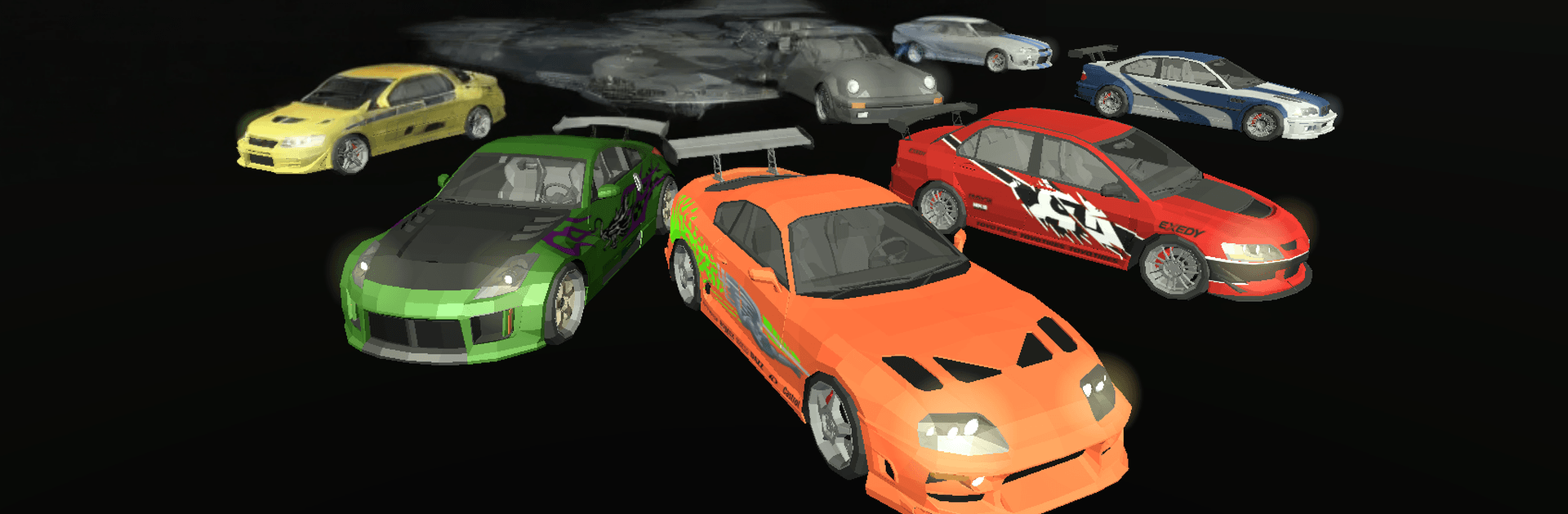
Phantom Horizon Racing throws you into a slick, low-poly drag scene where every millisecond counts. It’s fast, punchy, and surprisingly funny, with rivals who talk big and races that demand sharp timing. Expect quick sprints, a deep garage, and a story that keeps things light while still pushing your skills.

Game Features

  • Cinematic low‑poly style — Clean, colorful visuals with a film-like flair make every launch, shift, and photo-finish feel bold and memorable.
  • Timing-first drag racing — Short, high-intensity runs where perfect shifts and a well-timed nitrous blast decide the winner. Simple inputs, real pressure.
  • 100+ cars to collect — Build a dream lineup across muscle legends, tuner favorites, and sleek exotics. Each one feels distinct on the strip.
  • Customization that matters — Upgrade, personalize, and fine‑tune your setup so your car doesn’t just look right—it runs like a monster.
  • A story with a wink — Race through a six‑chapter campaign packed with quirky characters, rivalries, and plenty of cheeky banter between heats.
  • Six distinct backdrops — From neon-soaked nights to sun-baked highways and winding highlands, every location changes the vibe and the challenge.
  • Fair play, less noise — No forced ads breaking the rhythm. Optional rewards are there if you want them, not because you have to watch them.
  • Easy to start, room to master — Learn the ropes in minutes, then chase perfect launches, tighter tunes, and smarter upgrades as you climb.
  • PC-friendly option — Prefer a bigger screen? It runs smoothly on BlueStacks, so you can race with comfortable desktop controls if that’s your style.

Start playing Phantom Horizon Racing on BlueStacks and get a smoother, more comfortable PC or Mac setup.


Game Features

Enhancements

  • Macros
  • Multi Instance
  • Multi Instance Sync
  • Script
  • Enhancements
Macros

Macros

Automate the predictable in Phantom Horizon Racing and transform your gameplay with Macros. Get access to inventive Macros in the BlueStacks Macro Community
Multi Instance

Multi Instance

Play Phantom Horizon Racing on one window. And chat with your friend on the other. Press CTRL + Shift + 8 to open the Multi-Instance Manager. And start creating fresh instances or clone an existing one.
Multi Instance Sync

Multi Instance Sync

Play Phantom Horizon Racing with the power of Multi-Instance Sync. Replicate what you are doing on the main instance on all other instances. Level up faster, play more.
Script

Script

Script your way to gaming glory in Phantom Horizon Racing with BlueStacks Script. Write and run a set of commands to automate repeated tasks. Trigger the command by assigning it to any key.
Read More

How to Download and Play Phantom Horizon Racing on PC or Mac

  • Download and install BlueStacks on your PC or Mac

  • Complete Google sign-in to access the Play Store, or do it later

  • Look for Phantom Horizon Racing in the search bar at the top right corner

  • Click to install Phantom Horizon Racing from the search results

  • Complete Google sign-in (if you skipped step 2) to install Phantom Horizon Racing

  • Click the Phantom Horizon Racing icon on the home screen to start playing

video
Watch Video

Minimum System Requirements

With BlueStacks 5, you can get started on a PC that fulfills the following requirements.

  • Operating System

    Microsoft Windows 7 or above, macOS 11 (Big Sur) or above

  • Processor

    Intel, AMD or Apple Silicon Processor

  • RAM

    at least 4GB

  • HDD

    10GB Free Disk Space

Note:

* You must be an Administrator on your PC. Up to date graphics drivers from Microsoft or the chipset vendor.

Phantom Horizon Racing - FAQs

  • How to play Phantom Horizon Racing on Windows PC & Mac?

    Play Phantom Horizon Racing on your PC or Mac by following these simple steps.

    • Click on 'Play Phantom Horizon Racing on PC’ to download BlueStacks
    • Install it and log-in to Google Play Store
    • Launch and play the game.
  • Why is BlueStacks the fastest and safest platform to play games on PC?

    BlueStacks respects your privacy and is always safe and secure to use. It does not carry any malware, spyware, or any sort of additional software that could harm your PC.

    It is engineered to optimize speed and performance for a seamless gaming experience.

  • What are Phantom Horizon Racing PC requirements?

    Minimum requirement to run Phantom Horizon Racing on your PC

    • OS: Microsoft Windows 7 or above MacOS 11 (Big Sur) or above
    • Processor: Intel, AMD or Apple Silicon Processor
    • RAM: Your PC must have at least 4GB of RAM. (Note that having 4GB or more disk space is not a substitute for RAM)
    • HDD: 10GB Free Disk Space.
    • You must be an Administrator on your PC.