Real Car Racing Pro 3

Real Car Racing Pro 3

Racing

| Route Games LTD

Play on PC with BlueStacks or from our cloud

  • Overview
  • Game Features
  • How to Play

Page Modified On: April 13, 2026

Play Real Car Racing Pro 3 on PC or Mac

Step into the World of Real Car Racing Pro 3, a thrilling Racing game from the house of Route Games LTD. Play this Android game on BlueStacks App Player and experience immersive gaming on PC or Mac.

About the Game

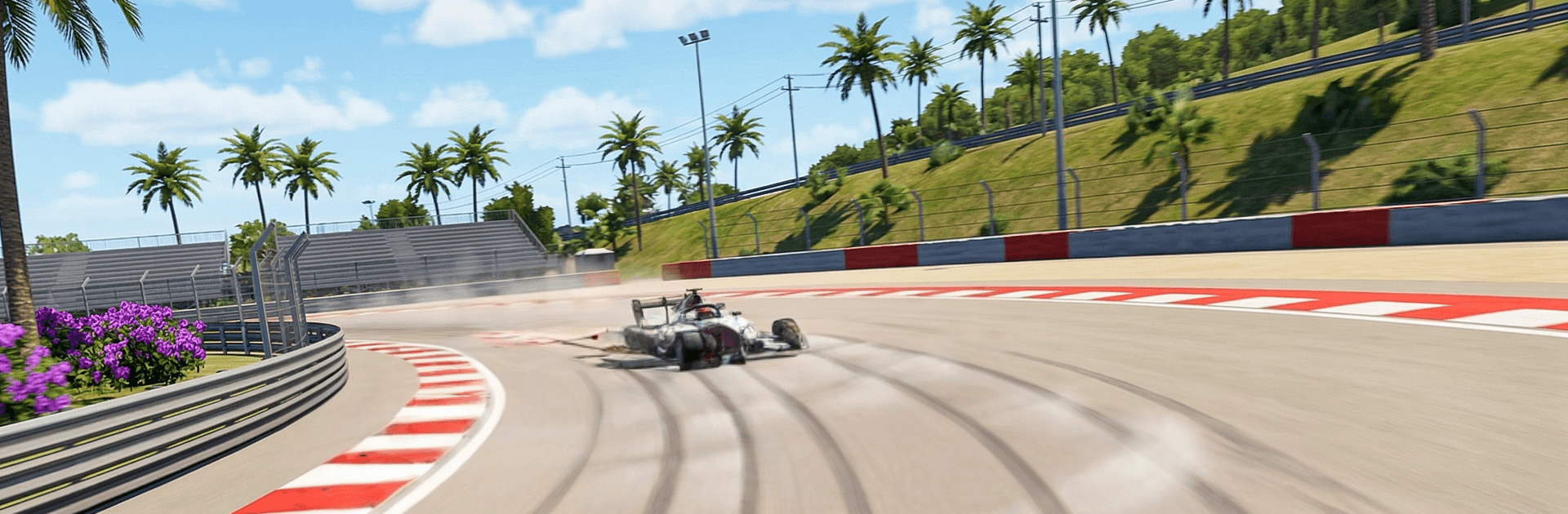
Real Car Racing Pro 3 from Route Games LTD is a Racing game built for players who love the feel of real cars being pushed to their limits. It mixes grounded driving physics with fast, high-stakes competition, so every corner, draft, and braking point matters. Want a clean lap? Or a last‑second overtake that leaves tire smoke in the air? You’ve got options.

Game Features

  • Massive garage – Build your dream lineup from 300+ cars, each with distinct performance and punchy engine audio that actually sounds alive.
  • Authentic handling – Responsive controls and believable physics make throttle control, braking zones, and steering inputs feel right, whether you’re chasing tenths or just messing around.
  • Views for every driver – Swap between cockpit, bumper, and chase cams to match how you like to read the track.
  • Dynamic conditions – Day, night, sun, rain—changing weather and lighting keep grip levels and visibility interesting across races.
  • World-class circuits – Tackle 20+ tracks inspired by real motorsport venues, with flowing sections, savage hairpins, and long straights built for bravery.
  • Modes that keep it fresh – Circuit races, sprints, endurance runs, time trials, eliminations, championships, knockouts, speed challenges, and drift events.
  • Multiplayer and solo – Jump into online lobbies with up to 8 players or run offline against sharp AI when you want focused practice.
  • Career progression – Climb the ladder, earn rewards, upgrade and tune your cars, and chase spots on worldwide leaderboards with daily bonuses nudging you to improve.
  • Damage that matters – Brush a wall and you’ll see it. Push too hard and the car will feel it, adding risk to every battle.
  • Clean visuals, smooth frames – High-FPS performance with glossy reflections, rich shadows, and stable optimization on modern devices.
  • Controls your way – Fine‑tune sensitivity, remap inputs, and use tilt, touch, or a controller. Prefer a bigger screen and keyboard? Play through BlueStacks for comfy keymapping without changing the feel.

Ready to top the leaderboard? We bet you do. Let precise controls and sharp visuals optimized on BlueStacks lead you to victory.


Game Features

Enhancements

  • Macros
  • Multi Instance
  • Multi Instance Sync
  • Script
  • Enhancements
Macros

Macros

Automate the predictable in Real Car Racing Pro 3 and transform your gameplay with Macros. Get access to inventive Macros in the BlueStacks Macro Community
Multi Instance

Multi Instance

Play Real Car Racing Pro 3 on one window. And chat with your friend on the other. Press CTRL + Shift + 8 to open the Multi-Instance Manager. And start creating fresh instances or clone an existing one.
Multi Instance Sync

Multi Instance Sync

Play Real Car Racing Pro 3 with the power of Multi-Instance Sync. Replicate what you are doing on the main instance on all other instances. Level up faster, play more.
Script

Script

Script your way to gaming glory in Real Car Racing Pro 3 with BlueStacks Script. Write and run a set of commands to automate repeated tasks. Trigger the command by assigning it to any key.
Read More

How to Download and Play Real Car Racing Pro 3 on PC or Mac

  • Download and install BlueStacks on your PC or Mac

  • Complete Google sign-in to access the Play Store, or do it later

  • Look for Real Car Racing Pro 3 in the search bar at the top right corner

  • Click to install Real Car Racing Pro 3 from the search results

  • Complete Google sign-in (if you skipped step 2) to install Real Car Racing Pro 3

  • Click the Real Car Racing Pro 3 icon on the home screen to start playing

video
Watch Video

Minimum System Requirements

With BlueStacks 5, you can get started on a PC that fulfills the following requirements.

  • Operating System

    Microsoft Windows 7 or above, macOS 11 (Big Sur) or above

  • Processor

    Intel, AMD or Apple Silicon Processor

  • RAM

    at least 4GB

  • HDD

    10GB Free Disk Space

Note:

* You must be an Administrator on your PC. Up to date graphics drivers from Microsoft or the chipset vendor.

Real Car Racing Pro 3 - FAQs

  • How to play Real Car Racing Pro 3 on Windows PC & Mac?

    Play Real Car Racing Pro 3 on your PC or Mac by following these simple steps.

    • Click on 'Play Real Car Racing Pro 3 on PC’ to download BlueStacks
    • Install it and log-in to Google Play Store
    • Launch and play the game.
  • Why is BlueStacks the fastest and safest platform to play games on PC?

    BlueStacks respects your privacy and is always safe and secure to use. It does not carry any malware, spyware, or any sort of additional software that could harm your PC.

    It is engineered to optimize speed and performance for a seamless gaming experience.

  • What are Real Car Racing Pro 3 PC requirements?

    Minimum requirement to run Real Car Racing Pro 3 on your PC

    • OS: Microsoft Windows 7 or above MacOS 11 (Big Sur) or above
    • Processor: Intel, AMD or Apple Silicon Processor
    • RAM: Your PC must have at least 4GB of RAM. (Note that having 4GB or more disk space is not a substitute for RAM)
    • HDD: 10GB Free Disk Space.
    • You must be an Administrator on your PC.