Miami Gangster City Mafia 3D

Miami Gangster City Mafia 3D

Action

| Route Games LTD

Play on PC with BlueStacks or from our cloud

  • Overview
  • Game Features
  • How to Play

Page Modified On: July 27, 2026

Play Miami Gangster City Mafia 3D on PC or Mac

Play Miami Gangster City Mafia 3D by Route Games LTD on PC or Mac with BlueStacks. Use a bigger screen, mouse and keyboard controls, and smoother performance while you play.

About the Game

Miami Gangster City Mafia 3D drops you straight into a wild, crime-filled sandbox where every block can make you or break you. You’ll start at the bottom, picking your battles, grabbing territory, and pulling off gutsy jobs as you claw your way toward running the whole city. Want a bigger view of the chaos? You can hop in on PC with BlueStacks for a comfy, wide-screen setup.

Game Features

  • Living city reactions: Make noise and the world answers—cops tighten the net, rival crews strike back, and neighborhoods change hands based on what you do.
  • Turf war campaign: Pick off enemy districts, challenge local bosses, and defend what you’ve taken as your influence spreads across Miami.
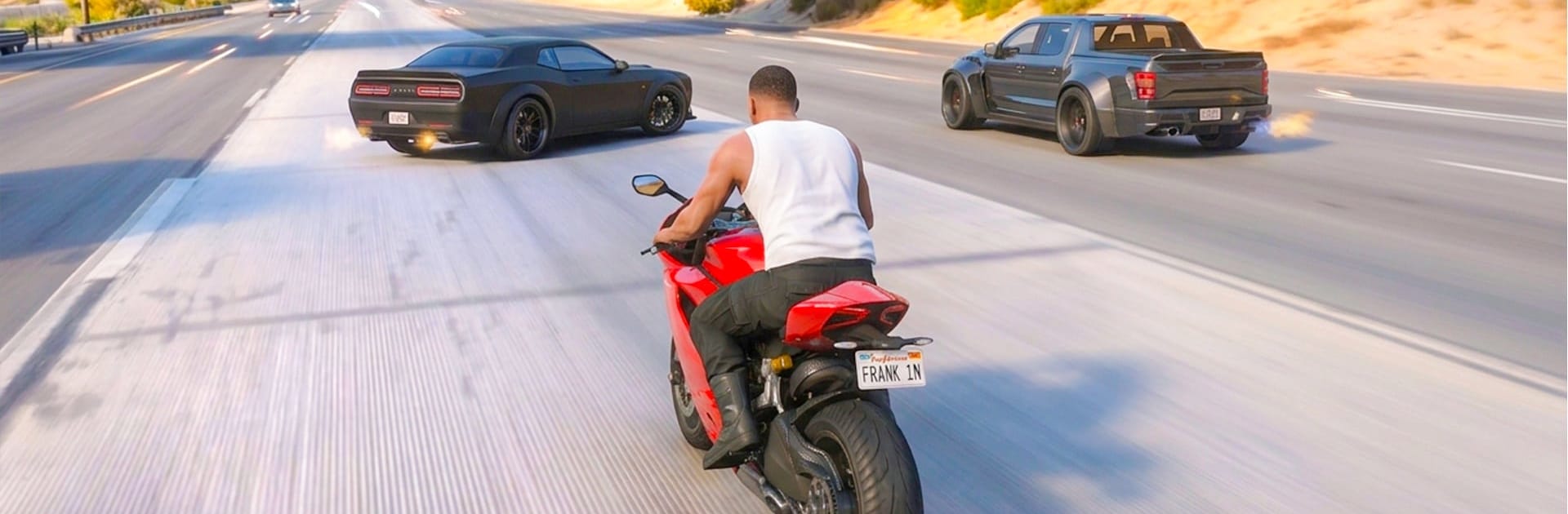
  • Drive, ride, and fly: Slide behind the wheel of sports cars and bikes, or lift off in helicopters and heavy-duty machines when the job calls for something bigger.
  • Heists with brains and brawn: Case the target, time your move, and bring the right tools—then fight your way out when plans go sideways.
  • Heart-racing pursuits: Thread traffic, cut through alleys, and outsmart roadblocks to shake persistent police heat.
  • Style your empire: Customize your character’s look and tune your vehicles with visual flair and performance upgrades to match your crew’s vibe.
  • Weighty handling and damage: Feel the drift, hit the boost, and watch metal bend when you push rides past their limits.
  • Stunts and secrets: Hunt down launch ramps, tricky jumps, and tucked-away challenge spots for extra thrills and rewards.
  • Story-driven rise: Work from small-time hustler to feared kingpin through missions that push you deeper into the city’s underbelly.
  • Open-world freedom: Chase the main jobs or just roam, cause trouble, and make your own moments in this nonstop Action playground.

Get ready for a buttery smooth, high-performance gaming action only on BlueStacks.

Game Features

Enhancements

  • Macros
  • Multi Instance
  • Multi Instance Sync
  • Eco Mode
  • Enhancements
Macros

Macros

Skip the boring parts of a game. Play Miami Gangster City Mafia 3D with Macros and get the edge. Simply record a sequence of commands and execute them at any moment.
Multi Instance

Multi Instance

Why limit to one game on your phone when you can play many on your PC? Open multiple instances of Miami Gangster City Mafia 3D at once with Multi-Instance. Leverage the power of different accounts by doing more.
Multi Instance Sync

Multi Instance Sync

Get the best out of Miami Gangster City Mafia 3D with Multi-Instance Sync. Play the game from different accounts and build your own empire. Use Multi-instance sync to repeat the action in the main BlueStacks instance on all other instances.
Eco Mode

Eco Mode

Find the rarest heroes by making multiple summons in Miami Gangster City Mafia 3D. And while you are at it, reduce your PC’s resource consumption with the Eco Mode. Farm efficiently. Get the best results.
Read More

How to Download and Play Miami Gangster City Mafia 3D on PC or Mac

  • Download and install BlueStacks on your PC or Mac

  • Complete Google sign-in to access the Play Store, or do it later

  • Look for Miami Gangster City Mafia 3D in the search bar at the top right corner

  • Click to install Miami Gangster City Mafia 3D from the search results

  • Complete Google sign-in (if you skipped step 2) to install Miami Gangster City Mafia 3D

  • Click the Miami Gangster City Mafia 3D icon on the home screen to start playing

video
Watch Video

Minimum System Requirements

With BlueStacks 5, you can get started on a PC that fulfills the following requirements.

  • Operating System

    Microsoft Windows 7 or above, macOS 11 (Big Sur) or above

  • Processor

    Intel, AMD or Apple Silicon Processor

  • RAM

    at least 4GB

  • HDD

    10GB Free Disk Space

Note:

* You must be an Administrator on your PC. Up to date graphics drivers from Microsoft or the chipset vendor.

Miami Gangster City Mafia 3D - FAQs

  • How to play Miami Gangster City Mafia 3D on Windows PC & Mac?

    Play Miami Gangster City Mafia 3D on your PC or Mac by following these simple steps.

    • Click on 'Play Miami Gangster City Mafia 3D on PC’ to download BlueStacks
    • Install it and log-in to Google Play Store
    • Launch and play the game.
  • Why is BlueStacks the fastest and safest platform to play games on PC?

    BlueStacks respects your privacy and is always safe and secure to use. It does not carry any malware, spyware, or any sort of additional software that could harm your PC.

    It is engineered to optimize speed and performance for a seamless gaming experience.

  • What are Miami Gangster City Mafia 3D PC requirements?

    Minimum requirement to run Miami Gangster City Mafia 3D on your PC

    • OS: Microsoft Windows 7 or above MacOS 11 (Big Sur) or above
    • Processor: Intel, AMD or Apple Silicon Processor
    • RAM: Your PC must have at least 4GB of RAM. (Note that having 4GB or more disk space is not a substitute for RAM)
    • HDD: 10GB Free Disk Space.
    • You must be an Administrator on your PC.