Rumble Racer
Rumble Racer

Rumble Racer

Racing

| Blyts

Play on PC with BlueStacks or from our cloud

  • Overview
  • Game Features
  • How to Play

Page Modified On: May 18, 2026

Play Rumble Racer on PC or Mac

Explore a whole new adventure with Rumble Racer, a Racing game created by Blyts. Experience great gameplay with BlueStacks, the most popular gaming platform to play Android games on your PC or Mac.

About the Game

Rumble Racer from Blyts takes Racing and gives it a mean streak—in the best way. It’s not just who’s fastest, it’s who’s bold enough to bump, bash, and outwit the pack in short, high-energy sprints. If you like playing on a bigger screen, it feels great on BlueStacks too, with easy key mappings for those quick swipes.

Game Features

  • Smash-first racing: Trade paint, elbow rivals out of your lane, and turn chaos into a strategy. Speed matters, but survival skills matter more.
  • Swipe-and-send controls: One finger is all you need—flick to change lanes, swipe up to fire off a gadget, and drag down to brake right before impact.
  • Dirty tricks and gadgets: Shove opponents, mess with their view, or unleash straight-up firepower on anyone creeping up behind you.
  • Real-time 4-player mayhem: Jump into quick online races with friends or strangers, then grind your way up a global ranking between rematches.
  • 60+ rides with attitude: Collect more than 60 distinct vehicles, each brimming with personality. Tweak colors and skins to make your ride unmistakably yours.
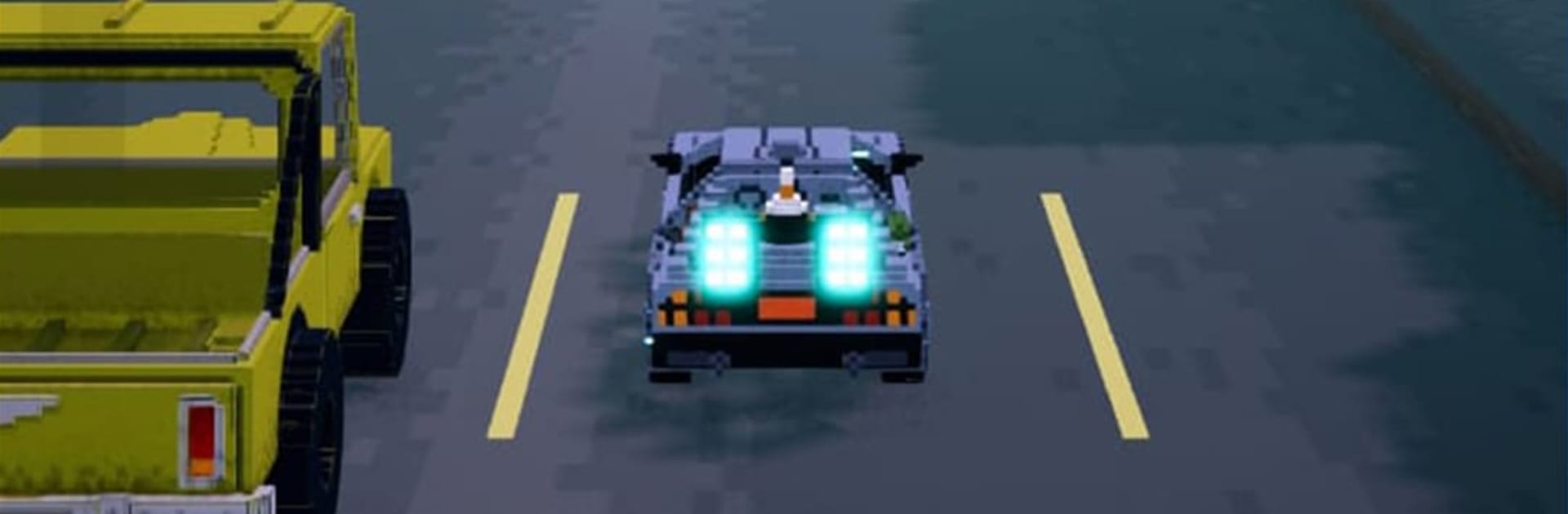
  • Nine punchy tracks: Rip through neon city avenues, twisty mountain routes, and oddball dreamscapes—collisions burst into chunky voxel confetti.
  • Retro-modern look: Clean voxel art and punchy animations give every slam, slide, and photo finish a stylish, throwback-meets-now vibe. Even a loss looks wild.

Ready to top the leaderboard? We bet you do. Let precise controls and sharp visuals optimized on BlueStacks lead you to victory.


Game Features

Enhancements

  • Macros
  • Multi Instance
  • Multi Instance Sync
  • Script
  • Enhancements
Macros

Macros

Automate the predictable in Rumble Racer and transform your gameplay with Macros. Get access to inventive Macros in the BlueStacks Macro Community
Multi Instance

Multi Instance

Play Rumble Racer on one window. And chat with your friend on the other. Press CTRL + Shift + 8 to open the Multi-Instance Manager. And start creating fresh instances or clone an existing one.
Multi Instance Sync

Multi Instance Sync

Play Rumble Racer with the power of Multi-Instance Sync. Replicate what you are doing on the main instance on all other instances. Level up faster, play more.
Script

Script

Script your way to gaming glory in Rumble Racer with BlueStacks Script. Write and run a set of commands to automate repeated tasks. Trigger the command by assigning it to any key.
Read More

How to Download and Play Rumble Racer on PC or Mac

  • Download and install BlueStacks on your PC or Mac

  • Complete Google sign-in to access the Play Store, or do it later

  • Look for Rumble Racer in the search bar at the top right corner

  • Click to install Rumble Racer from the search results

  • Complete Google sign-in (if you skipped step 2) to install Rumble Racer

  • Click the Rumble Racer icon on the home screen to start playing

video
Watch Video

Minimum System Requirements

With BlueStacks 5, you can get started on a PC that fulfills the following requirements.

  • Operating System

    Microsoft Windows 7 or above, macOS 11 (Big Sur) or above

  • Processor

    Intel, AMD or Apple Silicon Processor

  • RAM

    at least 4GB

  • HDD

    10GB Free Disk Space

Note:

* You must be an Administrator on your PC. Up to date graphics drivers from Microsoft or the chipset vendor.

Rumble Racer - FAQs

  • How to play Rumble Racer on Windows PC & Mac?

    Play Rumble Racer on your PC or Mac by following these simple steps.

    • Click on 'Play Rumble Racer on PC’ to download BlueStacks
    • Install it and log-in to Google Play Store
    • Launch and play the game.
  • Why is BlueStacks the fastest and safest platform to play games on PC?

    BlueStacks respects your privacy and is always safe and secure to use. It does not carry any malware, spyware, or any sort of additional software that could harm your PC.

    It is engineered to optimize speed and performance for a seamless gaming experience.

  • What are Rumble Racer PC requirements?

    Minimum requirement to run Rumble Racer on your PC

    • OS: Microsoft Windows 7 or above MacOS 11 (Big Sur) or above
    • Processor: Intel, AMD or Apple Silicon Processor
    • RAM: Your PC must have at least 4GB of RAM. (Note that having 4GB or more disk space is not a substitute for RAM)
    • HDD: 10GB Free Disk Space.
    • You must be an Administrator on your PC.