Speedway Challenge 2025

Speedway Challenge 2025

Racing

| Berobasket

Play on PC with BlueStacks or from our cloud

  • Overview
  • Game Features
  • How to Play

Page Modified On: November 28, 2025

Play Speedway Challenge 2025 on PC or Mac

Step into the World of Speedway Challenge 2025, a thrilling Racing game from the house of Berobasket. Play this Android game on BlueStacks App Player and experience immersive gaming on PC or Mac.

About the Game

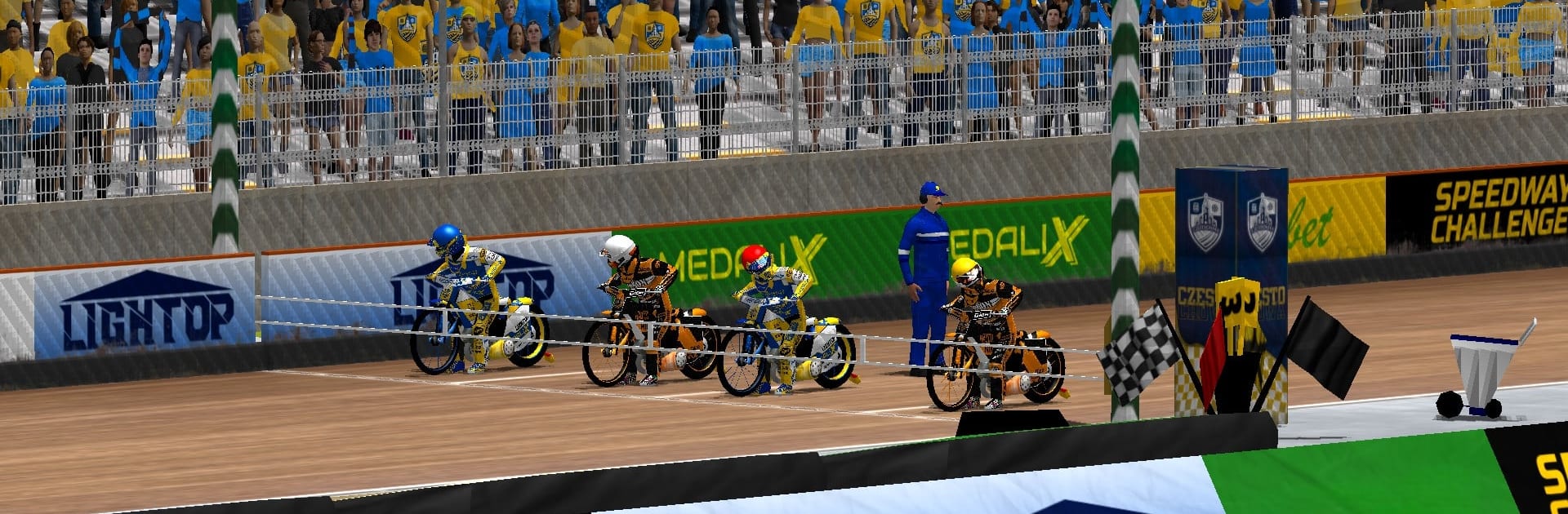
Speedway Challenge 2025 throws you onto a no-brakes speedway bike and asks a simple question: can you handle the heat? It’s fast, gritty, and all about smart lines, clutch timing, and gutsy passes on short, dirt ovals. Whether you want a quick thrill or a long grind to the top, this Racing title from Berobasket has room for both. Prefer playing on a bigger screen? It pairs nicely with BlueStacks.

Game Features

  • Quick Match: Want action right now? Pick your teams, choose a track, and blast off from under the tapes for a rapid set of heats.

  • Career Mode (IAP): Create your own rider or choose from a massive pool of existing pros—over a thousand. Shape a career your way, from globe-trotting schedules to a quieter weekly grind, and chase that world title.

  • League Management (IAP): Build a club from scratch or take over an existing one in several European leagues. Balance salaries, follow regulations, and assemble a squad that can actually win when it counts.

  • Challenges: Short, focused goals that test different skills. Hit target scores, rack up wins, or shut down opponents in tight, tactical scenarios.

  • Online Races: Jump into ranked heats against riders worldwide, or organize private matchups with friends (IAP) for bragging rights.

  • Global Track List: Tackle nearly 70 tracks spanning South America, the Antipodes, and Europe, each offering its own rhythm and race craft.

  • Authentic Speedway Rules: Heats run under real speedway standards—tight time limits, tape starts, and that intense, blink-and-you-miss-it format.

  • Smart, Lifelike Opponents: Face riders tuned for realistic skill levels and riding styles, so every pass, block, and start actually matters.

Slay your opponents with your epic moves. Play it your way on BlueStacks and dominate the battlefield.


Game Features

Enhancements

  • Macros
  • Multi Instance
  • Multi Instance Sync
  • Script
  • Enhancements
Macros

Macros

Automate the predictable in Speedway Challenge 2025 and transform your gameplay with Macros. Get access to inventive Macros in the BlueStacks Macro Community
Multi Instance

Multi Instance

Play Speedway Challenge 2025 on one window. And chat with your friend on the other. Press CTRL + Shift + 8 to open the Multi-Instance Manager. And start creating fresh instances or clone an existing one.
Multi Instance Sync

Multi Instance Sync

Play Speedway Challenge 2025 with the power of Multi-Instance Sync. Replicate what you are doing on the main instance on all other instances. Level up faster, play more.
Script

Script

Script your way to gaming glory in Speedway Challenge 2025 with BlueStacks Script. Write and run a set of commands to automate repeated tasks. Trigger the command by assigning it to any key.
Read More

How to Download and Play Speedway Challenge 2025 on PC or Mac

  • Download and install BlueStacks on your PC or Mac

  • Complete Google sign-in to access the Play Store, or do it later

  • Look for Speedway Challenge 2025 in the search bar at the top right corner

  • Click to install Speedway Challenge 2025 from the search results

  • Complete Google sign-in (if you skipped step 2) to install Speedway Challenge 2025

  • Click the Speedway Challenge 2025 icon on the home screen to start playing

video
Watch Video

Minimum System Requirements

With BlueStacks 5, you can get started on a PC that fulfills the following requirements.

  • Operating System

    Microsoft Windows 7 or above, macOS 11 (Big Sur) or above

  • Processor

    Intel, AMD or Apple Silicon Processor

  • RAM

    at least 4GB

  • HDD

    10GB Free Disk Space

Note:

* You must be an Administrator on your PC. Up to date graphics drivers from Microsoft or the chipset vendor.

Speedway Challenge 2025 - FAQs

  • How to play Speedway Challenge 2025 on Windows PC & Mac?

    Play Speedway Challenge 2025 on your PC or Mac by following these simple steps.

    • Click on 'Play Speedway Challenge 2025 on PC’ to download BlueStacks
    • Install it and log-in to Google Play Store
    • Launch and play the game.
  • Why is BlueStacks the fastest and safest platform to play games on PC?

    BlueStacks respects your privacy and is always safe and secure to use. It does not carry any malware, spyware, or any sort of additional software that could harm your PC.

    It is engineered to optimize speed and performance for a seamless gaming experience.

  • What are Speedway Challenge 2025 PC requirements?

    Minimum requirement to run Speedway Challenge 2025 on your PC

    • OS: Microsoft Windows 7 or above MacOS 11 (Big Sur) or above
    • Processor: Intel, AMD or Apple Silicon Processor
    • RAM: Your PC must have at least 4GB of RAM. (Note that having 4GB or more disk space is not a substitute for RAM)
    • HDD: 10GB Free Disk Space.
    • You must be an Administrator on your PC.