Two Player Racing - Speed Duel

Two Player Racing - Speed Duel

Racing

| Kofiro

Play on PC with BlueStacks or from our cloud

  • Overview
  • Game Features
  • How to Play

Page Modified On: June 06, 2025

Play Two Player Racing - Speed Duel on PC or Mac

Bring your A-game to Two Player Racing – Speed Duel, the Racing game sensation from Kofiro. Give your gameplay the much-needed boost with precise game controls, high FPS graphics, and top-tier features on your PC or Mac with BlueStacks.

About the Game

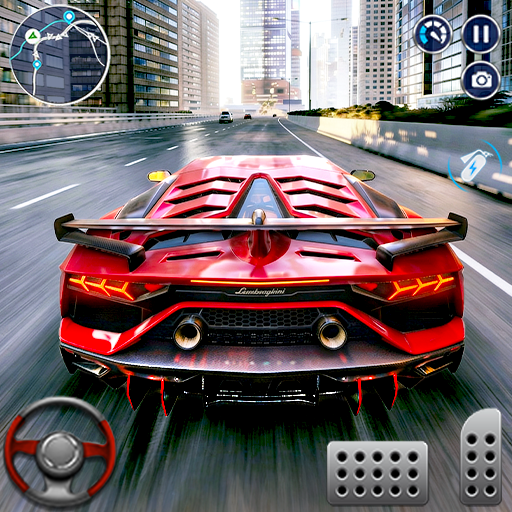
Two Player Racing – Speed Duel is all about fast-paced fun and friendly competition, right in the palm of your hand. Get ready to challenge your friend on the same device—it’s classic head-to-head racing without the need for extra controllers or complicated setups. Choose your favorite ride, hit the track, and see who’s really got the quickest reflexes. This one’s perfect for couch gaming sessions, quick duels, or whenever you just need to settle the score with your racing buddy.

Game Features

  • Split-Screen Face-Offs
    Grab a friend and pick up your device—both of you can race at the same time on a single screen. Local multiplayer has never been this easy or this intense.

  • Variety of Vehicles
    Got a thing for speedsters or something with a bit more muscle? There’s a lively selection of cars to pick from, each with its own style. Switch it up and find which ride suits your vibe best.

  • Playful Art Style
    The tracks and cars sport a bright, exaggerated look that keeps things light-hearted and fun. It’s more about quick reflexes and a good laugh than getting bogged down in details.

  • New Modes & Rides Regularly
    The excitement doesn’t stall—keep an eye out for fresh cars and extra game modes dropping in with updates. There’s always something new to test your skills.

  • Competitive Fun for All Ages
    Whether you’re facing off against a sibling, friend, or even taking on a rival at a get-together, it’s simple to pick up and plenty hard to put down. Perfect for a bit of friendly bragging rights.

  • Smooth Experience on BlueStacks
    If you want a bit of an edge, playing on BlueStacks brings the action to a bigger screen—with snappier controls for that extra precision in close races.

Start your journey now. Download the game on BlueStacks, invite your friends, and march on a new adventure.


Game Features

Enhancements

  • Macros
  • Multi Instance
  • Multi Instance Sync
  • Script
  • Enhancements
Macros

Macros

Automate the predictable in Two Player Racing - Speed Duel and transform your gameplay with Macros. Get access to inventive Macros in the BlueStacks Macro Community
Multi Instance

Multi Instance

Play Two Player Racing - Speed Duel on one window. And chat with your friend on the other. Press CTRL + Shift + 8 to open the Multi-Instance Manager. And start creating fresh instances or clone an existing one.
Multi Instance Sync

Multi Instance Sync

Play Two Player Racing - Speed Duel with the power of Multi-Instance Sync. Replicate what you are doing on the main instance on all other instances. Level up faster, play more.
Script

Script

Script your way to gaming glory in Two Player Racing - Speed Duel with BlueStacks Script. Write and run a set of commands to automate repeated tasks. Trigger the command by assigning it to any key.
Read More

How to Download and Play Two Player Racing - Speed Duel on PC or Mac

  • Download and install BlueStacks on your PC or Mac

  • Complete Google sign-in to access the Play Store, or do it later

  • Look for Two Player Racing - Speed Duel in the search bar at the top right corner

  • Click to install Two Player Racing - Speed Duel from the search results

  • Complete Google sign-in (if you skipped step 2) to install Two Player Racing - Speed Duel

  • Click the Two Player Racing - Speed Duel icon on the home screen to start playing

video
Watch Video

Minimum System Requirements

With BlueStacks 5, you can get started on a PC that fulfills the following requirements.

  • Operating System

    Microsoft Windows 7 or above, macOS 11 (Big Sur) or above

  • Processor

    Intel, AMD or Apple Silicon Processor

  • RAM

    at least 4GB

  • HDD

    10GB Free Disk Space

Note:

* You must be an Administrator on your PC. Up to date graphics drivers from Microsoft or the chipset vendor.

Two Player Racing - Speed Duel - FAQs

  • How to play Two Player Racing - Speed Duel on Windows PC & Mac?

    Play Two Player Racing - Speed Duel on your PC or Mac by following these simple steps.

    • Click on 'Play Two Player Racing - Speed Duel on PC’ to download BlueStacks
    • Install it and log-in to Google Play Store
    • Launch and play the game.
  • Why is BlueStacks the fastest and safest platform to play games on PC?

    BlueStacks respects your privacy and is always safe and secure to use. It does not carry any malware, spyware, or any sort of additional software that could harm your PC.

    It is engineered to optimize speed and performance for a seamless gaming experience.

  • What are Two Player Racing - Speed Duel PC requirements?

    Minimum requirement to run Two Player Racing - Speed Duel on your PC

    • OS: Microsoft Windows 7 or above MacOS 11 (Big Sur) or above
    • Processor: Intel, AMD or Apple Silicon Processor
    • RAM: Your PC must have at least 4GB of RAM. (Note that having 4GB or more disk space is not a substitute for RAM)
    • HDD: 10GB Free Disk Space.
    • You must be an Administrator on your PC.