Angband (plus variants)

Angband (plus variants)

Role Playing

| Cuboideb Development

Play on PC with BlueStacks or from our cloud

  • Overview
  • Game Features
  • How to Play

Page Modified On: July 06, 2026

Play Angband (plus variants) on PC or Mac

Bring your A-game to Angband (plus variants), the Role Playing game sensation from Cuboideb Development. Give your gameplay the much-needed boost with precise game controls, high FPS graphics, and top-tier features on your PC or Mac with BlueStacks.

About the Game

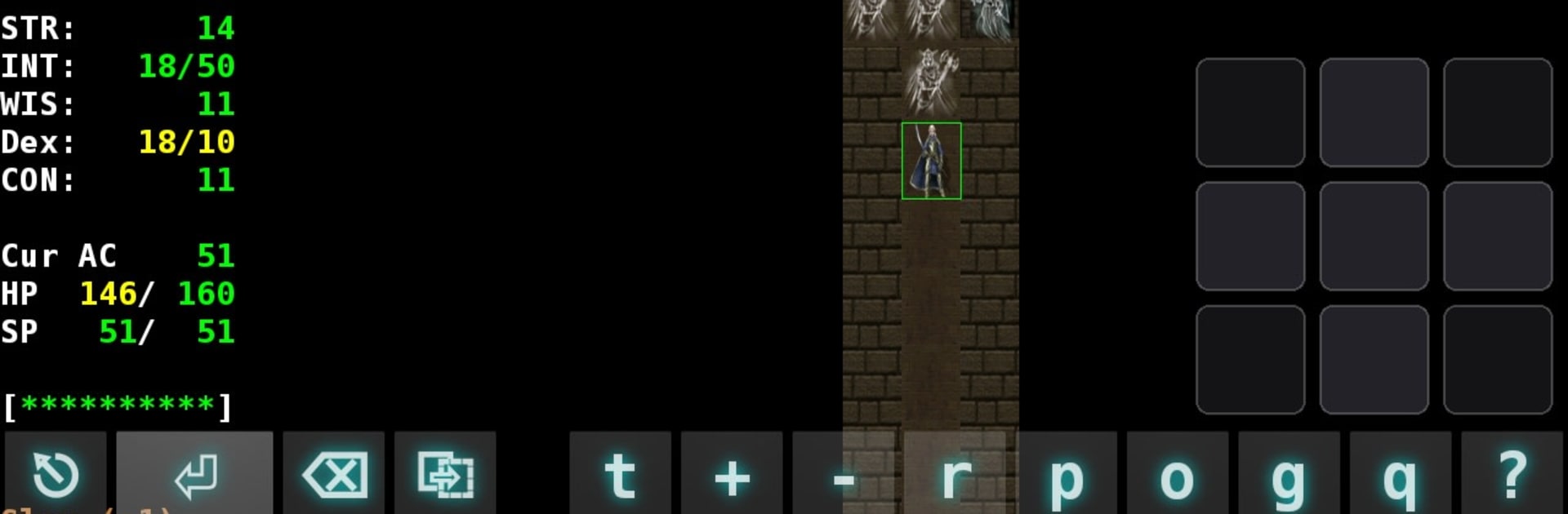
Angband (plus variants) is a deep, single-player dungeon crawler that rewards patience and smart decisions. Build a character, gear up in town, and descend into a vast underworld that gets tougher—and more tempting—the farther you go. It’s a Role Playing staple you can stick with for days, weeks, even months as you inch closer to facing Morgoth himself.

Game Features

  • Character creation: Pick from a range of races and classes, then tailor your build to your playstyle, whether you prefer steel, stealth, or spells.
  • Town preparation: Visit shopkeepers for supplies, weapons, armor, and curious magical devices before braving your next descent.
  • Layered dungeons: Explore the Pits of Angband across many levels, each filled with new challenges, shifting threats, and hard choices.
  • Monsters and loot: Battle fierce creatures, uncover powerful objects and valuable treasure, and haul your finds back to town to upgrade your kit.
  • Long-haul growth: Gain experience through careful, methodical play and gradually become strong enough to challenge the darkness below.
  • The ultimate target: Track down Morgoth on the deepest floors—a demanding fight that marks a true win.
  • Included variants: Try FAangband 2, Sil-Q, FrogComposband, and NPPAngband for different rulesets, pacing, and flavor without leaving the core experience.
  • Flexible play: Tackle runs on mobile or settle in with keyboard and mouse on BlueStacks if you like a PC setup.

Get ready for a buttery smooth, high-performance gaming action only on BlueStacks.

Game Features

Enhancements

  • Macros
  • Rerolling
  • Eco Mode
  • Multi Instance Sync
  • Enhancements
Macros

Macros

Focus more on the fun part of the game, skip the tedious aspects. Master Angband (plus variants) with Macros. Record yourself completing the monotonous tasks you wish to automate and replay them later with just one keypress.
Rerolling

Rerolling

Speed up the rerolling process in Angband (plus variants). Perform multiple summons and keep looking for the best Heroes. Use Multi-Instance sync to replicate the rerolling mechanism in all instances.
Eco Mode

Eco Mode

Farm in-game resources with ease in Angband (plus variants). Enable the Eco Mode when running the game in multiple instances. And lower your PC's resource consumption.
Multi Instance Sync

Multi Instance Sync

With the Multi-instance Sync, you can do even more in Angband (plus variants). Sync the action of the main instance and repeat them in real time for all other instances. Sync and sit back, let the game progress unfold.
Read More

How to Download and Play Angband (plus variants) on PC or Mac

  • Download and install BlueStacks on your PC or Mac

  • Complete Google sign-in to access the Play Store, or do it later

  • Look for Angband (plus variants) in the search bar at the top right corner

  • Click to install Angband (plus variants) from the search results

  • Complete Google sign-in (if you skipped step 2) to install Angband (plus variants)

  • Click the Angband (plus variants) icon on the home screen to start playing

video
Watch Video

Minimum System Requirements

With BlueStacks 5, you can get started on a PC that fulfills the following requirements.

  • Operating System

    Microsoft Windows 7 or above, macOS 11 (Big Sur) or above

  • Processor

    Intel, AMD or Apple Silicon Processor

  • RAM

    at least 4GB

  • HDD

    10GB Free Disk Space

Note:

* You must be an Administrator on your PC. Up to date graphics drivers from Microsoft or the chipset vendor.

Angband (plus variants) - FAQs

  • How to play Angband (plus variants) on Windows PC & Mac?

    Play Angband (plus variants) on your PC or Mac by following these simple steps.

    • Click on 'Play Angband (plus variants) on PC’ to download BlueStacks
    • Install it and log-in to Google Play Store
    • Launch and play the game.
  • Why is BlueStacks the fastest and safest platform to play games on PC?

    BlueStacks respects your privacy and is always safe and secure to use. It does not carry any malware, spyware, or any sort of additional software that could harm your PC.

    It is engineered to optimize speed and performance for a seamless gaming experience.

  • What are Angband (plus variants) PC requirements?

    Minimum requirement to run Angband (plus variants) on your PC

    • OS: Microsoft Windows 7 or above MacOS 11 (Big Sur) or above
    • Processor: Intel, AMD or Apple Silicon Processor
    • RAM: Your PC must have at least 4GB of RAM. (Note that having 4GB or more disk space is not a substitute for RAM)
    • HDD: 10GB Free Disk Space.
    • You must be an Administrator on your PC.