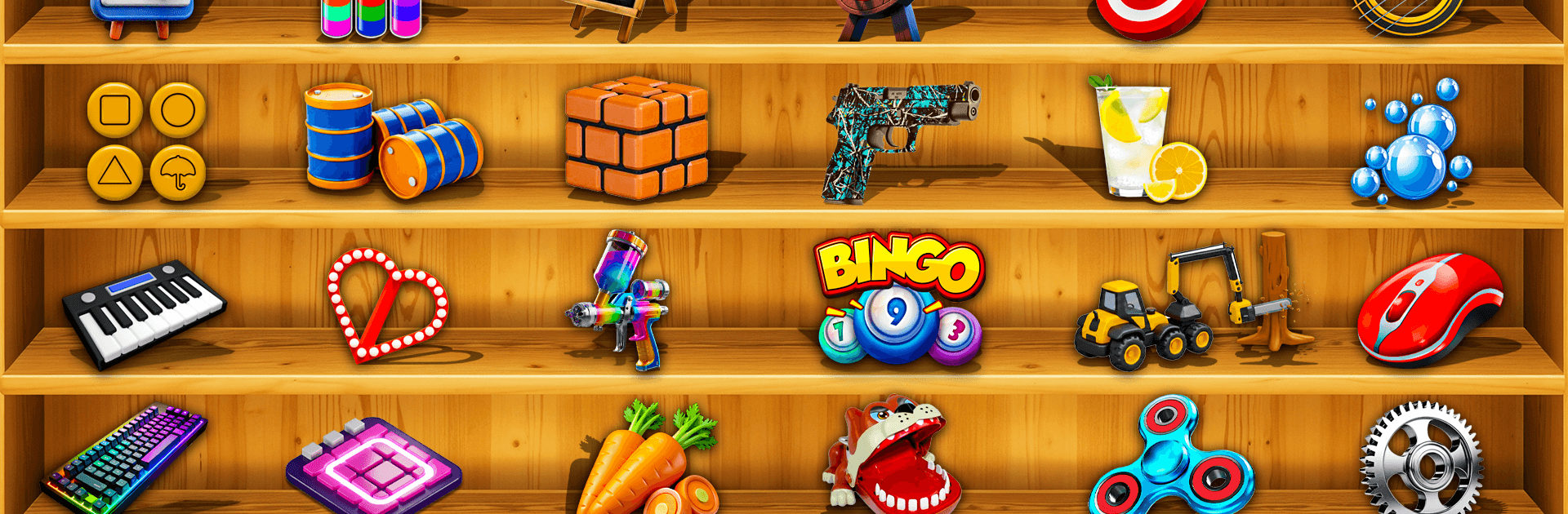
Antistress Mind Relaxing Game

Antistress Mind Relaxing Game

Role Playing

| PO-3 Studios

Play on PC with BlueStacks or from our cloud

  • Overview
  • Game Features
  • How to Play

Page Modified On: May 11, 2026

Play Antistress Mind Relaxing Game on PC or Mac

Antistress Mind Relaxing Game brings the Role Playing genre to life, and throws up exciting challenges for gamers. Developed by PO-3 Studios, this Android game is best experienced on BlueStacks, the World’s #1 app player for PC and Mac users.

About the Game

Antistress Mind Relaxing Game from PO-3 Studios is all about quiet, hands-on calm. It bundles a bunch of soothing toys and mini-activities into one place, so you can fidget, doodle, swipe, and listen to soft sounds whenever you need a breather. It’s a chill Role Playing experience where the “role” is simply you, unwinding at your own pace. Prefer a bigger view? It also feels great on BlueStacks.

Game Features

  • Calming toys collection: Tinker with bamboo chimes, a Newton’s Cradle, a quirky finger scale, and other satisfying desk-style gadgets.
  • Creative scratch pad: Draw on a chalkboard, erase, repeat—no rules, just that simple, nostalgic scratch-squeak.
  • Oddly satisfying cleaning: Wipe foggy or dirty panes with smooth swipes until everything looks fresh and clear again.
  • Ripple and relax: Tap to send gentle waves across still water and watch the surface react in slow, silky motion.
  • Mindful mini-challenges: Tackle a classic sliding number puzzle when you want a light mental stretch without the pressure.
  • Fidget favorites: Pop-its, slime, cubes, and spinners—squish, press, and spin your way to a calmer headspace.
  • Soft audiovisual feedback: Subtle sounds and responsive effects make every tap, drag, and flick feel pleasantly real.
  • Quick-in, quick-out play: Whether you’ve got a spare minute or a quiet hour, it’s easy to hop in and reset.
  • Regular new goodies: Expect fresh toys and scenes over time, keeping the toolbox of calm feeling new.
  • Smooth on any setup: Simple controls feel natural on touch, mouse, or trackpad—and play comfortably on BlueStacks if you like.

Start your journey now. Download the game on BlueStacks, invite your friends, and march on a new adventure.


Game Features

Enhancements

  • Macros
  • Rerolling
  • Eco Mode
  • Multi Instance Sync
  • Enhancements
Macros

Macros

Focus more on the fun part of the game, skip the tedious aspects. Master Antistress Mind Relaxing Game with Macros. Record yourself completing the monotonous tasks you wish to automate and replay them later with just one keypress.
Rerolling

Rerolling

Speed up the rerolling process in Antistress Mind Relaxing Game. Perform multiple summons and keep looking for the best Heroes. Use Multi-Instance sync to replicate the rerolling mechanism in all instances.
Eco Mode

Eco Mode

Farm in-game resources with ease in Antistress Mind Relaxing Game. Enable the Eco Mode when running the game in multiple instances. And lower your PC's resource consumption.
Multi Instance Sync

Multi Instance Sync

With the Multi-instance Sync, you can do even more in Antistress Mind Relaxing Game. Sync the action of the main instance and repeat them in real time for all other instances. Sync and sit back, let the game progress unfold.
Read More

How to Download and Play Antistress Mind Relaxing Game on PC or Mac

  • Download and install BlueStacks on your PC or Mac

  • Complete Google sign-in to access the Play Store, or do it later

  • Look for Antistress Mind Relaxing Game in the search bar at the top right corner

  • Click to install Antistress Mind Relaxing Game from the search results

  • Complete Google sign-in (if you skipped step 2) to install Antistress Mind Relaxing Game

  • Click the Antistress Mind Relaxing Game icon on the home screen to start playing

video
Watch Video

Minimum System Requirements

With BlueStacks 5, you can get started on a PC that fulfills the following requirements.

  • Operating System

    Microsoft Windows 7 or above, macOS 11 (Big Sur) or above

  • Processor

    Intel, AMD or Apple Silicon Processor

  • RAM

    at least 4GB

  • HDD

    10GB Free Disk Space

Note:

* You must be an Administrator on your PC. Up to date graphics drivers from Microsoft or the chipset vendor.

Antistress Mind Relaxing Game - FAQs

  • How to play Antistress Mind Relaxing Game on Windows PC & Mac?

    Play Antistress Mind Relaxing Game on your PC or Mac by following these simple steps.

    • Click on 'Play Antistress Mind Relaxing Game on PC’ to download BlueStacks
    • Install it and log-in to Google Play Store
    • Launch and play the game.
  • Why is BlueStacks the fastest and safest platform to play games on PC?

    BlueStacks respects your privacy and is always safe and secure to use. It does not carry any malware, spyware, or any sort of additional software that could harm your PC.

    It is engineered to optimize speed and performance for a seamless gaming experience.

  • What are Antistress Mind Relaxing Game PC requirements?

    Minimum requirement to run Antistress Mind Relaxing Game on your PC

    • OS: Microsoft Windows 7 or above MacOS 11 (Big Sur) or above
    • Processor: Intel, AMD or Apple Silicon Processor
    • RAM: Your PC must have at least 4GB of RAM. (Note that having 4GB or more disk space is not a substitute for RAM)
    • HDD: 10GB Free Disk Space.
    • You must be an Administrator on your PC.