Blackwood Forge
Blackwood Forge

Blackwood Forge

Role Playing

| Gothika Gaming

Play on PC with BlueStacks or from our cloud

  • Overview
  • Game Features
  • How to Play

Page Modified On: October 21, 2026

Play Blackwood Forge on PC or Mac

Blackwood Forge by Gothika Gaming has plenty to keep you busy. BlueStacks lets you play it on PC or Mac with more screen space, better control, and fewer mobile limits.

About the Game

Blackwood Forge is a Role Playing game that puts the blacksmith’s bench at the heart of everything. You’re the town’s smith, turning raw finds and battle spoils into blades, armor, potions, and more—because your gear really is your life here. Prefer a bigger screen and mouse clicks? It runs smoothly on PC with BlueStacks.

Game Features

  • Crafting, end to end: You don’t jump straight from rock to sword—ore becomes ingots, logs turn into planks, hides cure into leather, and the forge auto-queues every step you’re missing.
  • Idle skills that actually work: Woodcutting, Mining, Fishing, and Herbalism level up from what they bring in and keep going while you’re away; crafting timers tick along too, so you return to finished jobs.
  • Fight for what nature won’t give: Auto-battle through stages to gather hides, silk, and bone you can’t chop or mine, with a boss every tenth stage that patiently waits until you say go.
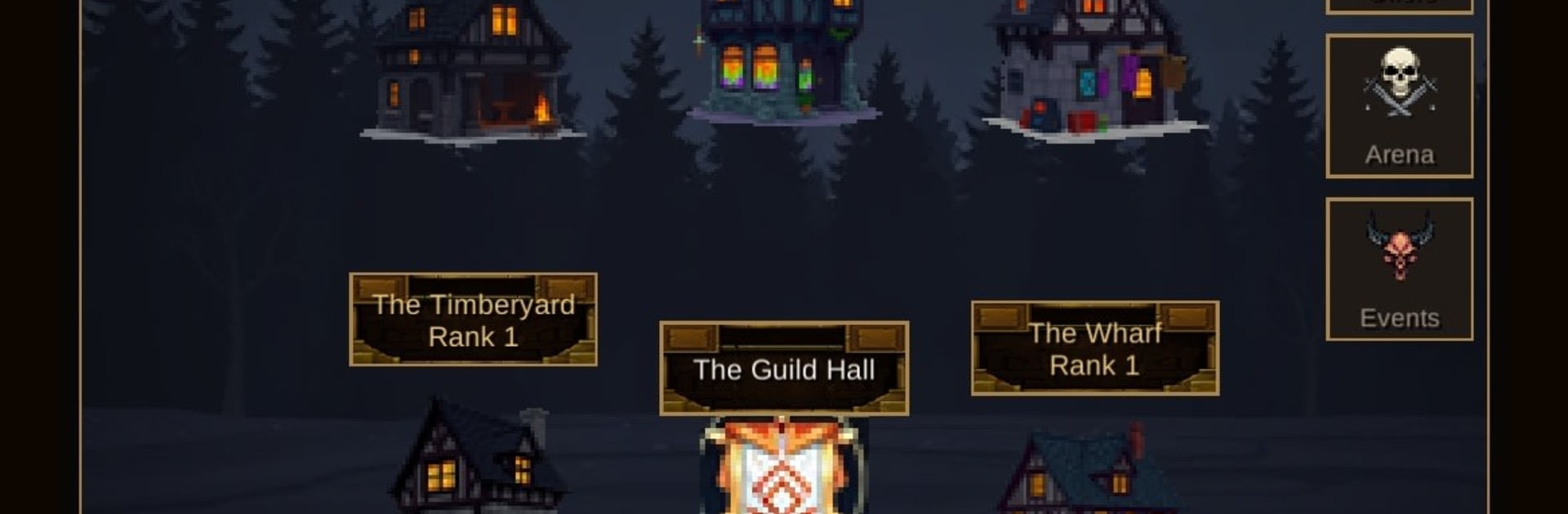
  • Workshops decide the goods: Your professions live in buildings, and higher ranks unlock deeper tiers and better rolls—think higher rarity, more affixes, and extra gem sockets from the same materials.
  • Heroes you assign, not chase: Post heroes to buildings to speed production, summon with gold for a random pick, or use premium to choose exactly who you want from a rotating list—no gacha nonsense.
  • Fair by design, not pay-to-win: The shop sticks to convenience, cosmetics, and time savers; nothing you buy boosts stats, there are no loot boxes, and the spend ceiling tops out at $4.99 with free premium sources in-game.
  • Play online or off: Ads are opt-in and rewarded, sign-in’s optional, and the whole single-player loop works offline; only guilds, guild chat, and the arena ladder need a connection.
  • Early Access heads-up: It’s still in testing, so expect a few rough edges—and if something feels off, the team wants to hear about it.

Get ready for a buttery smooth, high-performance gaming action only on BlueStacks.

Game Features

Enhancements

  • Macros
  • Rerolling
  • Eco Mode
  • Multi Instance Sync
  • Enhancements
Macros

Macros

Focus more on the fun part of the game, skip the tedious aspects. Master Blackwood Forge with Macros. Record yourself completing the monotonous tasks you wish to automate and replay them later with just one keypress.
Rerolling

Rerolling

Speed up the rerolling process in Blackwood Forge. Perform multiple summons and keep looking for the best Heroes. Use Multi-Instance sync to replicate the rerolling mechanism in all instances.
Eco Mode

Eco Mode

Farm in-game resources with ease in Blackwood Forge. Enable the Eco Mode when running the game in multiple instances. And lower your PC's resource consumption.
Multi Instance Sync

Multi Instance Sync

With the Multi-instance Sync, you can do even more in Blackwood Forge. Sync the action of the main instance and repeat them in real time for all other instances. Sync and sit back, let the game progress unfold.
Read More

How to Download and Play Blackwood Forge on PC or Mac

  • Download and install BlueStacks on your PC or Mac

  • Complete Google sign-in to access the Play Store, or do it later

  • Look for Blackwood Forge in the search bar at the top right corner

  • Click to install Blackwood Forge from the search results

  • Complete Google sign-in (if you skipped step 2) to install Blackwood Forge

  • Click the Blackwood Forge icon on the home screen to start playing

video
Watch Video

Minimum System Requirements

With BlueStacks 5, you can get started on a PC that fulfills the following requirements.

  • Operating System

    Microsoft Windows 7 or above, macOS 11 (Big Sur) or above

  • Processor

    Intel, AMD or Apple Silicon Processor

  • RAM

    at least 4GB

  • HDD

    10GB Free Disk Space

Note:

* You must be an Administrator on your PC. Up to date graphics drivers from Microsoft or the chipset vendor.

Blackwood Forge - FAQs

  • How to play Blackwood Forge on Windows PC & Mac?

    Play Blackwood Forge on your PC or Mac by following these simple steps.

    • Click on 'Play Blackwood Forge on PC’ to download BlueStacks
    • Install it and log-in to Google Play Store
    • Launch and play the game.
  • Why is BlueStacks the fastest and safest platform to play games on PC?

    BlueStacks respects your privacy and is always safe and secure to use. It does not carry any malware, spyware, or any sort of additional software that could harm your PC.

    It is engineered to optimize speed and performance for a seamless gaming experience.

  • What are Blackwood Forge PC requirements?

    Minimum requirement to run Blackwood Forge on your PC

    • OS: Microsoft Windows 7 or above MacOS 11 (Big Sur) or above
    • Processor: Intel, AMD or Apple Silicon Processor
    • RAM: Your PC must have at least 4GB of RAM. (Note that having 4GB or more disk space is not a substitute for RAM)
    • HDD: 10GB Free Disk Space.
    • You must be an Administrator on your PC.