Border Police Smuggling Sieze

Border Police Smuggling Sieze

Role Playing

| Winter Land Games

Play on PC with BlueStacks or from our cloud

  • Overview
  • Game Features
  • How to Play

Page Modified On: April 24, 2026

Play Border Police Smuggling Sieze on PC or Mac

Border Police Smuggling Sieze brings the Role Playing genre to life, and throws up exciting challenges for gamers. Developed by Winter Land Games, this Android game is best experienced on BlueStacks, the World’s #1 app player for PC and Mac users.

About the Game

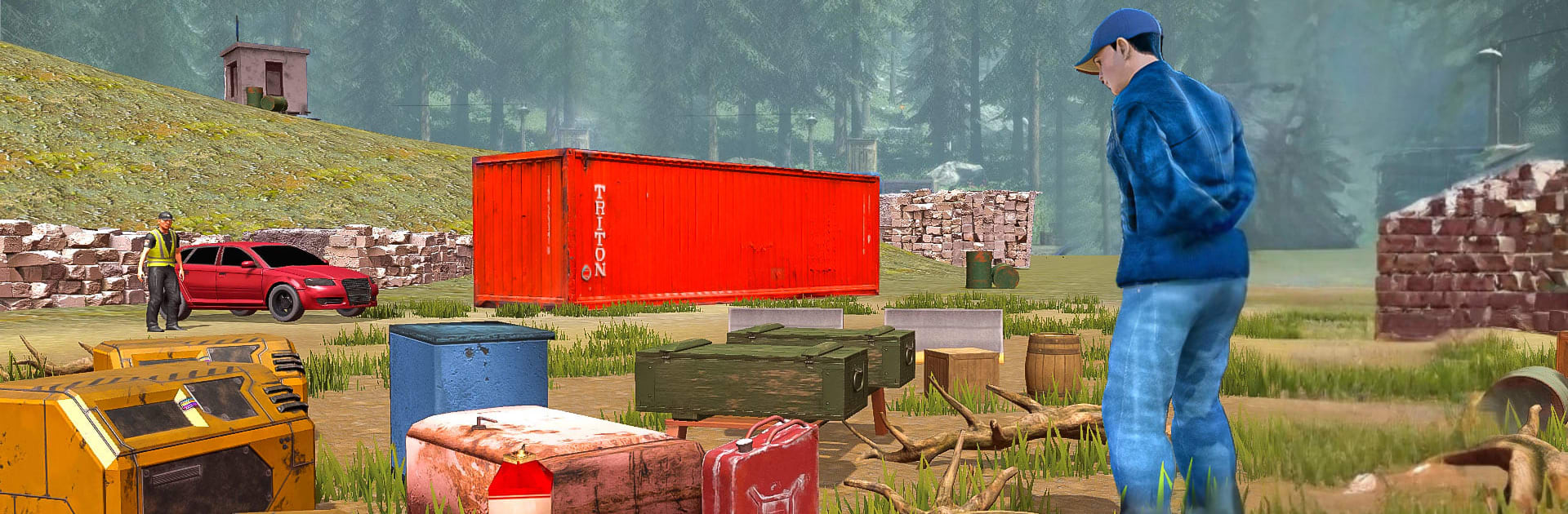
Border Police Smuggling Sieze is a Role Playing experience from Winter Land Games that puts you behind the checkpoint gate as a no-nonsense border officer. Your job? Keep illegal goods, forged documents, and shady operators from slipping through. Expect tense inspections, quick calls under pressure, and the satisfaction of catching a clever smuggler. Prefer a larger screen and keyboard? It also plays comfortably on PC with BlueStacks.

Game Features

  • Smart Inspections: Pull over cars and trucks, pop hoods and trunks, and probe for hidden compartments. If something feels off, it probably is—follow your gut and the evidence.
  • Paperwork Detective: Check IDs, permits, and manifests. Spot inconsistencies, sniff out forgeries, and refuse entry when things don’t add up.
  • Cargo Crackdowns: Go item by item through containers and trailers. Confiscate drugs, illicit cash, and other prohibited goods before they cross the line.
  • Patrol & Pursuit Driving: Cruise the border in police cars and vans, respond to alerts fast, and intercept suspicious vehicles before they vanish.
  • Arrest, Escort, Secure: Detain suspects, process them properly, and transport prisoners safely without giving them a chance to slip away.
  • Defend the Checkpoint: Keep your base secure and react to threats or sudden attacks that test your readiness and teamwork.
  • Teamwork & Tools: Coordinate with fellow officers and use inspection tools to run thorough searches without slowing the flow too much.
  • Growing Pressure: Smugglers get bolder and trickier over time. Expect tougher routes, tighter deadlines, and higher stakes as you advance.
  • Built for Immersion: A grounded 3D checkpoint setting with vehicles, gear, and procedures that make each stop feel hands-on and tense.

Make your gaming sessions memorable with precise controls that give you an edge in close combats and visuals that pop up, bringing every character to life.


Game Features

Enhancements

  • Macros
  • Rerolling
  • Eco Mode
  • Multi Instance Sync
  • Enhancements
Macros

Macros

Focus more on the fun part of the game, skip the tedious aspects. Master Border Police Smuggling Sieze with Macros. Record yourself completing the monotonous tasks you wish to automate and replay them later with just one keypress.
Rerolling

Rerolling

Speed up the rerolling process in Border Police Smuggling Sieze. Perform multiple summons and keep looking for the best Heroes. Use Multi-Instance sync to replicate the rerolling mechanism in all instances.
Eco Mode

Eco Mode

Farm in-game resources with ease in Border Police Smuggling Sieze. Enable the Eco Mode when running the game in multiple instances. And lower your PC's resource consumption.
Multi Instance Sync

Multi Instance Sync

With the Multi-instance Sync, you can do even more in Border Police Smuggling Sieze. Sync the action of the main instance and repeat them in real time for all other instances. Sync and sit back, let the game progress unfold.
Read More

How to Download and Play Border Police Smuggling Sieze on PC or Mac

  • Download and install BlueStacks on your PC or Mac

  • Complete Google sign-in to access the Play Store, or do it later

  • Look for Border Police Smuggling Sieze in the search bar at the top right corner

  • Click to install Border Police Smuggling Sieze from the search results

  • Complete Google sign-in (if you skipped step 2) to install Border Police Smuggling Sieze

  • Click the Border Police Smuggling Sieze icon on the home screen to start playing

video
Watch Video

Minimum System Requirements

With BlueStacks 5, you can get started on a PC that fulfills the following requirements.

  • Operating System

    Microsoft Windows 7 or above, macOS 11 (Big Sur) or above

  • Processor

    Intel, AMD or Apple Silicon Processor

  • RAM

    at least 4GB

  • HDD

    10GB Free Disk Space

Note:

* You must be an Administrator on your PC. Up to date graphics drivers from Microsoft or the chipset vendor.

Border Police Smuggling Sieze - FAQs

  • How to play Border Police Smuggling Sieze on Windows PC & Mac?

    Play Border Police Smuggling Sieze on your PC or Mac by following these simple steps.

    • Click on 'Play Border Police Smuggling Sieze on PC’ to download BlueStacks
    • Install it and log-in to Google Play Store
    • Launch and play the game.
  • Why is BlueStacks the fastest and safest platform to play games on PC?

    BlueStacks respects your privacy and is always safe and secure to use. It does not carry any malware, spyware, or any sort of additional software that could harm your PC.

    It is engineered to optimize speed and performance for a seamless gaming experience.

  • What are Border Police Smuggling Sieze PC requirements?

    Minimum requirement to run Border Police Smuggling Sieze on your PC

    • OS: Microsoft Windows 7 or above MacOS 11 (Big Sur) or above
    • Processor: Intel, AMD or Apple Silicon Processor
    • RAM: Your PC must have at least 4GB of RAM. (Note that having 4GB or more disk space is not a substitute for RAM)
    • HDD: 10GB Free Disk Space.
    • You must be an Administrator on your PC.