Bus Simulator Game Coach Bus

Bus Simulator Game Coach Bus

Role Playing

| ZX Creations

Play on PC with BlueStacks or from our cloud

  • Overview
  • Game Features
  • How to Play

Page Modified On: April 21, 2026

Play Bus Simulator Game Coach Bus on PC or Mac

Step into the World of Bus Simulator Game Coach Bus, a thrilling Role Playing game from the house of ZX Creations. Play this Android game on BlueStacks App Player and experience immersive gaming on PC or Mac.

About the Game

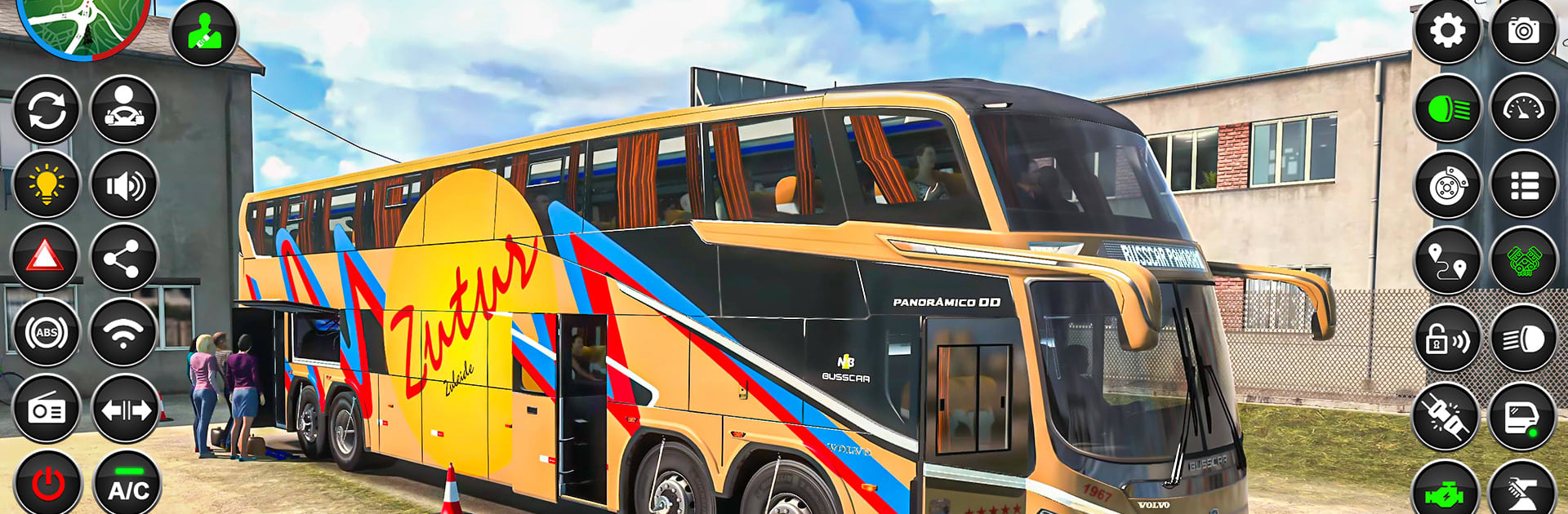
Bus Simulator Game Coach Bus from ZX Creations puts you behind the wheel of a full-sized coach and asks you to run real routes like a pro. This Role Playing take on bus driving blends city commuting with snowy, off-road challenges, so one minute you’re threading traffic and the next you’re easing down an icy hillside. Prefer playing on a bigger screen? It also feels great on PC with BlueStacks.

Game Features

  • City and Snow Routes: Switch between bustling city streets and slippery, snow-covered tracks that demand extra patience and precision.
  • Pickups and Drop-offs: Load passengers, pull into marked stops cleanly, and get everyone to their destination in one piece.
  • Parking Challenges: Tight turns and close quarters test your clutch control and timing in focused parking scenarios.
  • Two Modes, Ten Stages: Tackle two distinct modes with five handcrafted levels each, perfect for quick sessions or steady progression.
  • Smooth, Responsive Handling: Steering, braking, and acceleration feel natural, whether you’re edging around hairpins or cruising long avenues.
  • Tricky Terrain: Steep hills, narrow lanes, and sudden bends keep you alert—those guardrails are there for a reason.
  • Cinematic Touches: Short cutscenes set the scene for your next route and add a little flavor between drives.
  • Cameras and Horns: Swap camera angles for the best view of tight corners, and use the horn when traffic needs a nudge.
  • Sights and Sounds: Crisp 3D visuals, lively city ambiance, and in-game music make every route feel like a proper shift.
  • Play on PC with BlueStacks: Want keyboard controls and smooth performance on desktop? It’s a natural fit without changing how you play.

Slay your opponents with your epic moves. Play it your way on BlueStacks and dominate the battlefield.


Game Features

Enhancements

  • Macros
  • Rerolling
  • Eco Mode
  • Multi Instance Sync
  • Enhancements
Macros

Macros

Focus more on the fun part of the game, skip the tedious aspects. Master Bus Simulator Game Coach Bus with Macros. Record yourself completing the monotonous tasks you wish to automate and replay them later with just one keypress.
Rerolling

Rerolling

Speed up the rerolling process in Bus Simulator Game Coach Bus. Perform multiple summons and keep looking for the best Heroes. Use Multi-Instance sync to replicate the rerolling mechanism in all instances.
Eco Mode

Eco Mode

Farm in-game resources with ease in Bus Simulator Game Coach Bus. Enable the Eco Mode when running the game in multiple instances. And lower your PC's resource consumption.
Multi Instance Sync

Multi Instance Sync

With the Multi-instance Sync, you can do even more in Bus Simulator Game Coach Bus. Sync the action of the main instance and repeat them in real time for all other instances. Sync and sit back, let the game progress unfold.
Read More

How to Download and Play Bus Simulator Game Coach Bus on PC or Mac

  • Download and install BlueStacks on your PC or Mac

  • Complete Google sign-in to access the Play Store, or do it later

  • Look for Bus Simulator Game Coach Bus in the search bar at the top right corner

  • Click to install Bus Simulator Game Coach Bus from the search results

  • Complete Google sign-in (if you skipped step 2) to install Bus Simulator Game Coach Bus

  • Click the Bus Simulator Game Coach Bus icon on the home screen to start playing

video
Watch Video

Minimum System Requirements

With BlueStacks 5, you can get started on a PC that fulfills the following requirements.

  • Operating System

    Microsoft Windows 7 or above, macOS 11 (Big Sur) or above

  • Processor

    Intel, AMD or Apple Silicon Processor

  • RAM

    at least 4GB

  • HDD

    10GB Free Disk Space

Note:

* You must be an Administrator on your PC. Up to date graphics drivers from Microsoft or the chipset vendor.

Bus Simulator Game Coach Bus - FAQs

  • How to play Bus Simulator Game Coach Bus on Windows PC & Mac?

    Play Bus Simulator Game Coach Bus on your PC or Mac by following these simple steps.

    • Click on 'Play Bus Simulator Game Coach Bus on PC’ to download BlueStacks
    • Install it and log-in to Google Play Store
    • Launch and play the game.
  • Why is BlueStacks the fastest and safest platform to play games on PC?

    BlueStacks respects your privacy and is always safe and secure to use. It does not carry any malware, spyware, or any sort of additional software that could harm your PC.

    It is engineered to optimize speed and performance for a seamless gaming experience.

  • What are Bus Simulator Game Coach Bus PC requirements?

    Minimum requirement to run Bus Simulator Game Coach Bus on your PC

    • OS: Microsoft Windows 7 or above MacOS 11 (Big Sur) or above
    • Processor: Intel, AMD or Apple Silicon Processor
    • RAM: Your PC must have at least 4GB of RAM. (Note that having 4GB or more disk space is not a substitute for RAM)
    • HDD: 10GB Free Disk Space.
    • You must be an Administrator on your PC.