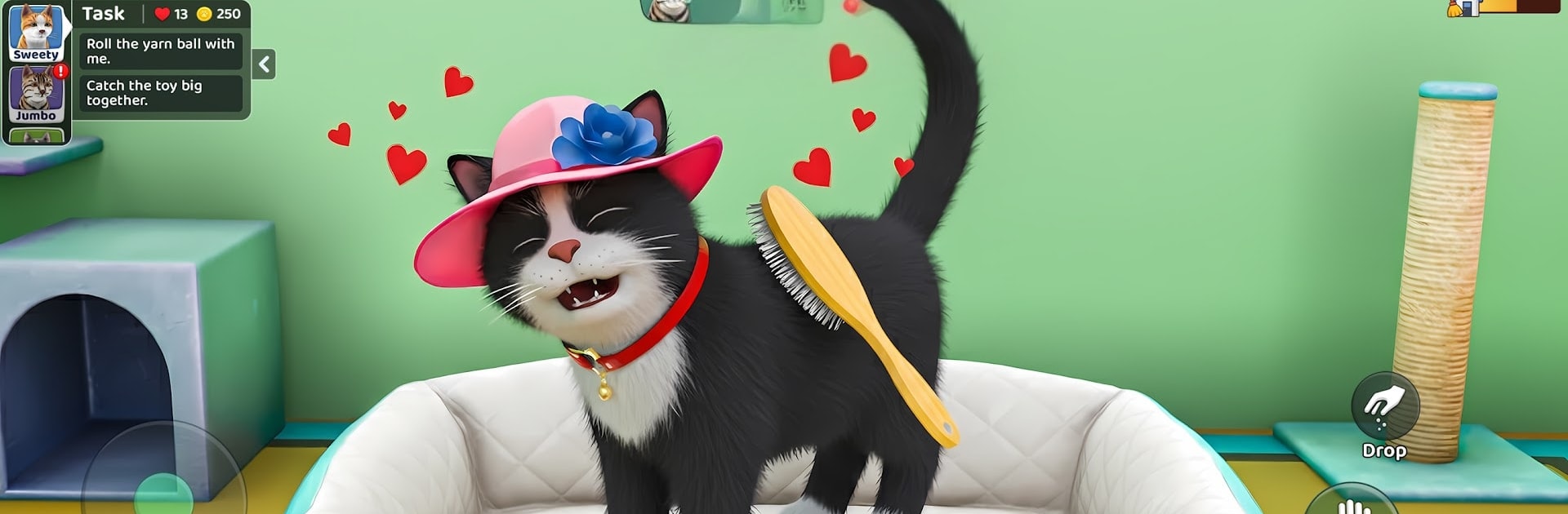
Cat Life Game : Pets Simulator

Cat Life Game : Pets Simulator

Role Playing

| GamesCraft Studio

Play on PC with BlueStacks or from our cloud

  • Overview
  • Game Features
  • How to Play

Page Modified On: June 25, 2026

Play Cat Life Game : Pets Simulator on PC or Mac

Explore a whole new adventure with Cat Life Game : Pets Simulator, a Role Playing game created by GamesCraft Studio. Experience great gameplay with BlueStacks, the most popular gaming platform to play Android games on your PC or Mac.

About the Game

Cat Life Game : Pets Simulator is a laid-back Role Playing take on sharing your space with a whiskered roommate. It starts with a timid stray at your doorstep and grows into a warm routine of care, play, and small surprises—maybe even a cozy cat cafe if that’s your vibe. Play on your phone, or kick back at your desk with BlueStacks when you want a bigger screen to admire those tiny pawsteps.

Game Features

  • Adopt and bond: Welcome a shy newcomer, earn their trust, and turn a quiet house into a true cat home through daily care and attention.
  • Real pet care, zero stress: Fill bowls, tidy rooms, brush fur, clean the litter, and keep simple routines that feel soothing rather than rushed.
  • Kitten daycare and cafe: Run a gentle kitten daycare and manage a snug little cat cafe, balancing happy tummies, clean spaces, and chill vibes.
  • Train and grow stats: Teach tricks, try fun mini-activities, and watch confidence, agility, and curiosity improve over time.
  • Fully 3D cats with personality: Hear purrs and soft meows, see expressive ears and tail flicks, and notice unique moods for every cat.
  • Build your place: Upgrade rooms, craft cozy furniture, and decorate with toys and scratch posts to fit your style.
  • Garden and gather: Plant catnip and other crops, collect resources, and use what you harvest to expand your homestead.
  • Family of felines: Raise kittens, manage naptimes and feeding schedules, and keep your growing crew happy under one roof.
  • Calm progress: Gentle goals and meaningful daily tasks make each session relaxing while your bond naturally deepens.

BlueStacks gives you more room to focus on the game and less time adjusting around mobile limitations.


Game Features

Enhancements

  • Macros
  • Rerolling
  • Eco Mode
  • Multi Instance Sync
  • Enhancements
Macros

Macros

Focus more on the fun part of the game, skip the tedious aspects. Master Cat Life Game : Pets Simulator with Macros. Record yourself completing the monotonous tasks you wish to automate and replay them later with just one keypress.
Rerolling

Rerolling

Speed up the rerolling process in Cat Life Game : Pets Simulator. Perform multiple summons and keep looking for the best Heroes. Use Multi-Instance sync to replicate the rerolling mechanism in all instances.
Eco Mode

Eco Mode

Farm in-game resources with ease in Cat Life Game : Pets Simulator. Enable the Eco Mode when running the game in multiple instances. And lower your PC's resource consumption.
Multi Instance Sync

Multi Instance Sync

With the Multi-instance Sync, you can do even more in Cat Life Game : Pets Simulator. Sync the action of the main instance and repeat them in real time for all other instances. Sync and sit back, let the game progress unfold.
Read More

How to Download and Play Cat Life Game : Pets Simulator on PC or Mac

  • Download and install BlueStacks on your PC or Mac

  • Complete Google sign-in to access the Play Store, or do it later

  • Look for Cat Life Game : Pets Simulator in the search bar at the top right corner

  • Click to install Cat Life Game : Pets Simulator from the search results

  • Complete Google sign-in (if you skipped step 2) to install Cat Life Game : Pets Simulator

  • Click the Cat Life Game : Pets Simulator icon on the home screen to start playing

video
Watch Video

Minimum System Requirements

With BlueStacks 5, you can get started on a PC that fulfills the following requirements.

  • Operating System

    Microsoft Windows 7 or above, macOS 11 (Big Sur) or above

  • Processor

    Intel, AMD or Apple Silicon Processor

  • RAM

    at least 4GB

  • HDD

    10GB Free Disk Space

Note:

* You must be an Administrator on your PC. Up to date graphics drivers from Microsoft or the chipset vendor.

Cat Life Game : Pets Simulator - FAQs

  • How to play Cat Life Game : Pets Simulator on Windows PC & Mac?

    Play Cat Life Game : Pets Simulator on your PC or Mac by following these simple steps.

    • Click on 'Play Cat Life Game : Pets Simulator on PC’ to download BlueStacks
    • Install it and log-in to Google Play Store
    • Launch and play the game.
  • Why is BlueStacks the fastest and safest platform to play games on PC?

    BlueStacks respects your privacy and is always safe and secure to use. It does not carry any malware, spyware, or any sort of additional software that could harm your PC.

    It is engineered to optimize speed and performance for a seamless gaming experience.

  • What are Cat Life Game : Pets Simulator PC requirements?

    Minimum requirement to run Cat Life Game : Pets Simulator on your PC

    • OS: Microsoft Windows 7 or above MacOS 11 (Big Sur) or above
    • Processor: Intel, AMD or Apple Silicon Processor
    • RAM: Your PC must have at least 4GB of RAM. (Note that having 4GB or more disk space is not a substitute for RAM)
    • HDD: 10GB Free Disk Space.
    • You must be an Administrator on your PC.