Darklord: Vampire Survival

Darklord: Vampire Survival

Role Playing

| COREGAMES PTE. LTD.

Play on PC with BlueStacks or from our cloud

  • Overview
  • Game Features
  • How to Play

Page Modified On: July 06, 2026

Play Darklord: Vampire Survival on PC or Mac

Step into the World of Darklord: Vampire Survival, a thrilling Role Playing game from the house of COREGAMES PTE. LTD.. Play this Android game on BlueStacks App Player and experience immersive gaming on PC or Mac.

About the Game

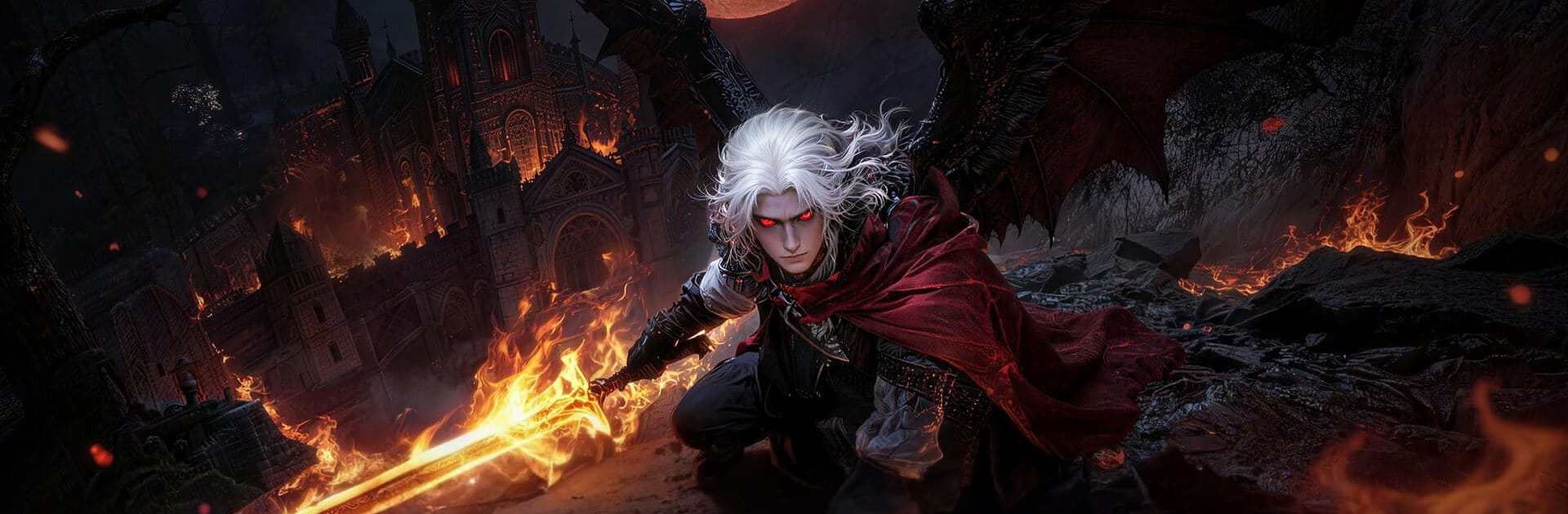
Darklord: Vampire Survival drops you into a ruined world where demons pour in, heroes are gone, and you wake up with a very old, very dangerous bloodline humming under your skin. It’s a dark Role Playing survival experience that blends fast action, smart base building, deep crafting, and roguelike decision-making across a gloomy open world. Prefer a bigger screen and precise controls? It runs smoothly on BlueStacks, too.

Game Features

  • Bloodbound Servants: Turn rescued humans and defeated elites into loyal followers from nine distinct races—think angels, elves, and succubi—each with unique evolutions and team-up skills.
  • Relics of the Night: Hunt terrifying lords to recover Dracula’s relics. Expect wild perks like heavy lifesteal, second-chance survival, and gateways to hidden dimensions packed with secrets.
  • Living Bloodlines: Absorb the power of ancient blood types and unlock hundreds of branching traits. Build a crit-heavy glass cannon, an unkillable wall, or something perfectly in between.
  • Sanctuary Building: Carve out a refuge in the wasteland. Gather rare materials, reinforce walls with eerie defenses, and set traps and turrets to keep endless waves of monsters outside your doorstep.
  • Crafting That Matters: Forge weapons and legendary gear, slot in special effects, and tune your loadout to how you actually fight.
  • Roguelike Skill Picks: No rigid classes here. Beat bosses, choose from randomized skill options, and stitch together outrageous combos—like bouncing arrows on a longbow or void slashes on a greatsword.
  • Hunt, Farm, Survive: Scavenge, harvest, and refine resources while keeping an eye on the sun. Daylight is not your friend, so plan your routes and hideouts carefully.
  • Soul Pets & Allies: Collect eerie companions and command a growing retinue of blood servants to gather, guard, and go to war in your name.
  • Climb the Ranks: Test your builds against relentless hordes and compare your progress on in-game rankings and social boards.

Start your journey now. Download the game on BlueStacks, invite your friends, and march on a new adventure.


Game Features

Enhancements

  • Macros
  • Rerolling
  • Eco Mode
  • Multi Instance Sync
  • Enhancements
Macros

Macros

Focus more on the fun part of the game, skip the tedious aspects. Master Darklord: Vampire Survival with Macros. Record yourself completing the monotonous tasks you wish to automate and replay them later with just one keypress.
Rerolling

Rerolling

Speed up the rerolling process in Darklord: Vampire Survival. Perform multiple summons and keep looking for the best Heroes. Use Multi-Instance sync to replicate the rerolling mechanism in all instances.
Eco Mode

Eco Mode

Farm in-game resources with ease in Darklord: Vampire Survival. Enable the Eco Mode when running the game in multiple instances. And lower your PC's resource consumption.
Multi Instance Sync

Multi Instance Sync

With the Multi-instance Sync, you can do even more in Darklord: Vampire Survival. Sync the action of the main instance and repeat them in real time for all other instances. Sync and sit back, let the game progress unfold.
Read More

How to Download and Play Darklord: Vampire Survival on PC or Mac

  • Download and install BlueStacks on your PC or Mac

  • Complete Google sign-in to access the Play Store, or do it later

  • Look for Darklord: Vampire Survival in the search bar at the top right corner

  • Click to install Darklord: Vampire Survival from the search results

  • Complete Google sign-in (if you skipped step 2) to install Darklord: Vampire Survival

  • Click the Darklord: Vampire Survival icon on the home screen to start playing

video
Watch Video

Minimum System Requirements

With BlueStacks 5, you can get started on a PC that fulfills the following requirements.

  • Operating System

    Microsoft Windows 7 or above, macOS 11 (Big Sur) or above

  • Processor

    Intel, AMD or Apple Silicon Processor

  • RAM

    at least 4GB

  • HDD

    10GB Free Disk Space

Note:

* You must be an Administrator on your PC. Up to date graphics drivers from Microsoft or the chipset vendor.

Darklord: Vampire Survival - FAQs

  • How to play Darklord: Vampire Survival on Windows PC & Mac?

    Play Darklord: Vampire Survival on your PC or Mac by following these simple steps.

    • Click on 'Play Darklord: Vampire Survival on PC’ to download BlueStacks
    • Install it and log-in to Google Play Store
    • Launch and play the game.
  • Why is BlueStacks the fastest and safest platform to play games on PC?

    BlueStacks respects your privacy and is always safe and secure to use. It does not carry any malware, spyware, or any sort of additional software that could harm your PC.

    It is engineered to optimize speed and performance for a seamless gaming experience.

  • What are Darklord: Vampire Survival PC requirements?

    Minimum requirement to run Darklord: Vampire Survival on your PC

    • OS: Microsoft Windows 7 or above MacOS 11 (Big Sur) or above
    • Processor: Intel, AMD or Apple Silicon Processor
    • RAM: Your PC must have at least 4GB of RAM. (Note that having 4GB or more disk space is not a substitute for RAM)
    • HDD: 10GB Free Disk Space.
    • You must be an Administrator on your PC.