Dead by Extraction
Dead by Extraction

Dead by Extraction

Role Playing

| PIXEL RABBIT LIMITED

Play on PC with BlueStacks or from our cloud

  • Overview
  • Game Features
  • How to Play

Page Modified On: April 01, 2026

Play Dead by Extraction on PC or Mac

Dead by Extraction brings the Role Playing genre to life, and throws up exciting challenges for gamers. Developed by PIXEL RABBIT LIMITED, this Android game is best experienced on BlueStacks, the World’s #1 app player for PC and Mac users.

About the Game

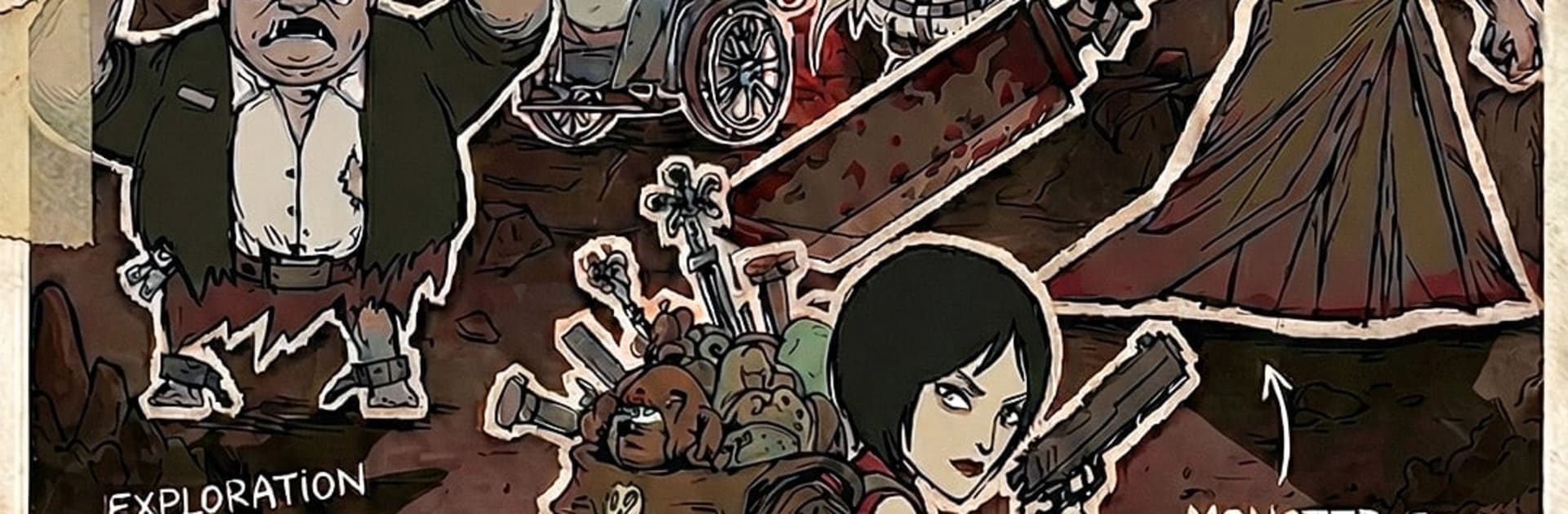
Dead by Extraction is a grim, run-based Role Playing experience where you pick through collapsing city blocks, snatch what you can, and bolt before the place eats you alive. Every raid’s a tense gamble—gear, perks, and enemies shuffle each time—so planning matters, but improvising matters more. From PIXEL RABBIT LIMITED, it’s moody, fast, and surprisingly strategic; it also feels great on BlueStacks if you’d rather play with a keyboard and a bigger screen.

Game Features

  • The Loop: Scavenge, scrap, escape — Slip into haunted zones, grab valuable relics, and reach the exit before the clock (or the residents) ends your run. Lose the sprint, lose the haul.

  • Roguelike Power Picks: After skirmishes, choose from three evolving upgrades that reshape your build on the fly. Go all-in on searing light, bleeding blades, protective charms—or some weird, effective mix.

  • Talisman Toolkit: More than 50 exorcist tools to collect, from ritual steel to spirit lanterns. Each unlocks perk trees that push your playstyle in distinct directions.

  • Synergy That Matters: Perks stack in clever ways. Chain stuns, stack bleeds, or turtle up behind wards—there’s always a new combo to test when the halls get mean.

  • Rescue and Rebuild: Survivors aren’t just grateful—they’re useful. Bring them back to camp to open shops, services, and long-term upgrades that make the next night less suicidal.

  • Camp Management: Spend recovered scrap to fortify your base, enhance stations, and prep loadouts. The hub is your safety net between bad decisions.

  • Urban Ruins, Different Vibes: Schools, clinics, office towers, quiet homes—each space shifts routes, hazards, and loot rhythms so runs never feel the same.

  • Sketchy (In the Best Way): Hand-drawn, gothic art gives the world a raw, haunted texture while keeping combat readable when things get messy.

  • Quick, High-Stakes Sessions: Tight runs with serious consequences—perfect when you’ve got 15 minutes and a need for adrenaline.

Start your journey now. Download the game on BlueStacks, invite your friends, and march on a new adventure.


Game Features

Enhancements

  • Macros
  • Rerolling
  • Eco Mode
  • Multi Instance Sync
  • Enhancements
Macros

Macros

Focus more on the fun part of the game, skip the tedious aspects. Master Dead by Extraction with Macros. Record yourself completing the monotonous tasks you wish to automate and replay them later with just one keypress.
Rerolling

Rerolling

Speed up the rerolling process in Dead by Extraction. Perform multiple summons and keep looking for the best Heroes. Use Multi-Instance sync to replicate the rerolling mechanism in all instances.
Eco Mode

Eco Mode

Farm in-game resources with ease in Dead by Extraction. Enable the Eco Mode when running the game in multiple instances. And lower your PC's resource consumption.
Multi Instance Sync

Multi Instance Sync

With the Multi-instance Sync, you can do even more in Dead by Extraction. Sync the action of the main instance and repeat them in real time for all other instances. Sync and sit back, let the game progress unfold.
Read More

How to Download and Play Dead by Extraction on PC or Mac

  • Download and install BlueStacks on your PC or Mac

  • Complete Google sign-in to access the Play Store, or do it later

  • Look for Dead by Extraction in the search bar at the top right corner

  • Click to install Dead by Extraction from the search results

  • Complete Google sign-in (if you skipped step 2) to install Dead by Extraction

  • Click the Dead by Extraction icon on the home screen to start playing

video
Watch Video

Minimum System Requirements

With BlueStacks 5, you can get started on a PC that fulfills the following requirements.

  • Operating System

    Microsoft Windows 7 or above, macOS 11 (Big Sur) or above

  • Processor

    Intel, AMD or Apple Silicon Processor

  • RAM

    at least 4GB

  • HDD

    10GB Free Disk Space

Note:

* You must be an Administrator on your PC. Up to date graphics drivers from Microsoft or the chipset vendor.

Dead by Extraction - FAQs

  • How to play Dead by Extraction on Windows PC & Mac?

    Play Dead by Extraction on your PC or Mac by following these simple steps.

    • Click on 'Play Dead by Extraction on PC’ to download BlueStacks
    • Install it and log-in to Google Play Store
    • Launch and play the game.
  • Why is BlueStacks the fastest and safest platform to play games on PC?

    BlueStacks respects your privacy and is always safe and secure to use. It does not carry any malware, spyware, or any sort of additional software that could harm your PC.

    It is engineered to optimize speed and performance for a seamless gaming experience.

  • What are Dead by Extraction PC requirements?

    Minimum requirement to run Dead by Extraction on your PC

    • OS: Microsoft Windows 7 or above MacOS 11 (Big Sur) or above
    • Processor: Intel, AMD or Apple Silicon Processor
    • RAM: Your PC must have at least 4GB of RAM. (Note that having 4GB or more disk space is not a substitute for RAM)
    • HDD: 10GB Free Disk Space.
    • You must be an Administrator on your PC.