Escape Tsunami to Steal Egg

Escape Tsunami to Steal Egg

Role Playing

| Royale Heroic Games

Play on PC with BlueStacks or from our cloud

  • Overview
  • Game Features
  • How to Play

Page Modified On: September 25, 2026

Play Escape Tsunami to Steal Egg on PC or Mac

Escape Tsunami to Steal Egg by Royale Heroic Games has plenty to keep you busy. BlueStacks lets you play it on PC or Mac with more screen space, better control, and fewer mobile limits.

About the Game

Escape Tsunami to Steal Egg throws you straight into a frantic chase where a roaring wall of water nips at your heels and every jump matters. It’s part reflex test, part cheeky heist—snag the precious egg and bolt before the wave swallows the path. In this Role Playing twist on the runner formula, you step into the shoes of a daring trickster, threading through traps, broken roads, and risky shortcuts while the timer is basically… the ocean.

Game Features

  • Relentless Wave Pressure: A towering surge is always behind you, turning every second into a tight, thrilling decision.
  • Steal-The-Egg Moment: Grab the egg on the fly and keep sprinting—high risk, high reward, totally worth the bragging rights.
  • One-Tap Timing: Simple, snappy controls let you jump and vault with precision; the challenge is in your timing, not a cluttered button layout.
  • Reactive Hazards: Cracked streets, sudden gaps, and pop-up traps keep routes unpredictable and your reflexes honest.
  • Difficulty That Ramps: The longer you last, the faster and trickier it gets, pushing pattern recognition and split-second choices.
  • Short Runs, Big Rush: Perfect for quick sessions or score-chasing marathons when you’re in the mood to sweat a little.
  • Lightweight, Smooth Performance: Loads fast, feels responsive, and keeps the action silky even when the pace spikes.
  • Crisp Feedback: Clean animations and punchy effects make successes satisfying and slip-ups crystal clear.
  • BlueStacks Friendly: Prefer a bigger screen and steady controls? It plays comfortably on BlueStacks without getting in your way.

Get ready for a buttery smooth, high-performance gaming action only on BlueStacks.

Game Features

Enhancements

  • Macros
  • Rerolling
  • Eco Mode
  • Multi Instance Sync
  • Enhancements
Macros

Macros

Focus more on the fun part of the game, skip the tedious aspects. Master Escape Tsunami to Steal Egg with Macros. Record yourself completing the monotonous tasks you wish to automate and replay them later with just one keypress.
Rerolling

Rerolling

Speed up the rerolling process in Escape Tsunami to Steal Egg. Perform multiple summons and keep looking for the best Heroes. Use Multi-Instance sync to replicate the rerolling mechanism in all instances.
Eco Mode

Eco Mode

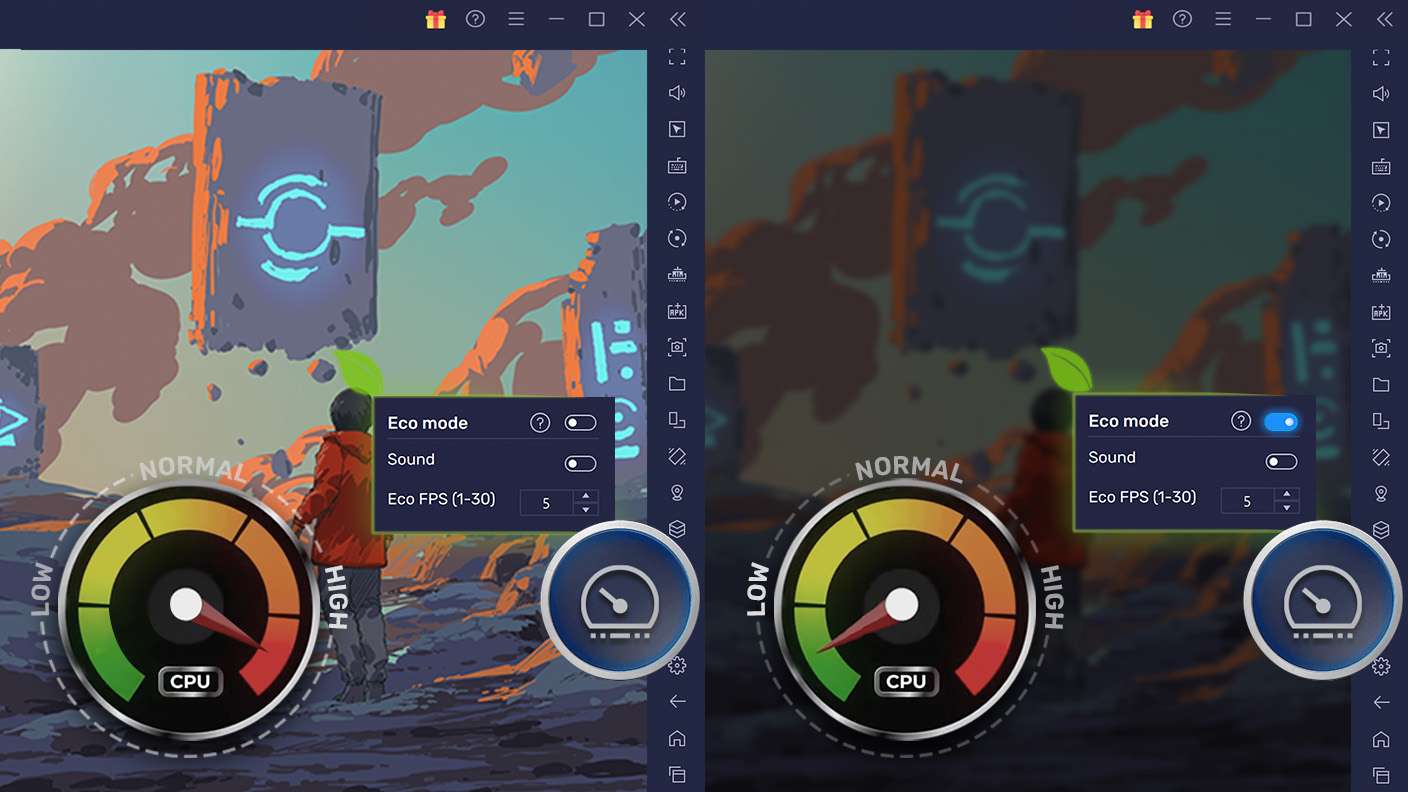
Farm in-game resources with ease in Escape Tsunami to Steal Egg. Enable the Eco Mode when running the game in multiple instances. And lower your PC's resource consumption.
Multi Instance Sync

Multi Instance Sync

With the Multi-instance Sync, you can do even more in Escape Tsunami to Steal Egg. Sync the action of the main instance and repeat them in real time for all other instances. Sync and sit back, let the game progress unfold.
Read More

How to Download and Play Escape Tsunami to Steal Egg on PC or Mac

  • Download and install BlueStacks on your PC or Mac

  • Complete Google sign-in to access the Play Store, or do it later

  • Look for Escape Tsunami to Steal Egg in the search bar at the top right corner

  • Click to install Escape Tsunami to Steal Egg from the search results

  • Complete Google sign-in (if you skipped step 2) to install Escape Tsunami to Steal Egg

  • Click the Escape Tsunami to Steal Egg icon on the home screen to start playing

video
Watch Video

Minimum System Requirements

With BlueStacks 5, you can get started on a PC that fulfills the following requirements.

  • Operating System

    Microsoft Windows 7 or above, macOS 11 (Big Sur) or above

  • Processor

    Intel, AMD or Apple Silicon Processor

  • RAM

    at least 4GB

  • HDD

    10GB Free Disk Space

Note:

* You must be an Administrator on your PC. Up to date graphics drivers from Microsoft or the chipset vendor.

Escape Tsunami to Steal Egg - FAQs

  • How to play Escape Tsunami to Steal Egg on Windows PC & Mac?

    Play Escape Tsunami to Steal Egg on your PC or Mac by following these simple steps.

    • Click on 'Play Escape Tsunami to Steal Egg on PC’ to download BlueStacks
    • Install it and log-in to Google Play Store
    • Launch and play the game.
  • Why is BlueStacks the fastest and safest platform to play games on PC?

    BlueStacks respects your privacy and is always safe and secure to use. It does not carry any malware, spyware, or any sort of additional software that could harm your PC.

    It is engineered to optimize speed and performance for a seamless gaming experience.

  • What are Escape Tsunami to Steal Egg PC requirements?

    Minimum requirement to run Escape Tsunami to Steal Egg on your PC

    • OS: Microsoft Windows 7 or above MacOS 11 (Big Sur) or above
    • Processor: Intel, AMD or Apple Silicon Processor
    • RAM: Your PC must have at least 4GB of RAM. (Note that having 4GB or more disk space is not a substitute for RAM)
    • HDD: 10GB Free Disk Space.
    • You must be an Administrator on your PC.