Geometry Dash Lite
Geometry Dash Lite

Geometry Dash Lite

Role Playing

| Prompts Hub

Play on PC with BlueStacks or from our cloud

  • Overview
  • Game Features
  • How to Play

Page Modified On: June 25, 2026

Play Geometry Dash Lite on PC or Mac

Explore a whole new adventure with Geometry Dash Lite, a Role Playing game created by Prompts Hub. Experience great gameplay with BlueStacks, the most popular gaming platform to play Android games on your PC or Mac.

About the Game

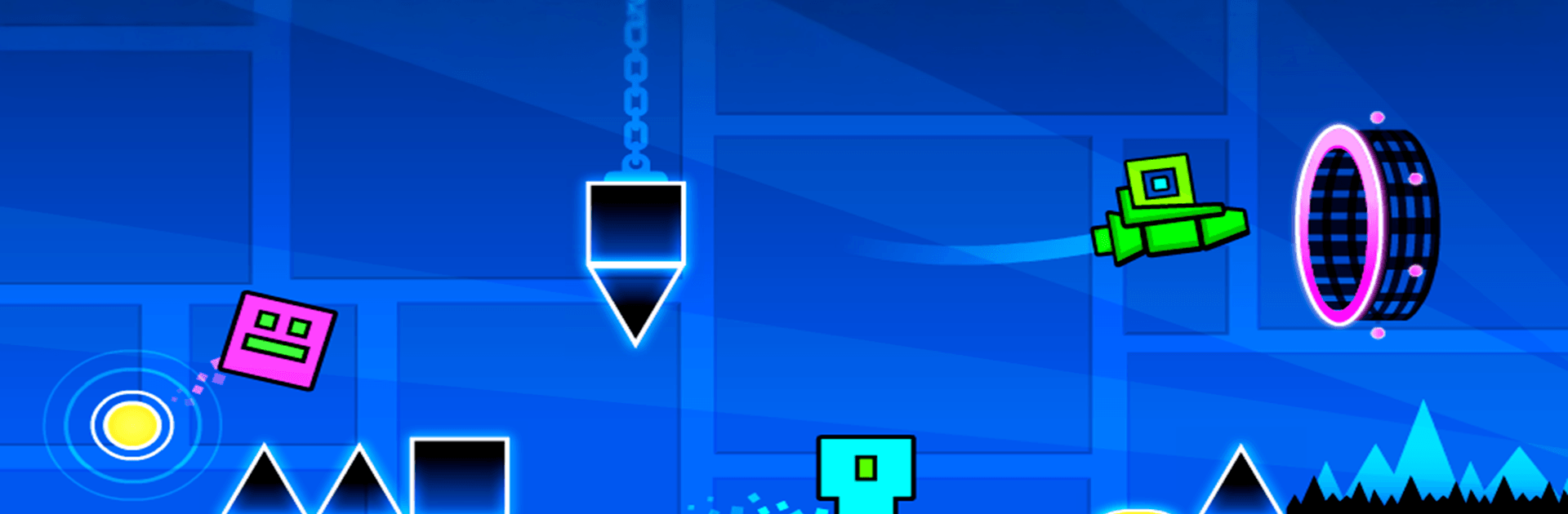
Geometry Dash Lite is the kind of challenge that grabs you fast and doesn’t let go. It’s a fast, beat-synced platformer where a tiny cube (and a few wild vehicles) test your timing, patience, and reflexes in the best way. Expect a lot of “okay, one more try” moments and that perfect rush when a clean run finally lands.

Game Features

  • One-Tap Precision: Simple, single-button controls make every jump, hold, and release feel tight and responsive.
  • Beat-Smart Levels: Obstacles line up with the music, so locking into the rhythm helps you read what’s coming next.
  • Rockets, Gravity, Portals: Soar through narrow lanes, flip the entire stage upside down, and warp into new movement rules mid-level.
  • Practice Mode: Set checkpoints and break down tough sections until the patterns click and your timing feels natural.
  • Unlockable Styles: Collect icons and color combos to give your cube a look that matches your mood (or your latest victory).
  • Fast Retries: Miss a spike? You’re instantly back at the start, ready to chase a smoother, cleaner run.
  • Crisp on PC with BlueStacks: Prefer a bigger screen and buttery performance? Playing Geometry Dash Lite on BlueStacks keeps inputs snappy and the action easy to track.

Start your journey now. Download the game on BlueStacks, invite your friends, and march on a new adventure.


Game Features

Enhancements

  • Macros
  • Rerolling
  • Eco Mode
  • Multi Instance Sync
  • Enhancements
Macros

Macros

Focus more on the fun part of the game, skip the tedious aspects. Master Geometry Dash Lite with Macros. Record yourself completing the monotonous tasks you wish to automate and replay them later with just one keypress.
Rerolling

Rerolling

Speed up the rerolling process in Geometry Dash Lite. Perform multiple summons and keep looking for the best Heroes. Use Multi-Instance sync to replicate the rerolling mechanism in all instances.
Eco Mode

Eco Mode

Farm in-game resources with ease in Geometry Dash Lite. Enable the Eco Mode when running the game in multiple instances. And lower your PC's resource consumption.
Multi Instance Sync

Multi Instance Sync

With the Multi-instance Sync, you can do even more in Geometry Dash Lite. Sync the action of the main instance and repeat them in real time for all other instances. Sync and sit back, let the game progress unfold.
Read More

How to Download and Play Geometry Dash Lite on PC or Mac

  • Download and install BlueStacks on your PC or Mac

  • Complete Google sign-in to access the Play Store, or do it later

  • Look for Geometry Dash Lite in the search bar at the top right corner

  • Click to install Geometry Dash Lite from the search results

  • Complete Google sign-in (if you skipped step 2) to install Geometry Dash Lite

  • Click the Geometry Dash Lite icon on the home screen to start playing

video
Watch Video

Minimum System Requirements

With BlueStacks 5, you can get started on a PC that fulfills the following requirements.

  • Operating System

    Microsoft Windows 7 or above, macOS 11 (Big Sur) or above

  • Processor

    Intel, AMD or Apple Silicon Processor

  • RAM

    at least 4GB

  • HDD

    10GB Free Disk Space

Note:

* You must be an Administrator on your PC. Up to date graphics drivers from Microsoft or the chipset vendor.

Geometry Dash Lite - FAQs

  • How to play Geometry Dash Lite on Windows PC & Mac?

    Play Geometry Dash Lite on your PC or Mac by following these simple steps.

    • Click on 'Play Geometry Dash Lite on PC’ to download BlueStacks
    • Install it and log-in to Google Play Store
    • Launch and play the game.
  • Why is BlueStacks the fastest and safest platform to play games on PC?

    BlueStacks respects your privacy and is always safe and secure to use. It does not carry any malware, spyware, or any sort of additional software that could harm your PC.

    It is engineered to optimize speed and performance for a seamless gaming experience.

  • What are Geometry Dash Lite PC requirements?

    Minimum requirement to run Geometry Dash Lite on your PC

    • OS: Microsoft Windows 7 or above MacOS 11 (Big Sur) or above
    • Processor: Intel, AMD or Apple Silicon Processor
    • RAM: Your PC must have at least 4GB of RAM. (Note that having 4GB or more disk space is not a substitute for RAM)
    • HDD: 10GB Free Disk Space.
    • You must be an Administrator on your PC.