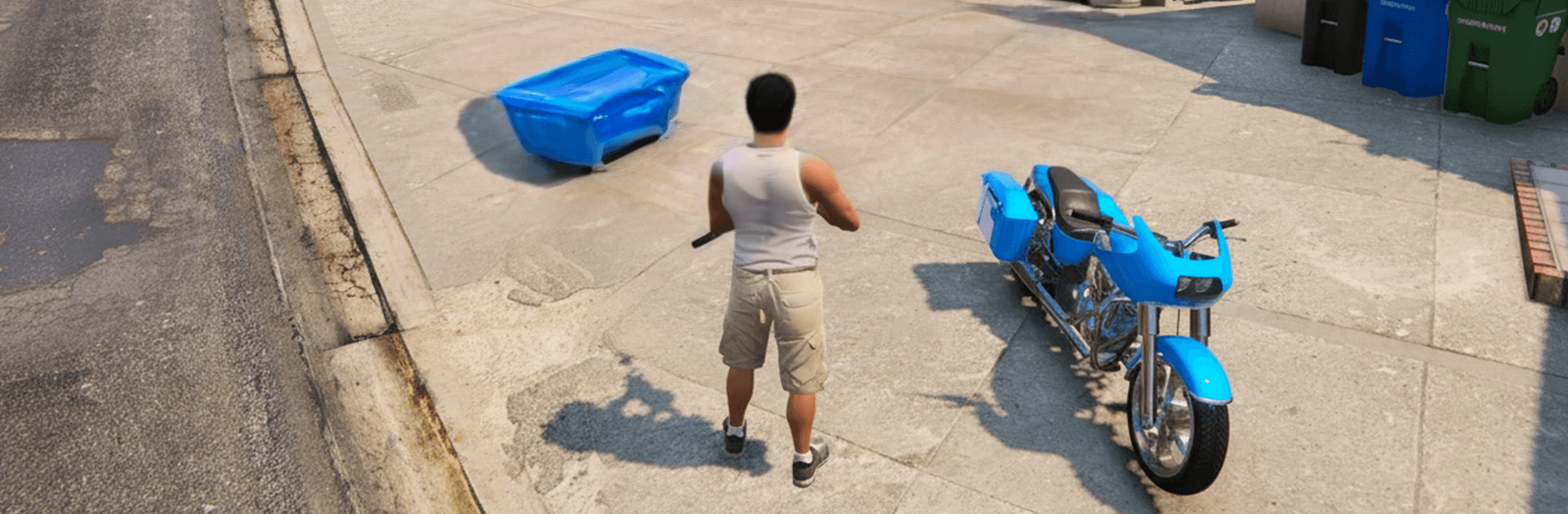
Grand Gangster Crime Mafia Sim

Grand Gangster Crime Mafia Sim

Role Playing

| AAIMSS STEEL CANADA INC.

Play on PC with BlueStacks or from our cloud

  • Overview
  • Game Features
  • How to Play

Page Modified On: June 09, 2026

Play Grand Gangster Crime Mafia Sim on PC or Mac

Grand Gangster Crime Mafia Sim by AAIMSS STEEL CANADA INC. has plenty to keep you busy. BlueStacks lets you play it on PC or Mac with more screen space, better control, and fewer mobile limits.

About the Game

Grand Gangster Crime Mafia Sim drops you into a restless city where the rules change block by block. You decide when to keep it cool, when to go loud, and how to outsmart rival crews trying to run the streets. It’s an open-world Role Playing experience built around fast escapes, tactical shootouts, and the freedom to make your own kind of trouble.

Game Features

  • Massive open world: Cruise through a sprawling city with busy avenues, back alleys, rooftops, and industrial zones. Time shifts from day to night, and the city mood changes with it.
  • Vehicles for every job: Snag sports cars for clean getaways, heavy bikes for slicing through traffic, and choppers or even tanks when you need serious muscle.
  • Planned chaos combat: You’re not fighting random street punks—these are organized crews. Scout routes, pick your angles, and use smart positioning to control each encounter.
  • Gear that keeps you alive: Grab health kits, body armor, and a mix of weapons to handle close quarters, mid-range fights, and everything in between.
  • High-speed pursuits: Thread the needle through traffic, drift around corners, and shake heat on highways or side streets when everything goes sideways.
  • Cops in the mix: Make noise and expect a response. Stir up trouble and watch patrols tighten; go quiet and slip back into the flow.
  • Smooth feel, gritty look: Responsive controls and punchy effects make every crash, shot, and explosion land with weight.
  • Play on PC with BlueStacks: Prefer mouse and keyboard for tighter driving and aiming? Fire it up on BlueStacks and settle in.

Start your journey now. Download the game on BlueStacks, invite your friends, and march on a new adventure.


Game Features

Enhancements

  • Macros
  • Rerolling
  • Eco Mode
  • Multi Instance Sync
  • Enhancements
Macros

Macros

Focus more on the fun part of the game, skip the tedious aspects. Master Grand Gangster Crime Mafia Sim with Macros. Record yourself completing the monotonous tasks you wish to automate and replay them later with just one keypress.
Rerolling

Rerolling

Speed up the rerolling process in Grand Gangster Crime Mafia Sim. Perform multiple summons and keep looking for the best Heroes. Use Multi-Instance sync to replicate the rerolling mechanism in all instances.
Eco Mode

Eco Mode

Farm in-game resources with ease in Grand Gangster Crime Mafia Sim. Enable the Eco Mode when running the game in multiple instances. And lower your PC's resource consumption.
Multi Instance Sync

Multi Instance Sync

With the Multi-instance Sync, you can do even more in Grand Gangster Crime Mafia Sim. Sync the action of the main instance and repeat them in real time for all other instances. Sync and sit back, let the game progress unfold.
Read More

How to Download and Play Grand Gangster Crime Mafia Sim on PC or Mac

  • Download and install BlueStacks on your PC or Mac

  • Complete Google sign-in to access the Play Store, or do it later

  • Look for Grand Gangster Crime Mafia Sim in the search bar at the top right corner

  • Click to install Grand Gangster Crime Mafia Sim from the search results

  • Complete Google sign-in (if you skipped step 2) to install Grand Gangster Crime Mafia Sim

  • Click the Grand Gangster Crime Mafia Sim icon on the home screen to start playing

video
Watch Video

Minimum System Requirements

With BlueStacks 5, you can get started on a PC that fulfills the following requirements.

  • Operating System

    Microsoft Windows 7 or above, macOS 11 (Big Sur) or above

  • Processor

    Intel, AMD or Apple Silicon Processor

  • RAM

    at least 4GB

  • HDD

    10GB Free Disk Space

Note:

* You must be an Administrator on your PC. Up to date graphics drivers from Microsoft or the chipset vendor.

Grand Gangster Crime Mafia Sim - FAQs

  • How to play Grand Gangster Crime Mafia Sim on Windows PC & Mac?

    Play Grand Gangster Crime Mafia Sim on your PC or Mac by following these simple steps.

    • Click on 'Play Grand Gangster Crime Mafia Sim on PC’ to download BlueStacks
    • Install it and log-in to Google Play Store
    • Launch and play the game.
  • Why is BlueStacks the fastest and safest platform to play games on PC?

    BlueStacks respects your privacy and is always safe and secure to use. It does not carry any malware, spyware, or any sort of additional software that could harm your PC.

    It is engineered to optimize speed and performance for a seamless gaming experience.

  • What are Grand Gangster Crime Mafia Sim PC requirements?

    Minimum requirement to run Grand Gangster Crime Mafia Sim on your PC

    • OS: Microsoft Windows 7 or above MacOS 11 (Big Sur) or above
    • Processor: Intel, AMD or Apple Silicon Processor
    • RAM: Your PC must have at least 4GB of RAM. (Note that having 4GB or more disk space is not a substitute for RAM)
    • HDD: 10GB Free Disk Space.
    • You must be an Administrator on your PC.