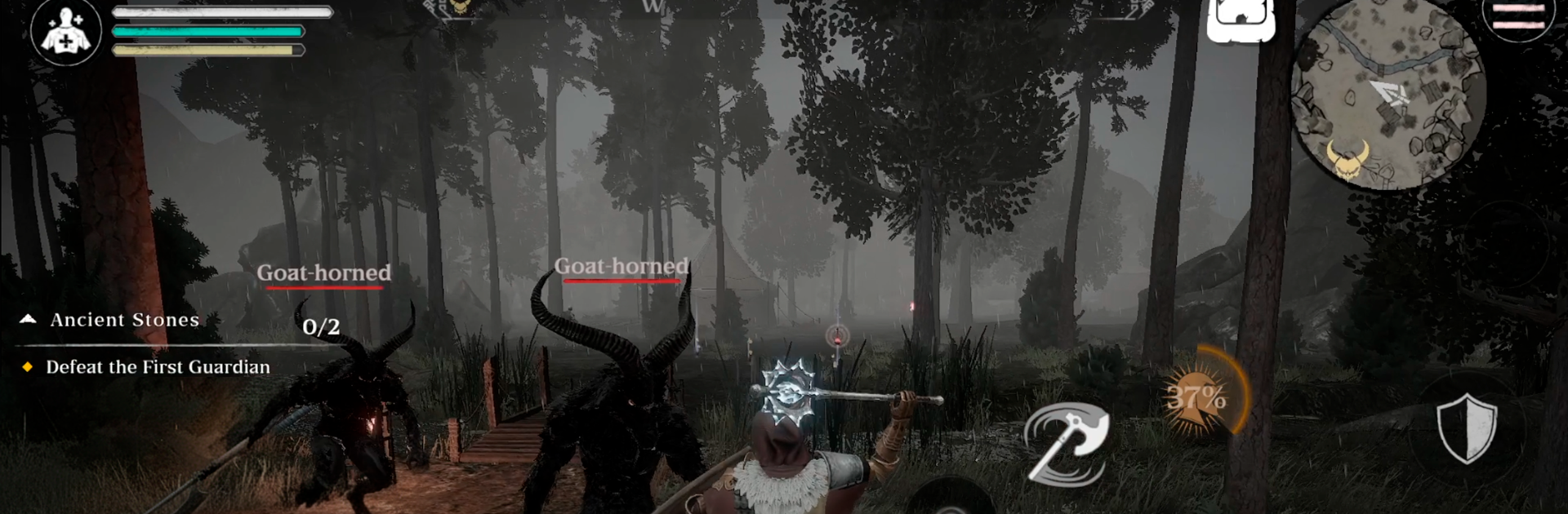


Hellguard: Online Action RPG brings the Role Playing genre to life, and throws up exciting challenges for gamers. Developed by Black Anvil Studio, this Android game is best experienced on BlueStacks, the World’s #1 app player for PC and Mac users.
About the Game
Hellguard: Online Action RPG from Black Anvil Studio is a gritty Role Playing experience where raw skill actually matters. The world’s cracking at the seams, monsters are pouring in, and you’re one of the few who can push them back. Expect tight, timing-based combat, team play that isn’t just for show, and runs that feel fresh every time.
Game Features
- Skill-first combat: No auto-battle crutches here—wins come from timing, positioning, and smart resource use. Your build and your decisions decide every fight.
- Deep build crafting: Shape a hero around your playstyle with layered talent paths, flexible skill combos, and distinct combat roles that feel different in practice.
- Gear that changes how you play: Hunt for weapons, armor sets, and rare artifacts, then refine stats and upgrade rarities to unlock new synergies—not just bigger numbers.
- Real co-op and raids: Tackle coordinated dungeons and raid bosses built for teamwork. Learn mechanics, assign roles, and survive by communicating and adapting.
- Shifting worlds, fresh challenges: Explore procedurally generated zones with new layouts, enemy placements, weather, and time-of-day twists. No two runs feel alike.
- Competitive PvP: Test your mettle in arenas and larger clashes where precision, counters, and build-versus-build tactics decide the outcome.
- Moody, sharp visuals: Detailed characters and creatures, heavy atmosphere, and smooth optimization keep the action readable and intense on a wide range of devices.
- Play your way: Prefer desktop-style controls? Running it on BlueStacks feels great when you want steady performance and quick inputs without leaving mobile behind.
Make your gaming sessions memorable with precise controls that give you an edge in close combats and visuals that pop up, bringing every character to life.