Idle Knight RPG
Idle Knight RPG

Idle Knight RPG

Role Playing

| Kerem Yavuz Games

Play on PC with BlueStacks or from our cloud

  • Overview
  • Game Features
  • How to Play

Page Modified On: December 05, 2025

Play Idle Knight RPG on PC or Mac

Bring your A-game to Idle Knight RPG, the Role Playing game sensation from Kerem Yavuz Games. Give your gameplay the much-needed boost with precise game controls, high FPS graphics, and top-tier features on your PC or Mac with BlueStacks.

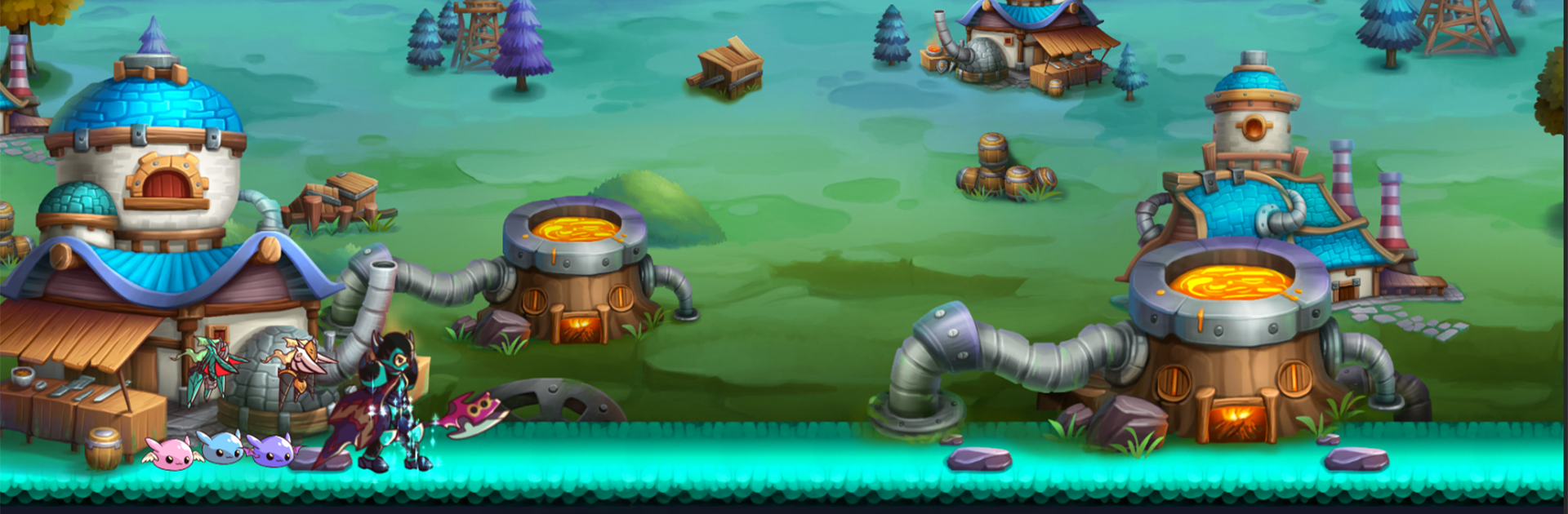
Idle Knight RPG is a side-scrolling idle game where a squad of knights marches through monsters while the player tweaks builds and watches numbers climb. The hook is simple. Heroes keep fighting and gathering loot even when the app is closed, so progress never feels stuck or sweaty. There are multiple knights with distinct skills, and each one can be tuned with weapons, armor, and craftable gear. It is more about planning than finger gymnastics. Set formations, pick which skills to trigger first, and let the run play out. Bosses can spike hard, so swapping loadouts or adjusting stats actually matters, which is nice in an idle title.

The look is clean 2D with bright spell effects and easy to read stages, nothing flashy, just pleasant to stare at while doing other stuff. Dungeons, dragons, and the usual fantasy bits show up as the roster grows, and rare drops give that little rush when a build suddenly clicks. On PC through BlueStacks it sits neatly in the corner, perfect for letting the team grind while working or gaming on something else, and the bigger screen helps with menus. Monetization exists, but the offline gains mean patient players can push forward without feeling forced. Anyone who likes tinkering with stats, collecting gear, and steady progress without constant taps should find a comfy loop here.

Slay your opponents with your epic moves. Play it your way on BlueStacks and dominate the battlefield.


Game Features

Enhancements

  • Macros
  • Rerolling
  • Eco Mode
  • Multi Instance Sync
  • Enhancements
Macros

Macros

Focus more on the fun part of the game, skip the tedious aspects. Master Idle Knight RPG with Macros. Record yourself completing the monotonous tasks you wish to automate and replay them later with just one keypress.
Rerolling

Rerolling

Speed up the rerolling process in Idle Knight RPG. Perform multiple summons and keep looking for the best Heroes. Use Multi-Instance sync to replicate the rerolling mechanism in all instances.
Eco Mode

Eco Mode

Farm in-game resources with ease in Idle Knight RPG. Enable the Eco Mode when running the game in multiple instances. And lower your PC's resource consumption.
Multi Instance Sync

Multi Instance Sync

With the Multi-instance Sync, you can do even more in Idle Knight RPG. Sync the action of the main instance and repeat them in real time for all other instances. Sync and sit back, let the game progress unfold.
Read More

How to Download and Play Idle Knight RPG on PC or Mac

  • Download and install BlueStacks on your PC or Mac

  • Complete Google sign-in to access the Play Store, or do it later

  • Look for Idle Knight RPG in the search bar at the top right corner

  • Click to install Idle Knight RPG from the search results

  • Complete Google sign-in (if you skipped step 2) to install Idle Knight RPG

  • Click the Idle Knight RPG icon on the home screen to start playing

video
Watch Video

Minimum System Requirements

With BlueStacks 5, you can get started on a PC that fulfills the following requirements.

  • Operating System

    Microsoft Windows 7 or above, macOS 11 (Big Sur) or above

  • Processor

    Intel, AMD or Apple Silicon Processor

  • RAM

    at least 4GB

  • HDD

    10GB Free Disk Space

Note:

* You must be an Administrator on your PC. Up to date graphics drivers from Microsoft or the chipset vendor.

Idle Knight RPG - FAQs

  • How to play Idle Knight RPG on Windows PC & Mac?

    Play Idle Knight RPG on your PC or Mac by following these simple steps.

    • Click on 'Play Idle Knight RPG on PC’ to download BlueStacks
    • Install it and log-in to Google Play Store
    • Launch and play the game.
  • Why is BlueStacks the fastest and safest platform to play games on PC?

    BlueStacks respects your privacy and is always safe and secure to use. It does not carry any malware, spyware, or any sort of additional software that could harm your PC.

    It is engineered to optimize speed and performance for a seamless gaming experience.

  • What are Idle Knight RPG PC requirements?

    Minimum requirement to run Idle Knight RPG on your PC

    • OS: Microsoft Windows 7 or above MacOS 11 (Big Sur) or above
    • Processor: Intel, AMD or Apple Silicon Processor
    • RAM: Your PC must have at least 4GB of RAM. (Note that having 4GB or more disk space is not a substitute for RAM)
    • HDD: 10GB Free Disk Space.
    • You must be an Administrator on your PC.