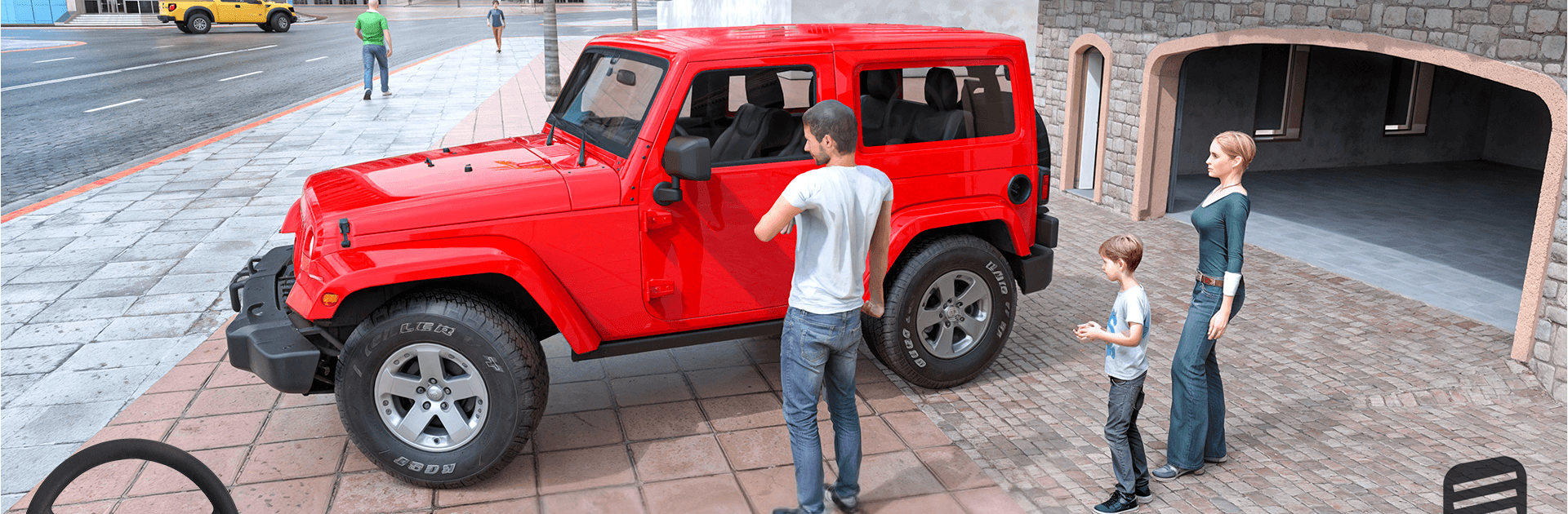
Jeep Games 4x4 Drive Car Sim

Jeep Games 4x4 Drive Car Sim

Role Playing

| BDI Games

Play on PC with BlueStacks or from our cloud

  • Overview
  • Game Features
  • How to Play

Page Modified On: October 21, 2026

Play Jeep Games 4x4 Drive Car Sim on PC or Mac

Jeep Games 4×4 Drive Car Sim brings the Role Playing genre to life, and throws up exciting challenges for gamers. Developed by BDI Games, this Android game is best experienced on BlueStacks, the World’s #1 app player for PC and Mac users.

About the Game

Jeep Games 4×4 Drive Car Sim turns a simple family road trip into a full-on offroad journey, where every route has a story and every detour brings a new challenge. It blends relaxed cruising with skillful driving across cities, forests, deserts, and snowy hills—easy to pick up, surprisingly deep when the trail gets tricky. Genre: Role Playing. Prefer a bigger screen and crisp controls? It also runs smoothly on BlueStacks.

Game Features

  • Family road-trip story: Kick off summer vacation with a light, feel-good narrative told through short cutscenes as the kids convince the parents to hit the road.
  • Diverse terrains to explore: Navigate city streets, pine forests, open deserts, icy mountain passes, and shallow river routes—each area drives a little differently.
  • Smooth, realistic handling: Responsive steering, throttle, and braking help you keep control on narrow tracks, slippery slopes, and bumpy ground.
  • Real offroad challenges: Cross wooden bridges, tiptoe along cliffside trails, ford rivers, and manage sandy dunes where momentum and grip really matter.
  • Scenic 3D environments: Bright, colorful locations bring each stop to life, from quiet campsites to snowy viewpoints.
  • Relaxed but skill-based play: Suitable for kids and adults—casual cruising when you want it, tougher sections when you’re ready for a test.
  • Travel moments and pit stops: Top up fuel, pull over for picnics, check out the zoo, and set up camp before tackling the next stretch.
  • Stage-based progression: Each chapter introduces fresh obstacles and routes, keeping the road trip feeling new from start to finish.
  • Capable 4×4 driving: Feel the weight and traction of a rugged jeep as you climb, crawl, and power through changing surfaces.

Start playing Jeep Games 4×4 Drive Car Sim on BlueStacks and get a smoother, more comfortable PC or Mac setup.


Game Features

Enhancements

  • Macros
  • Rerolling
  • Eco Mode
  • Multi Instance Sync
  • Enhancements
Macros

Macros

Focus more on the fun part of the game, skip the tedious aspects. Master Jeep Games 4x4 Drive Car Sim with Macros. Record yourself completing the monotonous tasks you wish to automate and replay them later with just one keypress.
Rerolling

Rerolling

Speed up the rerolling process in Jeep Games 4x4 Drive Car Sim. Perform multiple summons and keep looking for the best Heroes. Use Multi-Instance sync to replicate the rerolling mechanism in all instances.
Eco Mode

Eco Mode

Farm in-game resources with ease in Jeep Games 4x4 Drive Car Sim. Enable the Eco Mode when running the game in multiple instances. And lower your PC's resource consumption.
Multi Instance Sync

Multi Instance Sync

With the Multi-instance Sync, you can do even more in Jeep Games 4x4 Drive Car Sim. Sync the action of the main instance and repeat them in real time for all other instances. Sync and sit back, let the game progress unfold.
Read More

How to Download and Play Jeep Games 4x4 Drive Car Sim on PC or Mac

  • Download and install BlueStacks on your PC or Mac

  • Complete Google sign-in to access the Play Store, or do it later

  • Look for Jeep Games 4x4 Drive Car Sim in the search bar at the top right corner

  • Click to install Jeep Games 4x4 Drive Car Sim from the search results

  • Complete Google sign-in (if you skipped step 2) to install Jeep Games 4x4 Drive Car Sim

  • Click the Jeep Games 4x4 Drive Car Sim icon on the home screen to start playing

video
Watch Video

Minimum System Requirements

With BlueStacks 5, you can get started on a PC that fulfills the following requirements.

  • Operating System

    Microsoft Windows 7 or above, macOS 11 (Big Sur) or above

  • Processor

    Intel, AMD or Apple Silicon Processor

  • RAM

    at least 4GB

  • HDD

    10GB Free Disk Space

Note:

* You must be an Administrator on your PC. Up to date graphics drivers from Microsoft or the chipset vendor.

Jeep Games 4x4 Drive Car Sim - FAQs

  • How to play Jeep Games 4x4 Drive Car Sim on Windows PC & Mac?

    Play Jeep Games 4x4 Drive Car Sim on your PC or Mac by following these simple steps.

    • Click on 'Play Jeep Games 4x4 Drive Car Sim on PC’ to download BlueStacks
    • Install it and log-in to Google Play Store
    • Launch and play the game.
  • Why is BlueStacks the fastest and safest platform to play games on PC?

    BlueStacks respects your privacy and is always safe and secure to use. It does not carry any malware, spyware, or any sort of additional software that could harm your PC.

    It is engineered to optimize speed and performance for a seamless gaming experience.

  • What are Jeep Games 4x4 Drive Car Sim PC requirements?

    Minimum requirement to run Jeep Games 4x4 Drive Car Sim on your PC

    • OS: Microsoft Windows 7 or above MacOS 11 (Big Sur) or above
    • Processor: Intel, AMD or Apple Silicon Processor
    • RAM: Your PC must have at least 4GB of RAM. (Note that having 4GB or more disk space is not a substitute for RAM)
    • HDD: 10GB Free Disk Space.
    • You must be an Administrator on your PC.