Lost Crown
Lost Crown

Lost Crown

Role Playing

| EspritGames

Play on PC with BlueStacks or from our cloud

  • Overview
  • Game Features
  • How to Play

Page Modified On: August 07, 2025

Play Lost Crown on PC or Mac

From the innovators and creators at EspritGames, Lost Crown is another fun addition to the World of Role Playing games. Go beyond your mobile screen and play it bigger and better on your PC or Mac. An immersive experience awaits you.

About the Game

Lost Crown from EspritGames is a role playing adventure where strategy meets easy-going fun. If you’re into collecting vibrant heroes, getting caught up in twisty stories, and duking it out with friends or strangers in the arena, this one’s for you. Whether you play hands-on or just want to let your squad do their thing while you chill, Lost Crown’s got you covered—with some serious anime style, too.

Game Features

  • 100+ Unique Heroes
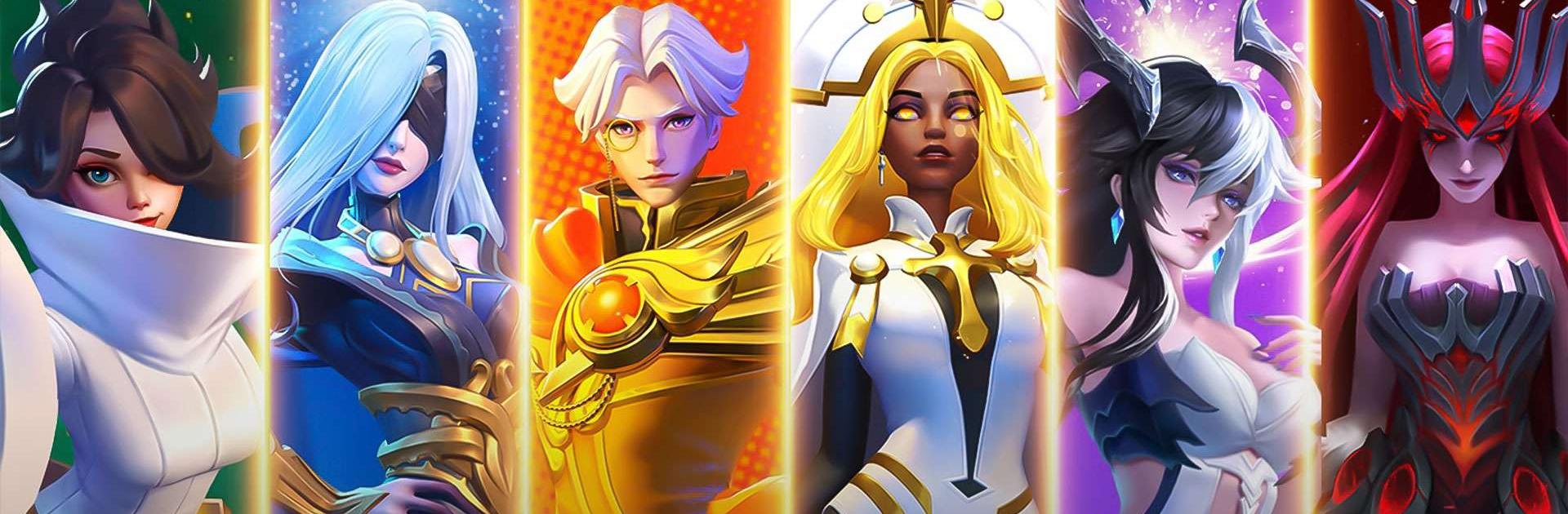
    Build your perfect team from over a hundred anime-inspired characters, each with their own backstories and elemental powers. Pull new heroes in the gacha and discover their strengths as you go.

  • No Endless Grinding
    Forget spending all day farming; Lost Crown lets you rack up rewards even when you’re AFK. You can focus on strategies and team-building instead of repeating the same battles.

  • Dynamic PvP & Guild Action
    Go head-to-head with players in the arena, show off your team in championships, or join a guild for bigger group challenges. There’s always a new competition, cross-server event, or chat happening.

  • Story-Driven Adventure
    Journey across the continent of Hermes, hunt for lost crowns, and meet a cast full of surprises—think betrayals, long-lost relatives, and dramatic plot twists that actually keep things interesting.

  • Stylish Anime 3D Art
    Enjoy colorful 3D graphics, sharp character animations, and that signature anime flair every time you load up the game. Everything just pops, whether you’re customizing your heroes or watching auto-battles play out.

  • Easy Team Customization
    Change up your squad’s look, upgrade their skills, and experiment with different tactical setups to keep things fresh—you never know what combo will take you to the top.

  • Full Voice Acting (Russian)
    Get into the story with full Russian voiceovers, so the adventure feels lively from the first quest to the last showdown.

You can always play Lost Crown on your PC with BlueStacks if you want a little extra screen space for all that gorgeous artwork.

Start your journey now. Download the game on BlueStacks, invite your friends, and march on a new adventure.


Game Features

Enhancements

  • Macros
  • Rerolling
  • Eco Mode
  • Multi Instance Sync
  • Enhancements
Macros

Macros

Focus more on the fun part of the game, skip the tedious aspects. Master Lost Crown with Macros. Record yourself completing the monotonous tasks you wish to automate and replay them later with just one keypress.
Rerolling

Rerolling

Speed up the rerolling process in Lost Crown. Perform multiple summons and keep looking for the best Heroes. Use Multi-Instance sync to replicate the rerolling mechanism in all instances.
Eco Mode

Eco Mode

Farm in-game resources with ease in Lost Crown. Enable the Eco Mode when running the game in multiple instances. And lower your PC's resource consumption.
Multi Instance Sync

Multi Instance Sync

With the Multi-instance Sync, you can do even more in Lost Crown. Sync the action of the main instance and repeat them in real time for all other instances. Sync and sit back, let the game progress unfold.
Read More

How to Download and Play Lost Crown on PC or Mac

  • Download and install BlueStacks on your PC or Mac

  • Complete Google sign-in to access the Play Store, or do it later

  • Look for Lost Crown in the search bar at the top right corner

  • Click to install Lost Crown from the search results

  • Complete Google sign-in (if you skipped step 2) to install Lost Crown

  • Click the Lost Crown icon on the home screen to start playing

video
Watch Video

Minimum System Requirements

With BlueStacks 5, you can get started on a PC that fulfills the following requirements.

  • Operating System

    Microsoft Windows 7 or above, macOS 11 (Big Sur) or above

  • Processor

    Intel, AMD or Apple Silicon Processor

  • RAM

    at least 4GB

  • HDD

    10GB Free Disk Space

Note:

* You must be an Administrator on your PC. Up to date graphics drivers from Microsoft or the chipset vendor.

Lost Crown - FAQs

  • How to play Lost Crown on Windows PC & Mac?

    Play Lost Crown on your PC or Mac by following these simple steps.

    • Click on 'Play Lost Crown on PC’ to download BlueStacks
    • Install it and log-in to Google Play Store
    • Launch and play the game.
  • Why is BlueStacks the fastest and safest platform to play games on PC?

    BlueStacks respects your privacy and is always safe and secure to use. It does not carry any malware, spyware, or any sort of additional software that could harm your PC.

    It is engineered to optimize speed and performance for a seamless gaming experience.

  • What are Lost Crown PC requirements?

    Minimum requirement to run Lost Crown on your PC

    • OS: Microsoft Windows 7 or above MacOS 11 (Big Sur) or above
    • Processor: Intel, AMD or Apple Silicon Processor
    • RAM: Your PC must have at least 4GB of RAM. (Note that having 4GB or more disk space is not a substitute for RAM)
    • HDD: 10GB Free Disk Space.
    • You must be an Administrator on your PC.