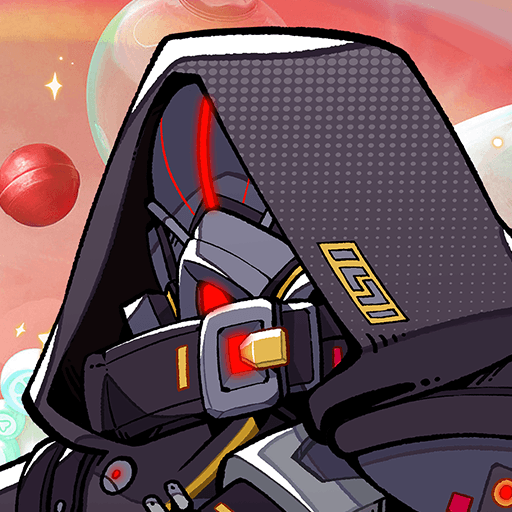
Mecha Reborn: Zero
Mecha Reborn: Zero

Mecha Reborn: Zero

Role Playing

| Maw3id موعد‎

Play on PC with BlueStacks or from our cloud

  • Overview
  • Game Features
  • How to Play

Page Modified On: June 29, 2026

Play Mecha Reborn: Zero on PC or Mac

Bring your A-game to Mecha Reborn: Zero, the Role Playing game sensation from Maw3id موعد‎. Give your gameplay the much-needed boost with precise game controls, high FPS graphics, and top-tier features on your PC or Mac with BlueStacks.

About the Game

Mecha Reborn: Zero is a Role Playing experience about forging a bond with a towering war machine and stepping into a world where eras collide. You’ll grow alongside your destined mech, push through strange timelines, and piece together a story that keeps shifting under your feet. Prefer playing with a keyboard and mouse? It feels right at home on BlueStacks.

Game Features

  • Time-Bent Adventure: Battle through warped timelines where yesterday and tomorrow keep trading places, and face threats that don’t always play by the rules.
  • Your Destined Partner: This isn’t just another robot. Your mech finds you, and your choices shape the trust—and power—you build together.
  • Precision-First Combat: Every dodge, boost, and strike matters. Tight controls reward timing and smart positioning, turning each clash into a sharp, satisfying exchange.
  • Explore the Unknown: Chart paths through uncharted zones, uncover fragments of history, and make calls without a perfect map. Curiosity is your compass.
  • Blade and Engine in Sync: Feel the rhythm when steel meets momentum—fluid slashes, quick counters, and clean transitions that make offense and defense click.
  • Grow It Your Way: Tinker with parts, tune loadouts, and raise your mech along the path that fits your style. Aggressive charger? Careful tactician? It’s on you.
  • From First Step to Legend: Start small and keep refining—new abilities, smarter builds, and a stronger bond, one meaningful decision at a time.

Start playing Mecha Reborn: Zero on BlueStacks and get a smoother, more comfortable PC or Mac setup.


Game Features

Enhancements

  • Macros
  • Rerolling
  • Eco Mode
  • Multi Instance Sync
  • Enhancements
Macros

Macros

Focus more on the fun part of the game, skip the tedious aspects. Master Mecha Reborn: Zero with Macros. Record yourself completing the monotonous tasks you wish to automate and replay them later with just one keypress.
Rerolling

Rerolling

Speed up the rerolling process in Mecha Reborn: Zero. Perform multiple summons and keep looking for the best Heroes. Use Multi-Instance sync to replicate the rerolling mechanism in all instances.
Eco Mode

Eco Mode

Farm in-game resources with ease in Mecha Reborn: Zero. Enable the Eco Mode when running the game in multiple instances. And lower your PC's resource consumption.
Multi Instance Sync

Multi Instance Sync

With the Multi-instance Sync, you can do even more in Mecha Reborn: Zero. Sync the action of the main instance and repeat them in real time for all other instances. Sync and sit back, let the game progress unfold.
Read More

How to Download and Play Mecha Reborn: Zero on PC or Mac

  • Download and install BlueStacks on your PC or Mac

  • Complete Google sign-in to access the Play Store, or do it later

  • Look for Mecha Reborn: Zero in the search bar at the top right corner

  • Click to install Mecha Reborn: Zero from the search results

  • Complete Google sign-in (if you skipped step 2) to install Mecha Reborn: Zero

  • Click the Mecha Reborn: Zero icon on the home screen to start playing

video
Watch Video

Minimum System Requirements

With BlueStacks 5, you can get started on a PC that fulfills the following requirements.

  • Operating System

    Microsoft Windows 7 or above, macOS 11 (Big Sur) or above

  • Processor

    Intel, AMD or Apple Silicon Processor

  • RAM

    at least 4GB

  • HDD

    10GB Free Disk Space

Note:

* You must be an Administrator on your PC. Up to date graphics drivers from Microsoft or the chipset vendor.

Mecha Reborn: Zero - FAQs

  • How to play Mecha Reborn: Zero on Windows PC & Mac?

    Play Mecha Reborn: Zero on your PC or Mac by following these simple steps.

    • Click on 'Play Mecha Reborn: Zero on PC’ to download BlueStacks
    • Install it and log-in to Google Play Store
    • Launch and play the game.
  • Why is BlueStacks the fastest and safest platform to play games on PC?

    BlueStacks respects your privacy and is always safe and secure to use. It does not carry any malware, spyware, or any sort of additional software that could harm your PC.

    It is engineered to optimize speed and performance for a seamless gaming experience.

  • What are Mecha Reborn: Zero PC requirements?

    Minimum requirement to run Mecha Reborn: Zero on your PC

    • OS: Microsoft Windows 7 or above MacOS 11 (Big Sur) or above
    • Processor: Intel, AMD or Apple Silicon Processor
    • RAM: Your PC must have at least 4GB of RAM. (Note that having 4GB or more disk space is not a substitute for RAM)
    • HDD: 10GB Free Disk Space.
    • You must be an Administrator on your PC.