Ninja Power 3D
Ninja Power 3D

Ninja Power 3D

Role Playing

| ArcadePulse

Play on PC with BlueStacks or from our cloud

  • Overview
  • Game Features
  • How to Play

Page Modified On: September 12, 2025

Play Ninja Power 3D on PC or Mac

Join millions to experience Ninja Power 3D, an exciting Role Playing game from ArcadePulse. With BlueStacks App Player, you are always a step ahead of your opponent, ready to outplay them with faster gameplay and better control with the mouse and keyboard on your PC or Mac.

About the Game

Ninja Power 3D is a punchy, collection-driven Role-playing game from ArcadePulse where every recruit actually matters. Build a squad of sharp-edged shinobi, grow their strength without busywork, and jump into chakra-charged battles that pop off with style. Prefer a bigger screen? It plays smoothly on BlueStacks too.

Game Features

  • No Wasted Ninjas: Got extras sitting on the bench? Convert them into shards and trade up for the heroes you really want. When you bring someone new into the team, your progress carries over, so you’re not losing materials or time.

  • Smooth, Steady Growth: Resource recycling keeps your power curve climbing without those frustrating stalls. Swap, upgrade, and experiment without feeling punished for trying new lineups.

  • Big Summon Streaks: Daily logins and frequent events mean loads of pulls. Snag strong recruits and rare materials at a chill pace—great for newcomers and returning players alike.

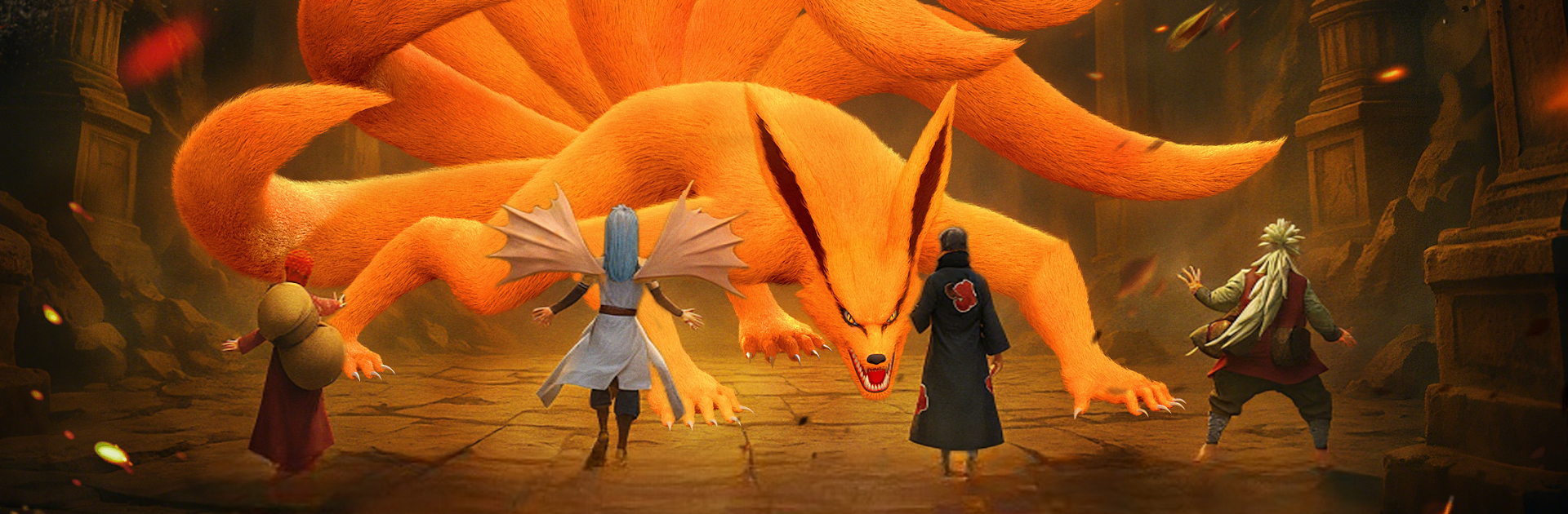
  • Anime-Style Showdowns: Charge chakra and unleash flashy techniques—think whirling energy spheres, crackling lightning strikes, and colossal spirit guardians. Battles feel fast, dramatic, and satisfyingly over-the-top.

  • Build Your Dream Squad: Fill out your collection and slot in favorites the moment you get them thanks to full inheritance. Tinker with combinations until your team hits that sweet spot for power and style.

Get ready for a buttery smooth, high-performance gaming action only on BlueStacks.

Game Features

Enhancements

  • Macros
  • Rerolling
  • Eco Mode
  • Multi Instance Sync
  • Enhancements
Macros

Macros

Focus more on the fun part of the game, skip the tedious aspects. Master Ninja Power 3D with Macros. Record yourself completing the monotonous tasks you wish to automate and replay them later with just one keypress.
Rerolling

Rerolling

Speed up the rerolling process in Ninja Power 3D. Perform multiple summons and keep looking for the best Heroes. Use Multi-Instance sync to replicate the rerolling mechanism in all instances.
Eco Mode

Eco Mode

Farm in-game resources with ease in Ninja Power 3D. Enable the Eco Mode when running the game in multiple instances. And lower your PC's resource consumption.
Multi Instance Sync

Multi Instance Sync

With the Multi-instance Sync, you can do even more in Ninja Power 3D. Sync the action of the main instance and repeat them in real time for all other instances. Sync and sit back, let the game progress unfold.
Read More

How to Download and Play Ninja Power 3D on PC or Mac

  • Download and install BlueStacks on your PC or Mac

  • Complete Google sign-in to access the Play Store, or do it later

  • Look for Ninja Power 3D in the search bar at the top right corner

  • Click to install Ninja Power 3D from the search results

  • Complete Google sign-in (if you skipped step 2) to install Ninja Power 3D

  • Click the Ninja Power 3D icon on the home screen to start playing

video
Watch Video

Minimum System Requirements

With BlueStacks 5, you can get started on a PC that fulfills the following requirements.

  • Operating System

    Microsoft Windows 7 or above, macOS 11 (Big Sur) or above

  • Processor

    Intel, AMD or Apple Silicon Processor

  • RAM

    at least 4GB

  • HDD

    10GB Free Disk Space

Note:

* You must be an Administrator on your PC. Up to date graphics drivers from Microsoft or the chipset vendor.

Ninja Power 3D - FAQs

  • How to play Ninja Power 3D on Windows PC & Mac?

    Play Ninja Power 3D on your PC or Mac by following these simple steps.

    • Click on 'Play Ninja Power 3D on PC’ to download BlueStacks
    • Install it and log-in to Google Play Store
    • Launch and play the game.
  • Why is BlueStacks the fastest and safest platform to play games on PC?

    BlueStacks respects your privacy and is always safe and secure to use. It does not carry any malware, spyware, or any sort of additional software that could harm your PC.

    It is engineered to optimize speed and performance for a seamless gaming experience.

  • What are Ninja Power 3D PC requirements?

    Minimum requirement to run Ninja Power 3D on your PC

    • OS: Microsoft Windows 7 or above MacOS 11 (Big Sur) or above
    • Processor: Intel, AMD or Apple Silicon Processor
    • RAM: Your PC must have at least 4GB of RAM. (Note that having 4GB or more disk space is not a substitute for RAM)
    • HDD: 10GB Free Disk Space.
    • You must be an Administrator on your PC.