OPG3D: Pirate Valor
OPG3D: Pirate Valor

OPG3D: Pirate Valor

Role Playing

| GOMU STUDIO

Play on PC with BlueStacks or from our cloud

  • Overview
  • Game Features
  • How to Play

Page Modified On: April 21, 2026

Play OPG3D: Pirate Valor on PC or Mac

OPG3D: Pirate Valor brings the Role Playing genre to life, and throws up exciting challenges for gamers. Developed by GOMU STUDIO, this Android game is best experienced on BlueStacks, the World’s #1 app player for PC and Mac users.

About the Game

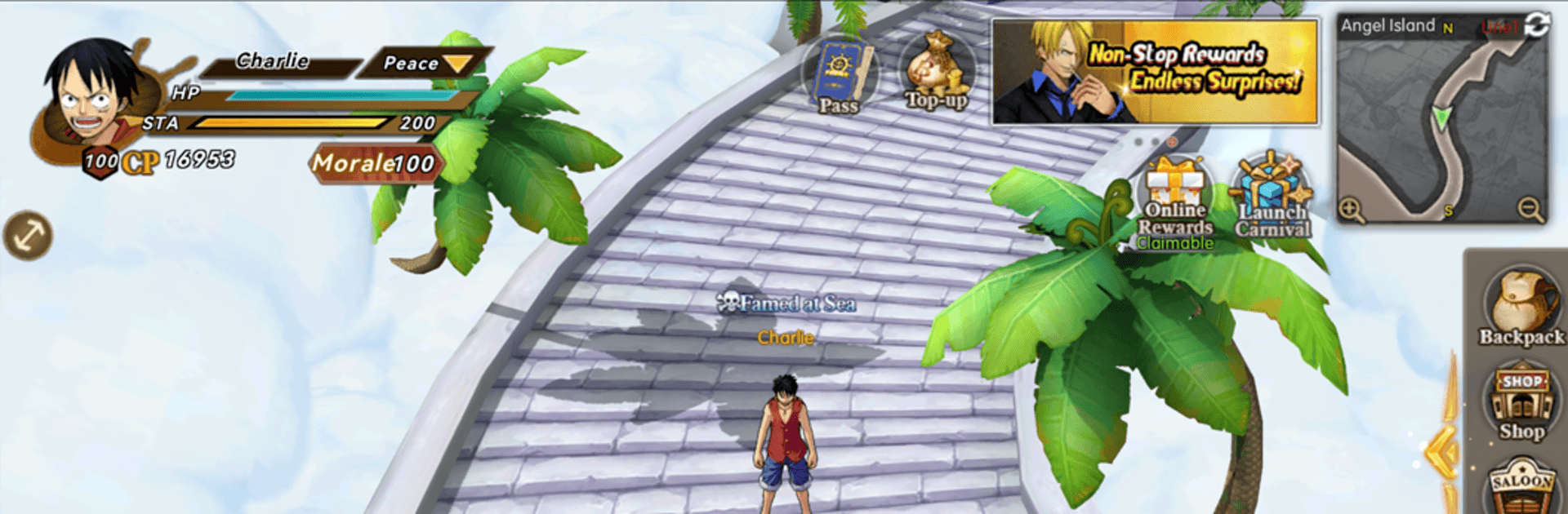
OPG3D: Pirate Valor is a Role Playing adventure from GOMU STUDIO that turns high-seas showdowns into slick, fully 3D battles. You’ll build a crew, plot smart moves on a tactical grid, and push through a sweeping story packed with larger-than-life moments. Prefer playing on a PC? It runs smoothly on BlueStacks if you want keyboard-and-mouse control without the fuss.

Game Features

  • Big, cinematic 3D world: From rolling waves in the East Blue to the blazing chaos of Onigashima, every scene feels alive. The camera swings around for clean angles, and each punch, slash, and Devil Fruit-style power lands with satisfying impact.

  • Smart, turn-based tactics: It’s not just who hits hardest—it’s where you stand and when you strike. Use the grid to position, flank, and chain “Valor Links” for explosive combo turns that flip tough fights in your favor.

  • Build your dream crew: Recruit a massive roster—well over a hundred faces spanning the Worst Generation and the Four Emperors. Tune their skills, awaken hidden potential, and craft combos that match your playstyle.

  • Story you can play through: Relive the saga in a dedicated mode with in-engine cutscenes and dramatic beats that put you right in the heat of iconic clashes, not just watching from the sidelines.

  • Competitive modes that matter: Climb the Arena ladder in real time against captains from around the world. Rally your guild for big cross-server wars where teamwork and timing decide who walks away with bragging rights.

Ready to top the leaderboard? We bet you do. Let precise controls and sharp visuals optimized on BlueStacks lead you to victory.


Game Features

Enhancements

  • Macros
  • Rerolling
  • Eco Mode
  • Multi Instance Sync
  • Enhancements
Macros

Macros

Focus more on the fun part of the game, skip the tedious aspects. Master OPG3D: Pirate Valor with Macros. Record yourself completing the monotonous tasks you wish to automate and replay them later with just one keypress.
Rerolling

Rerolling

Speed up the rerolling process in OPG3D: Pirate Valor. Perform multiple summons and keep looking for the best Heroes. Use Multi-Instance sync to replicate the rerolling mechanism in all instances.
Eco Mode

Eco Mode

Farm in-game resources with ease in OPG3D: Pirate Valor. Enable the Eco Mode when running the game in multiple instances. And lower your PC's resource consumption.
Multi Instance Sync

Multi Instance Sync

With the Multi-instance Sync, you can do even more in OPG3D: Pirate Valor. Sync the action of the main instance and repeat them in real time for all other instances. Sync and sit back, let the game progress unfold.
Read More

How to Download and Play OPG3D: Pirate Valor on PC or Mac

  • Download and install BlueStacks on your PC or Mac

  • Complete Google sign-in to access the Play Store, or do it later

  • Look for OPG3D: Pirate Valor in the search bar at the top right corner

  • Click to install OPG3D: Pirate Valor from the search results

  • Complete Google sign-in (if you skipped step 2) to install OPG3D: Pirate Valor

  • Click the OPG3D: Pirate Valor icon on the home screen to start playing

video
Watch Video

Minimum System Requirements

With BlueStacks 5, you can get started on a PC that fulfills the following requirements.

  • Operating System

    Microsoft Windows 7 or above, macOS 11 (Big Sur) or above

  • Processor

    Intel, AMD or Apple Silicon Processor

  • RAM

    at least 4GB

  • HDD

    10GB Free Disk Space

Note:

* You must be an Administrator on your PC. Up to date graphics drivers from Microsoft or the chipset vendor.

OPG3D: Pirate Valor - FAQs

  • How to play OPG3D: Pirate Valor on Windows PC & Mac?

    Play OPG3D: Pirate Valor on your PC or Mac by following these simple steps.

    • Click on 'Play OPG3D: Pirate Valor on PC’ to download BlueStacks
    • Install it and log-in to Google Play Store
    • Launch and play the game.
  • Why is BlueStacks the fastest and safest platform to play games on PC?

    BlueStacks respects your privacy and is always safe and secure to use. It does not carry any malware, spyware, or any sort of additional software that could harm your PC.

    It is engineered to optimize speed and performance for a seamless gaming experience.

  • What are OPG3D: Pirate Valor PC requirements?

    Minimum requirement to run OPG3D: Pirate Valor on your PC

    • OS: Microsoft Windows 7 or above MacOS 11 (Big Sur) or above
    • Processor: Intel, AMD or Apple Silicon Processor
    • RAM: Your PC must have at least 4GB of RAM. (Note that having 4GB or more disk space is not a substitute for RAM)
    • HDD: 10GB Free Disk Space.
    • You must be an Administrator on your PC.