Path of Spellcraft
Path of Spellcraft

Path of Spellcraft

Role Playing

| ShimmerGames

Play on PC with BlueStacks or from our cloud

  • Overview
  • Game Features
  • How to Play

Page Modified On: July 20, 2026

Play Path of Spellcraft on PC or Mac

Step into the World of Path of Spellcraft, a thrilling Role Playing game from the house of ShimmerGames. Play this Android game on BlueStacks App Player and experience immersive gaming on PC or Mac.

About the Game

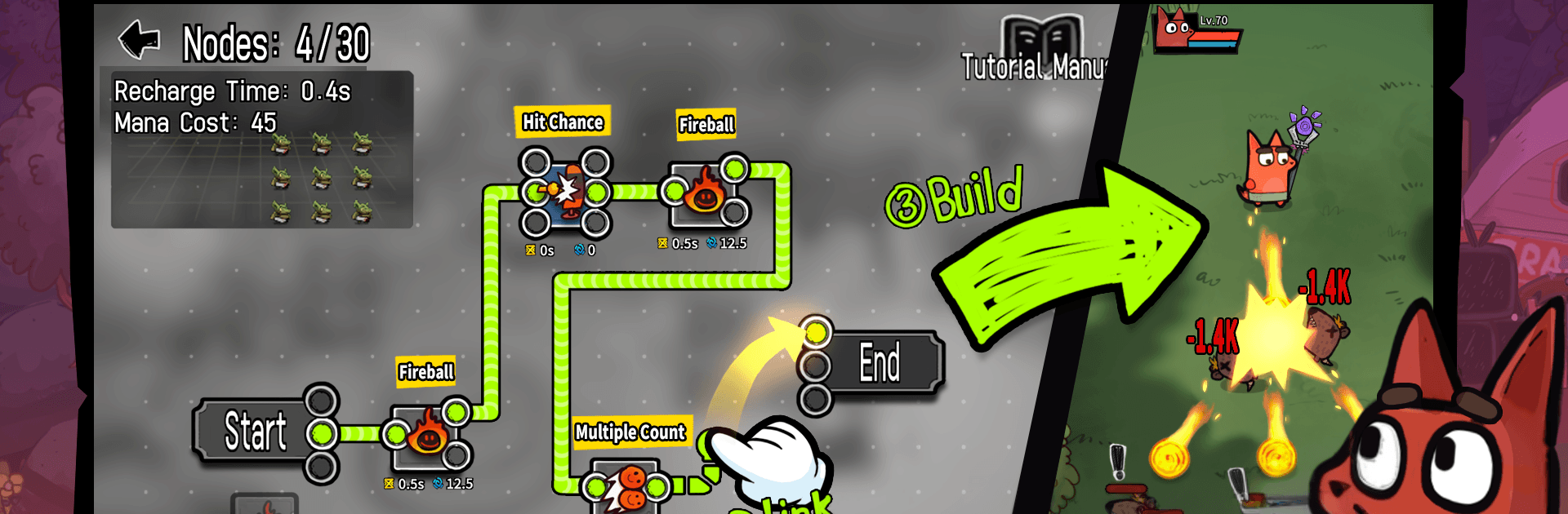
Path of Spellcraft is a fast, flexible Role Playing game where your build truly belongs to you. It’s all about crafting spells from the ground up, snagging gear that changes how you fight, and tackling quick runs that keep things fresh. Expect punchy battles, tons of tinkering, and that “just one more try” feel. Prefer playing on a bigger screen? It works nicely on BlueStacks, too.

Game Features

  • Build-Your-Own Spells: Shape every spell by defining how it works, when it triggers, and what it does. Mix damage types, effects, and clever conditions to create combos that feel personal and powerful.

  • Gear That Changes Everything: Equipment isn’t just a stat stick. Affixes twist your playstyle in interesting ways, letting you tailor builds that play wildly differently from one run to the next.

  • Snappy, Satisfying Runs: Short, focused stages make it easy to jump in, clear some monsters, and walk out with loot you’ll actually use. It’s quick to pick up and rewarding to master.

  • Fresh Challenges Every Time: Encounters and layouts keep you on your toes, so no two sessions feel the same. Try new spell setups, tweak your gear, and watch entirely new strategies click.

  • Look Good While You Cast: Every piece of gear brings its own visual flair. Swap items, see your style change, and roll into battle looking sharp without sacrificing strength.

  • Made for Tinkerers: If you love experimenting, this is your playground. Test wild ideas, refine the ones that work, and chase that perfect build that only you could’ve made.

Start your journey now. Download the game on BlueStacks, invite your friends, and march on a new adventure.


Game Features

Enhancements

  • Macros
  • Rerolling
  • Eco Mode
  • Multi Instance Sync
  • Enhancements
Macros

Macros

Focus more on the fun part of the game, skip the tedious aspects. Master Path of Spellcraft with Macros. Record yourself completing the monotonous tasks you wish to automate and replay them later with just one keypress.
Rerolling

Rerolling

Speed up the rerolling process in Path of Spellcraft. Perform multiple summons and keep looking for the best Heroes. Use Multi-Instance sync to replicate the rerolling mechanism in all instances.
Eco Mode

Eco Mode

Farm in-game resources with ease in Path of Spellcraft. Enable the Eco Mode when running the game in multiple instances. And lower your PC's resource consumption.
Multi Instance Sync

Multi Instance Sync

With the Multi-instance Sync, you can do even more in Path of Spellcraft. Sync the action of the main instance and repeat them in real time for all other instances. Sync and sit back, let the game progress unfold.
Read More

How to Download and Play Path of Spellcraft on PC or Mac

  • Download and install BlueStacks on your PC or Mac

  • Complete Google sign-in to access the Play Store, or do it later

  • Look for Path of Spellcraft in the search bar at the top right corner

  • Click to install Path of Spellcraft from the search results

  • Complete Google sign-in (if you skipped step 2) to install Path of Spellcraft

  • Click the Path of Spellcraft icon on the home screen to start playing

video
Watch Video

Minimum System Requirements

With BlueStacks 5, you can get started on a PC that fulfills the following requirements.

  • Operating System

    Microsoft Windows 7 or above, macOS 11 (Big Sur) or above

  • Processor

    Intel, AMD or Apple Silicon Processor

  • RAM

    at least 4GB

  • HDD

    10GB Free Disk Space

Note:

* You must be an Administrator on your PC. Up to date graphics drivers from Microsoft or the chipset vendor.

Path of Spellcraft - FAQs

  • How to play Path of Spellcraft on Windows PC & Mac?

    Play Path of Spellcraft on your PC or Mac by following these simple steps.

    • Click on 'Play Path of Spellcraft on PC’ to download BlueStacks
    • Install it and log-in to Google Play Store
    • Launch and play the game.
  • Why is BlueStacks the fastest and safest platform to play games on PC?

    BlueStacks respects your privacy and is always safe and secure to use. It does not carry any malware, spyware, or any sort of additional software that could harm your PC.

    It is engineered to optimize speed and performance for a seamless gaming experience.

  • What are Path of Spellcraft PC requirements?

    Minimum requirement to run Path of Spellcraft on your PC

    • OS: Microsoft Windows 7 or above MacOS 11 (Big Sur) or above
    • Processor: Intel, AMD or Apple Silicon Processor
    • RAM: Your PC must have at least 4GB of RAM. (Note that having 4GB or more disk space is not a substitute for RAM)
    • HDD: 10GB Free Disk Space.
    • You must be an Administrator on your PC.