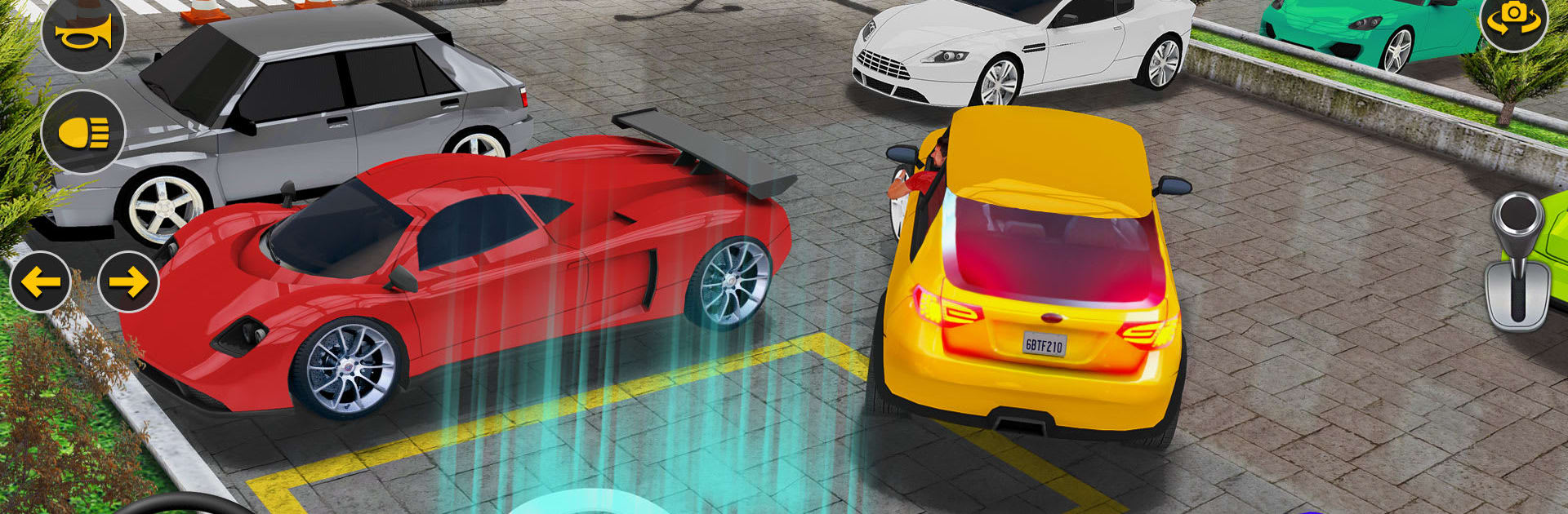
Prado City Car Parking Car 3d

Prado City Car Parking Car 3d

Role Playing

| Bit Solution

Play on PC with BlueStacks or from our cloud

  • Overview
  • Game Features
  • How to Play

Page Modified On: December 26, 2025

Play Prado City Car Parking Car 3d on PC or Mac

From the innovators and creators at Bit Solution, Prado City Car Parking Car 3d is another fun addition to the World of Role Playing games. Go beyond your mobile screen and play it bigger and better on your PC or Mac. An immersive experience awaits you.

About the Game

Prado City Car Parking Car 3d puts you behind the wheel and asks a simple question: can you park like a pro under pressure? This Role Playing take on driving focuses on precision, patience, and smooth control as you work through realistic scenarios across city streets and crowded lots. It feels surprisingly true-to-life, with a satisfying learning curve that rewards clean lines and calm steering.

Game Features

  • Authentic driving feel: Tight steering, weighty turning, and physics that make every tap of the brake or gas matter. Itโ€™s not just โ€œgo fastโ€ โ€” itโ€™s โ€œpark right.โ€
  • Multiple camera angles: Swap between an in-car cockpit view and third-person angles to nail tricky maneuvers, line up with cones, and squeeze into narrow spots.
  • Parking sensors that guide you: A helpful sensor system gives feedback as you edge toward obstacles, so you can correct early and avoid those tiny fender kisses.
  • A garage full of rides: Jump into different cars and sturdy jeep-style SUVs, including Prado-inspired options, each with its own feel and turning radius.
  • Big-city courses and tight lots: Practice in open areas, then tackle complex layouts with ramps, barriers, and tight corners across large urban maps.
  • Manual or automatic vibes: Get a more realistic touch with gearbox-style controls, or keep it simple when youโ€™re just practicing lines.
  • Crisp audio cues: Hear engine notes, tire scrubs, and subtle sounds that clue you into grip and distance.
  • Learn by doing: Short โ€œparking schoolโ€ missions build skills step by step, then test you with advanced challenges that demand smooth throttle and perfect alignment.
  • Smooth play on BlueStacks: Prefer a keyboard for precision steering and quick camera swaps? It feels great here without getting in the way of the experience.

Game name: Prado City Car Parking Car 3d
Developer: Bit Solution
Genre: Role Playing

Get ready for a buttery smooth, high-performance gaming action only on BlueStacks.

Game Features

Enhancements

  • Macros
  • Rerolling
  • Eco Mode
  • Multi Instance Sync
  • Enhancements
Macros

Macros

Focus more on the fun part of the game, skip the tedious aspects. Master Prado City Car Parking Car 3d with Macros. Record yourself completing the monotonous tasks you wish to automate and replay them later with just one keypress.
Rerolling

Rerolling

Speed up the rerolling process in Prado City Car Parking Car 3d. Perform multiple summons and keep looking for the best Heroes. Use Multi-Instance sync to replicate the rerolling mechanism in all instances.
Eco Mode

Eco Mode

Farm in-game resources with ease in Prado City Car Parking Car 3d. Enable the Eco Mode when running the game in multiple instances. And lower your PC's resource consumption.
Multi Instance Sync

Multi Instance Sync

With the Multi-instance Sync, you can do even more in Prado City Car Parking Car 3d. Sync the action of the main instance and repeat them in real time for all other instances. Sync and sit back, let the game progress unfold.
Read More

How to Download and Play Prado City Car Parking Car 3d on PC or Mac

  • Download and install BlueStacks on your PC or Mac

  • Complete Google sign-in to access the Play Store, or do it later

  • Look for Prado City Car Parking Car 3d in the search bar at the top right corner

  • Click to install Prado City Car Parking Car 3d from the search results

  • Complete Google sign-in (if you skipped step 2) to install Prado City Car Parking Car 3d

  • Click the Prado City Car Parking Car 3d icon on the home screen to start playing

video
Watch Video

Minimum System Requirements

With BlueStacks 5, you can get started on a PC that fulfills the following requirements.

  • Operating System

    Microsoft Windows 7 or above, macOS 11 (Big Sur) or above

  • Processor

    Intel, AMD or Apple Silicon Processor

  • RAM

    at least 4GB

  • HDD

    10GB Free Disk Space

Note:

* You must be an Administrator on your PC. Up to date graphics drivers from Microsoft or the chipset vendor.

Prado City Car Parking Car 3d - FAQs

  • How to play Prado City Car Parking Car 3d on Windows PC & Mac?

    Play Prado City Car Parking Car 3d on your PC or Mac by following these simple steps.

    • Click on 'Play Prado City Car Parking Car 3d on PCโ€™ to download BlueStacks
    • Install it and log-in to Google Play Store
    • Launch and play the game.
  • Why is BlueStacks the fastest and safest platform to play games on PC?

    BlueStacks respects your privacy and is always safe and secure to use. It does not carry any malware, spyware, or any sort of additional software that could harm your PC.

    It is engineered to optimize speed and performance for a seamless gaming experience.

  • What are Prado City Car Parking Car 3d PC requirements?

    Minimum requirement to run Prado City Car Parking Car 3d on your PC

    • OS: Microsoft Windows 7 or above MacOS 11 (Big Sur) or above
    • Processor: Intel, AMD or Apple Silicon Processor
    • RAM: Your PC must have at least 4GB of RAM. (Note that having 4GB or more disk space is not a substitute for RAM)
    • HDD: 10GB Free Disk Space.
    • You must be an Administrator on your PC.