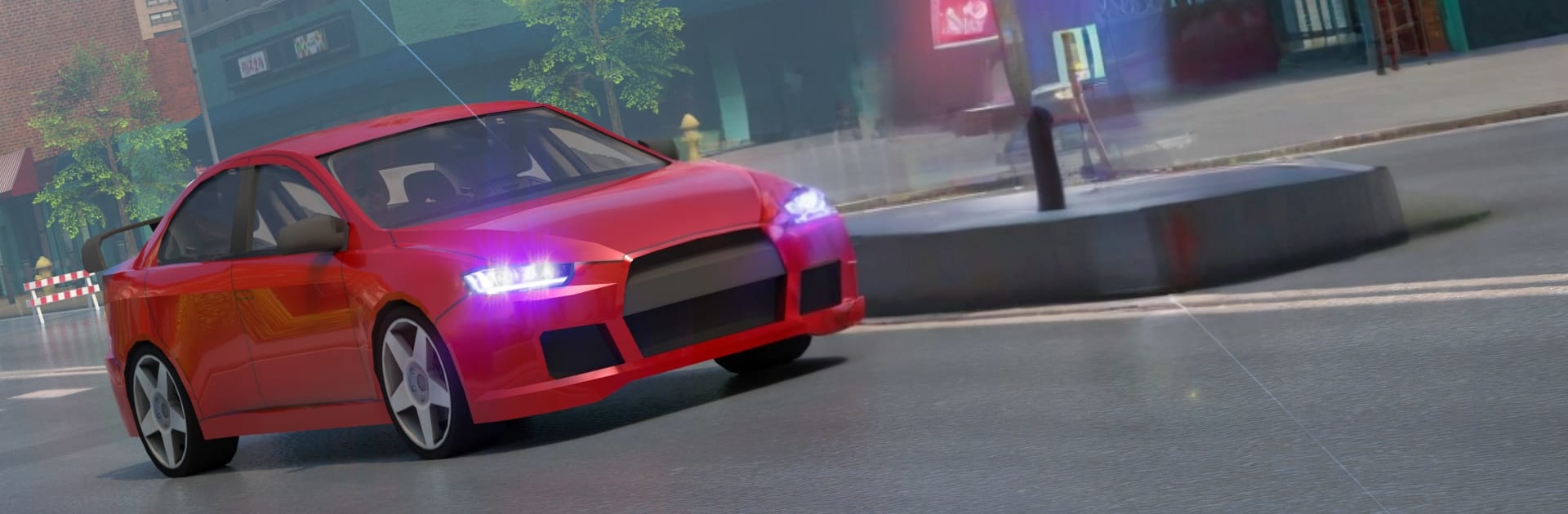
Police Car Driving Cop Car 3D

Police Car Driving Cop Car 3D

Strategy

| Bit Solution

Play on PC with BlueStacks or from our cloud

  • Overview
  • Game Features
  • How to Play

Page Modified On: November 10, 2025

Play Police Car Driving Cop Car 3D on PC or Mac

Bring your A-game to Police Car Driving Cop Car 3D, the Strategy game sensation from Bit Solution. Give your gameplay the much-needed boost with precise game controls, high FPS graphics, and top-tier features on your PC or Mac with BlueStacks.

Police Car Driving Cop Car 3D is all about fast patrols and louder-than-life chases in a big open city. It drops the player on wide highways, tight city blocks, and a few off road stretches near the water, then throws suspects into the mix. There are two main ways to play. Free driving lets a cruiser roam around, try stunts, or squeeze through heavy traffic without a timer. Chase missions are the meat of it, with cars weaving between lanes while the player tries to block them or push them to stop. The handling leans arcade, with easy grip at slower speeds and a loose back end when pushing hard, so crashes are not a disaster and restarts are quick. Traffic can be a little rude, but sirens clear some space, and the routes feel varied enough that a run never looks the same twice.

Controls use a virtual steering wheel or simple left and right buttons, which works fine, but on PC with BlueStacks the keyboard and mouse make chases feel cleaner and more precise. The garage has three police cars that step up in speed and power, and missions and badges gate the upgrades. Camera views switch on the fly and do a good job of selling speed, and the siren has two tones that are fun to swap between. The graphics are simple and bright, with a big map that encourages taking detours and cutting across side roads. It is not a deep sim and it does not try to be, which is part of the charm. Quick sessions, alot of traffic, and that satisfying pop of a takedown make it easy to keep running just one more chase, even if the AI sometimes changes lanes without warning and the brakes feel a bit on and off. Players who enjoy arcade racers, light police roleplay, and an open city to mess with will get the idea right away.

Start your journey now. Download the game on BlueStacks, invite your friends, and march on a new adventure.


Game Features

Enhancements

  • Macros
  • Multi Instance
  • Multi Instance Sync
  • Eco Mode
  • Enhancements
Macros

Macros

Skip the boring parts of a game. Play Police Car Driving Cop Car 3D with Macros and get the edge. Simply record a sequence of commands and execute them at any moment.
Multi Instance

Multi Instance

Why limit to one game on your phone when you can play many on your PC? Open multiple instances of Police Car Driving Cop Car 3D at once with Multi-Instance. Leverage the power of different accounts by doing more.
Multi Instance Sync

Multi Instance Sync

Get the best out of Police Car Driving Cop Car 3D with Multi-Instance Sync. Play the game from different accounts and build your own empire. Use Multi-instance sync to repeat the action in the main BlueStacks instance on all other instances.
Eco Mode

Eco Mode

Find the rarest heroes by making multiple summons in Police Car Driving Cop Car 3D. And while you are at it, reduce your PC’s resource consumption with the Eco Mode. Farm efficiently. Get the best results.
Read More

How to Download and Play Police Car Driving Cop Car 3D on PC or Mac

  • Download and install BlueStacks on your PC or Mac

  • Complete Google sign-in to access the Play Store, or do it later

  • Look for Police Car Driving Cop Car 3D in the search bar at the top right corner

  • Click to install Police Car Driving Cop Car 3D from the search results

  • Complete Google sign-in (if you skipped step 2) to install Police Car Driving Cop Car 3D

  • Click the Police Car Driving Cop Car 3D icon on the home screen to start playing

video
Watch Video

Minimum System Requirements

With BlueStacks 5, you can get started on a PC that fulfills the following requirements.

  • Operating System

    Microsoft Windows 7 or above, macOS 11 (Big Sur) or above

  • Processor

    Intel, AMD or Apple Silicon Processor

  • RAM

    at least 4GB

  • HDD

    10GB Free Disk Space

Note:

* You must be an Administrator on your PC. Up to date graphics drivers from Microsoft or the chipset vendor.

Police Car Driving Cop Car 3D - FAQs

  • How to play Police Car Driving Cop Car 3D on Windows PC & Mac?

    Play Police Car Driving Cop Car 3D on your PC or Mac by following these simple steps.

    • Click on 'Play Police Car Driving Cop Car 3D on PC’ to download BlueStacks
    • Install it and log-in to Google Play Store
    • Launch and play the game.
  • Why is BlueStacks the fastest and safest platform to play games on PC?

    BlueStacks respects your privacy and is always safe and secure to use. It does not carry any malware, spyware, or any sort of additional software that could harm your PC.

    It is engineered to optimize speed and performance for a seamless gaming experience.

  • What are Police Car Driving Cop Car 3D PC requirements?

    Minimum requirement to run Police Car Driving Cop Car 3D on your PC

    • OS: Microsoft Windows 7 or above MacOS 11 (Big Sur) or above
    • Processor: Intel, AMD or Apple Silicon Processor
    • RAM: Your PC must have at least 4GB of RAM. (Note that having 4GB or more disk space is not a substitute for RAM)
    • HDD: 10GB Free Disk Space.
    • You must be an Administrator on your PC.