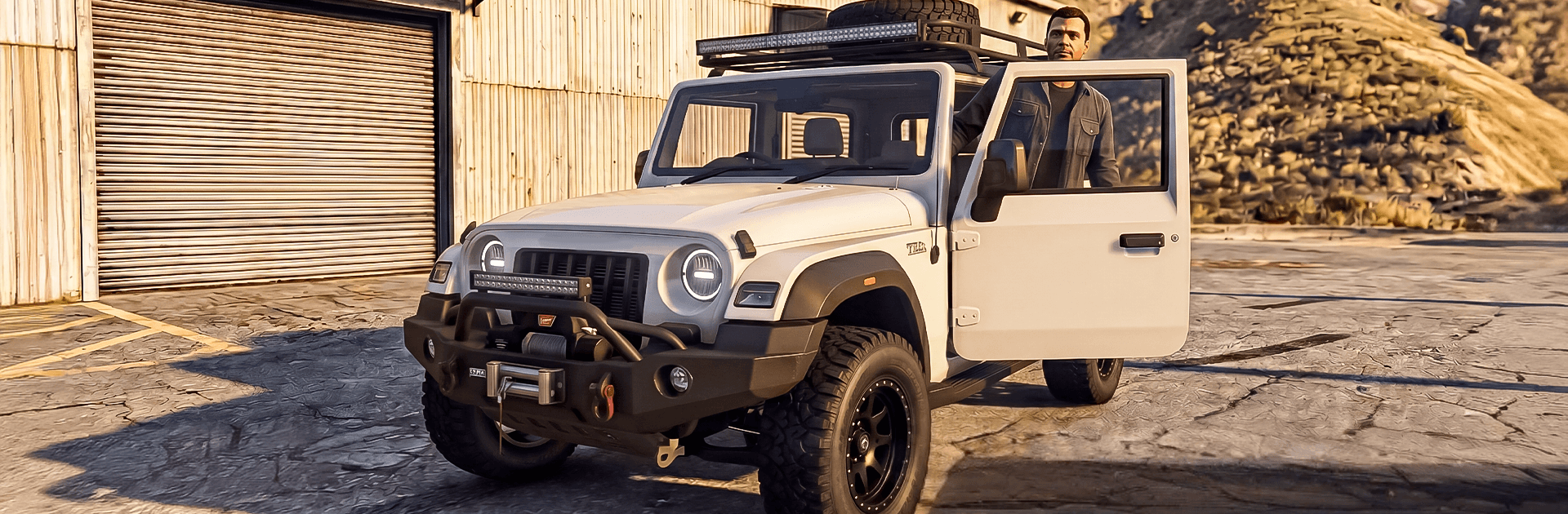
Real Jeep Driving Offroad Game

Real Jeep Driving Offroad Game

Role Playing

| Play Shift Games

Play on PC with BlueStacks or from our cloud

  • Overview
  • Game Features
  • How to Play

Page Modified On: July 06, 2026

Play Real Jeep Driving Offroad Game on PC or Mac

Real Jeep Driving Offroad Game by Play Shift Games has plenty to keep you busy. BlueStacks lets you play it on PC or Mac with more screen space, better control, and fewer mobile limits.

About the Game

Real Jeep Driving Offroad Game drops you behind the wheel of serious 4×4 machines and lets you loose on nature’s roughest backroads. It’s a Role Playing take on off-road driving where every climb, slide, and recovery feels earned. Expect muddy ruts, rocky ledges, and snow-packed trails that make you think about throttle, momentum, and the smartest line to take. Prefer playing on a bigger screen? It also runs great on BlueStacks if you like tighter control with a keyboard.

Game Features

  • Authentic off-road feel: Tires dig in, weight shifts, and grip comes and goes depending on mud, rock, and slope. You’ll feel the difference between a clean line and a messy one.
  • Big wild maps: Creep through forests, cross dry desert rock, and edge along icy mountain passes—each biome asks for a different approach.
  • A garage that grows: Unlock rugged SUVs, offroad trucks, and nimble ATVs, each with its own personality and purpose-built strengths.
  • Missions with teeth: Tackle hill climbs, technical obstacle runs, and careful cargo hauls that punish sloppy driving and reward patience.
  • Free-roam moments: Not seeing a road? Make one. Scout your route, test a shallow crossing, or backtrack and try a smarter angle.
  • Weather and lighting that matter: Slick rain, glaring sun, and whiteout snow keep conditions fresh and force on-the-fly decisions.
  • Clean, punchy visuals: Crisp terrain detail and responsive camera tools make scouting lines and reading the ground feel natural.
  • Play your way: Smooth touch controls on mobile, with the option to enjoy steady steering and quick camera snaps on BlueStacks.

Start your journey now. Download the game on BlueStacks, invite your friends, and march on a new adventure.


Game Features

Enhancements

  • Macros
  • Rerolling
  • Eco Mode
  • Multi Instance Sync
  • Enhancements
Macros

Macros

Focus more on the fun part of the game, skip the tedious aspects. Master Real Jeep Driving Offroad Game with Macros. Record yourself completing the monotonous tasks you wish to automate and replay them later with just one keypress.
Rerolling

Rerolling

Speed up the rerolling process in Real Jeep Driving Offroad Game. Perform multiple summons and keep looking for the best Heroes. Use Multi-Instance sync to replicate the rerolling mechanism in all instances.
Eco Mode

Eco Mode

Farm in-game resources with ease in Real Jeep Driving Offroad Game. Enable the Eco Mode when running the game in multiple instances. And lower your PC's resource consumption.
Multi Instance Sync

Multi Instance Sync

With the Multi-instance Sync, you can do even more in Real Jeep Driving Offroad Game. Sync the action of the main instance and repeat them in real time for all other instances. Sync and sit back, let the game progress unfold.
Read More

How to Download and Play Real Jeep Driving Offroad Game on PC or Mac

  • Download and install BlueStacks on your PC or Mac

  • Complete Google sign-in to access the Play Store, or do it later

  • Look for Real Jeep Driving Offroad Game in the search bar at the top right corner

  • Click to install Real Jeep Driving Offroad Game from the search results

  • Complete Google sign-in (if you skipped step 2) to install Real Jeep Driving Offroad Game

  • Click the Real Jeep Driving Offroad Game icon on the home screen to start playing

video
Watch Video

Minimum System Requirements

With BlueStacks 5, you can get started on a PC that fulfills the following requirements.

  • Operating System

    Microsoft Windows 7 or above, macOS 11 (Big Sur) or above

  • Processor

    Intel, AMD or Apple Silicon Processor

  • RAM

    at least 4GB

  • HDD

    10GB Free Disk Space

Note:

* You must be an Administrator on your PC. Up to date graphics drivers from Microsoft or the chipset vendor.

Real Jeep Driving Offroad Game - FAQs

  • How to play Real Jeep Driving Offroad Game on Windows PC & Mac?

    Play Real Jeep Driving Offroad Game on your PC or Mac by following these simple steps.

    • Click on 'Play Real Jeep Driving Offroad Game on PC’ to download BlueStacks
    • Install it and log-in to Google Play Store
    • Launch and play the game.
  • Why is BlueStacks the fastest and safest platform to play games on PC?

    BlueStacks respects your privacy and is always safe and secure to use. It does not carry any malware, spyware, or any sort of additional software that could harm your PC.

    It is engineered to optimize speed and performance for a seamless gaming experience.

  • What are Real Jeep Driving Offroad Game PC requirements?

    Minimum requirement to run Real Jeep Driving Offroad Game on your PC

    • OS: Microsoft Windows 7 or above MacOS 11 (Big Sur) or above
    • Processor: Intel, AMD or Apple Silicon Processor
    • RAM: Your PC must have at least 4GB of RAM. (Note that having 4GB or more disk space is not a substitute for RAM)
    • HDD: 10GB Free Disk Space.
    • You must be an Administrator on your PC.