RPG ゴーストシンク
RPG ゴーストシンク

RPG ゴーストシンク

Role Playing

| KEMCO

Play on PC with BlueStacks or from our cloud

  • Overview
  • Game Features
  • How to Play

Page Modified On: December 26, 2025

Play RPG ゴーストシンク on PC or Mac

Step into the World of RPG ゴーストシンク, a thrilling Role Playing game from the house of KEMCO. Play this Android game on BlueStacks App Player and experience immersive gaming on PC or Mac.

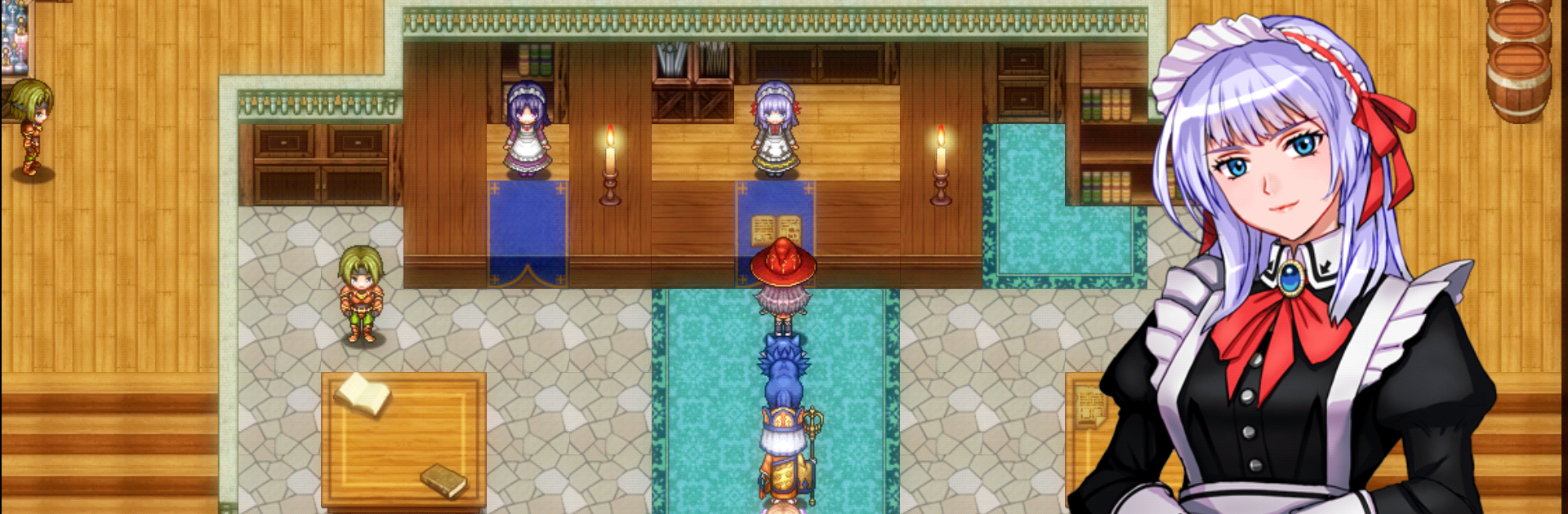
RPG Ghost Sync feels like a classic JRPG with a weird, cool twist. The world is crawling with beasts corrupted by this black aura, and a young magic swordswoman named Lila is out hunting them down. Early on, a nasty beast suddenly turns into a calm dog spirit and starts talking, which is not normal, and it is being ridden by a ghostly guy named Grunard who has no body of his own. From there it turns into a road trip with a trio that should not work but oddly does, wrapped around why he became a ghost and what fate is waiting for her.

Combat is turn based and quick to handle, with auto options and speed control if someone wants to breeze through routine fights. The standout is possession. Grunard can hop into certain enemies, even tough ones, and the party gets access to their tricks, so planning who to possess feels like half the game. There are rings that summon spirits for damage or healing, a tidy skill tree that eats spirit stones to unlock new moves, and a crafting loop that lets players build weapons and armor with extra effects so a build actually feels custom. A guild hands out missions that bump up rank, and a big bestiary throws in rewards as more corrupted creatures get cleared out. On PC with BlueStacks, the menus are easy to zip through, auto-battle hums along while doing other stuff, and controller support works well. It is simple to pick up, but there is plenty to tweak and experiment with.

Start your journey now. Download the game on BlueStacks, invite your friends, and march on a new adventure.


Game Features

Enhancements

  • Macros
  • Rerolling
  • Eco Mode
  • Multi Instance Sync
  • Enhancements
Macros

Macros

Focus more on the fun part of the game, skip the tedious aspects. Master RPG ゴーストシンク with Macros. Record yourself completing the monotonous tasks you wish to automate and replay them later with just one keypress.
Rerolling

Rerolling

Speed up the rerolling process in RPG ゴーストシンク. Perform multiple summons and keep looking for the best Heroes. Use Multi-Instance sync to replicate the rerolling mechanism in all instances.
Eco Mode

Eco Mode

Farm in-game resources with ease in RPG ゴーストシンク. Enable the Eco Mode when running the game in multiple instances. And lower your PC's resource consumption.
Multi Instance Sync

Multi Instance Sync

With the Multi-instance Sync, you can do even more in RPG ゴーストシンク. Sync the action of the main instance and repeat them in real time for all other instances. Sync and sit back, let the game progress unfold.
Read More

How to Download and Play RPG ゴーストシンク on PC or Mac

  • Download and install BlueStacks on your PC or Mac

  • Complete Google sign-in to access the Play Store, or do it later

  • Look for RPG ゴーストシンク in the search bar at the top right corner

  • Click to install RPG ゴーストシンク from the search results

  • Complete Google sign-in (if you skipped step 2) to install RPG ゴーストシンク

  • Click the RPG ゴーストシンク icon on the home screen to start playing

video
Watch Video

Minimum System Requirements

With BlueStacks 5, you can get started on a PC that fulfills the following requirements.

  • Operating System

    Microsoft Windows 7 or above, macOS 11 (Big Sur) or above

  • Processor

    Intel, AMD or Apple Silicon Processor

  • RAM

    at least 4GB

  • HDD

    10GB Free Disk Space

Note:

* You must be an Administrator on your PC. Up to date graphics drivers from Microsoft or the chipset vendor.

RPG ゴーストシンク - FAQs

  • How to play RPG ゴーストシンク on Windows PC & Mac?

    Play RPG ゴーストシンク on your PC or Mac by following these simple steps.

    • Click on 'Play RPG ゴーストシンク on PC’ to download BlueStacks
    • Install it and log-in to Google Play Store
    • Launch and play the game.
  • Why is BlueStacks the fastest and safest platform to play games on PC?

    BlueStacks respects your privacy and is always safe and secure to use. It does not carry any malware, spyware, or any sort of additional software that could harm your PC.

    It is engineered to optimize speed and performance for a seamless gaming experience.

  • What are RPG ゴーストシンク PC requirements?

    Minimum requirement to run RPG ゴーストシンク on your PC

    • OS: Microsoft Windows 7 or above MacOS 11 (Big Sur) or above
    • Processor: Intel, AMD or Apple Silicon Processor
    • RAM: Your PC must have at least 4GB of RAM. (Note that having 4GB or more disk space is not a substitute for RAM)
    • HDD: 10GB Free Disk Space.
    • You must be an Administrator on your PC.