RPG Soul of Deva
RPG Soul of Deva

RPG Soul of Deva

Role Playing

| KEMCO

Play on PC with BlueStacks or from our cloud

  • Overview
  • Game Features
  • How to Play

Page Modified On: October 08, 2026

Play RPG Soul of Deva on PC or Mac

Bring your A-game to RPG Soul of Deva, the Role Playing game sensation from KEMCO. Give your gameplay the much-needed boost with precise game controls, high FPS graphics, and top-tier features on your PC or Mac with BlueStacks.

About the Game

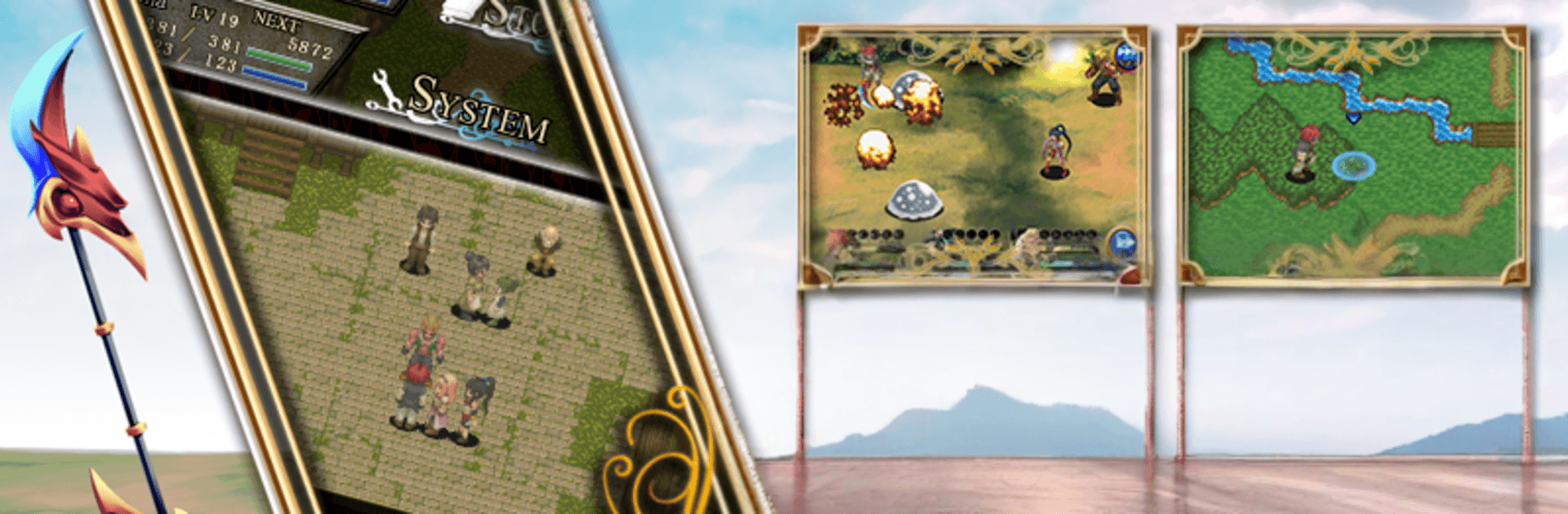
RPG Soul of Deva is a Role Playing adventure set in a world where demons and humans try, and often fail, to coexist. You’ll travel west with Sania—the so-called savior whose strange power has just awakened—and a mixed crew that doesn’t exactly trust each other yet, including the half-demon Shin. Expect a story-first journey with tactical battles, flexible character builds, and the option to play comfortably on PC with BlueStacks if that’s your style.

Game Features

  • Road to Raglis: Join Sania and Shin on a tense trek toward Raglis, meeting humans, demons, and half-demons whose goals don’t always line up—and watching those relationships shift as the truth comes out.
  • Tactical Movement: Battles play out on territories where both sides can move, reposition, or pull back—so where you stand matters just as much as what you use.
  • Battle Arts (BTA): Drop powerful effects onto allied or enemy zones to buff your team, disrupt foes, create hazards, or twist the flow of a fight in your favor.
  • Soul Arms Growth: Every character wields a unique Soul Arm that grows using Soul Points earned after combat, letting you shape builds that match your playstyle.
  • Orbs and Occult Arts: Socket Orbs into Soul Arms to unlock flashy Occult Arts and fresh combos—mix and match for surprising synergies.
  • Hourglass of Fortune: Trigger bonus encounters on a regular timer for a shot at rare loot, including the handy Atoma Slips that can speed up your progression.
  • Atoma Slips Options: Use Atoma Slips to snag Soul Points or special gear; you can earn them while playing, with optional purchases available if you want a shortcut.
  • Flexible Party Tuning: Swap gear, tweak Orbs, and fine-tune loadouts to handle tricky enemy types and map layouts without getting stuck in a single strategy.

Start your journey now. Download the game on BlueStacks, invite your friends, and march on a new adventure.


Game Features

Enhancements

  • Macros
  • Rerolling
  • Eco Mode
  • Multi Instance Sync
  • Enhancements
Macros

Macros

Focus more on the fun part of the game, skip the tedious aspects. Master RPG Soul of Deva with Macros. Record yourself completing the monotonous tasks you wish to automate and replay them later with just one keypress.
Rerolling

Rerolling

Speed up the rerolling process in RPG Soul of Deva. Perform multiple summons and keep looking for the best Heroes. Use Multi-Instance sync to replicate the rerolling mechanism in all instances.
Eco Mode

Eco Mode

Farm in-game resources with ease in RPG Soul of Deva. Enable the Eco Mode when running the game in multiple instances. And lower your PC's resource consumption.
Multi Instance Sync

Multi Instance Sync

With the Multi-instance Sync, you can do even more in RPG Soul of Deva. Sync the action of the main instance and repeat them in real time for all other instances. Sync and sit back, let the game progress unfold.
Read More

How to Download and Play RPG Soul of Deva on PC or Mac

  • Download and install BlueStacks on your PC or Mac

  • Complete Google sign-in to access the Play Store, or do it later

  • Look for RPG Soul of Deva in the search bar at the top right corner

  • Click to install RPG Soul of Deva from the search results

  • Complete Google sign-in (if you skipped step 2) to install RPG Soul of Deva

  • Click the RPG Soul of Deva icon on the home screen to start playing

video
Watch Video

Minimum System Requirements

With BlueStacks 5, you can get started on a PC that fulfills the following requirements.

  • Operating System

    Microsoft Windows 7 or above, macOS 11 (Big Sur) or above

  • Processor

    Intel, AMD or Apple Silicon Processor

  • RAM

    at least 4GB

  • HDD

    10GB Free Disk Space

Note:

* You must be an Administrator on your PC. Up to date graphics drivers from Microsoft or the chipset vendor.

RPG Soul of Deva - FAQs

  • How to play RPG Soul of Deva on Windows PC & Mac?

    Play RPG Soul of Deva on your PC or Mac by following these simple steps.

    • Click on 'Play RPG Soul of Deva on PC’ to download BlueStacks
    • Install it and log-in to Google Play Store
    • Launch and play the game.
  • Why is BlueStacks the fastest and safest platform to play games on PC?

    BlueStacks respects your privacy and is always safe and secure to use. It does not carry any malware, spyware, or any sort of additional software that could harm your PC.

    It is engineered to optimize speed and performance for a seamless gaming experience.

  • What are RPG Soul of Deva PC requirements?

    Minimum requirement to run RPG Soul of Deva on your PC

    • OS: Microsoft Windows 7 or above MacOS 11 (Big Sur) or above
    • Processor: Intel, AMD or Apple Silicon Processor
    • RAM: Your PC must have at least 4GB of RAM. (Note that having 4GB or more disk space is not a substitute for RAM)
    • HDD: 10GB Free Disk Space.
    • You must be an Administrator on your PC.