Spider Hero Fight Action 3D

Spider Hero Fight Action 3D

Role Playing

| Creative Cheetah Games

Play on PC with BlueStacks or from our cloud

  • Overview
  • Game Features
  • How to Play

Page Modified On: August 20, 2026

Play Spider Hero Fight Action 3D on PC or Mac

Step into the World of Spider Hero Fight Action 3D, a thrilling Role Playing game from the house of Creative Cheetah Games. Play this Android game on BlueStacks App Player and experience immersive gaming on PC or Mac.

About the Game

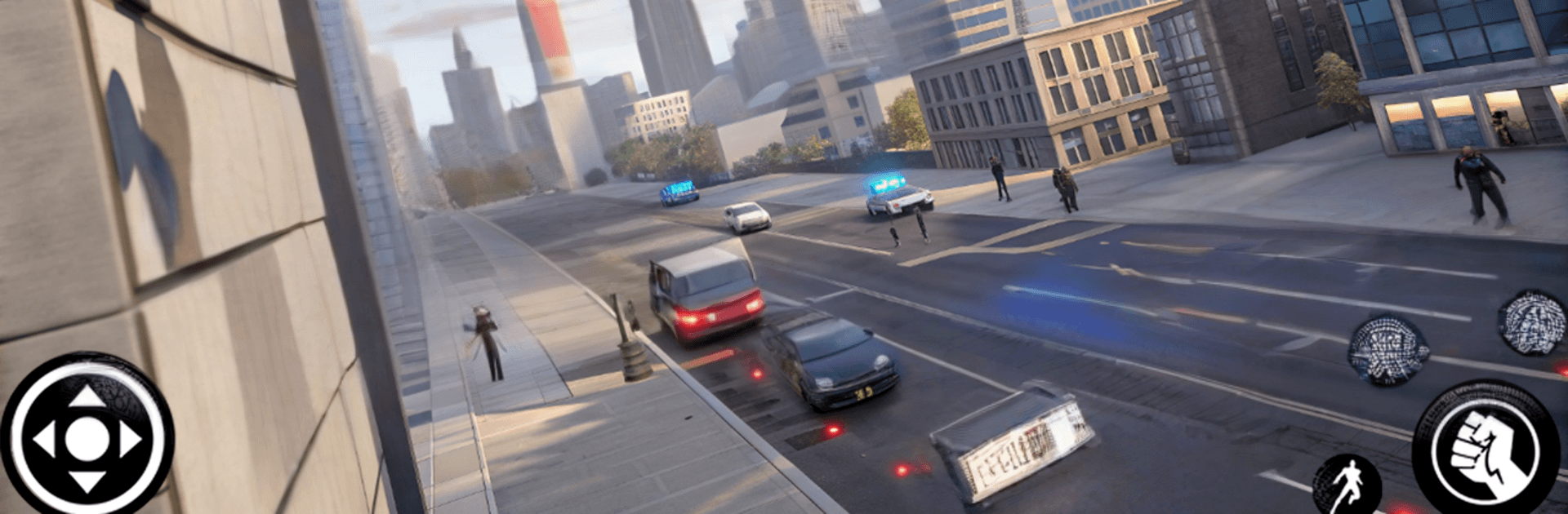
Spider Hero Fight Action 3D throws you into a crime-riddled city where you play the masked vigilante who cleans up the streets by any means necessary. It’s a Role Playing power trip with free-roaming exploration, chunky melee combat, wild gunfights, and slick rope-swinging that lets you reach any rooftop in seconds. Want to kick back with a bigger screen and comfy keys? It also plays great on BlueStacks.

Game Features

  • Open-World City Playground: Patrol a massive urban map packed with alleys, rooftops, and gang hideouts you can tackle in any order.
  • Signature Rope Swinging: Zip, swing, climb, and launch across blocks with a high-tension rope that turns the skyline into your highway.
  • Punchy Melee and Gunfights: Mix rapid-fire combos, counters, and finishers with pistols, rifles, machine guns, and heavy ordnance.
  • Big Arsenal to Unlock: Collect and upgrade gear—from sidearms and SMGs to rocket launchers and explosive gadgets—for serious stopping power.
  • High-Speed Driving: Hijack sleek sports cars, drift through tight corners, and smash through roadblocks when a quick getaway is all that matters.
  • Explosive Mayhem: Blow up enemy vehicles, chain explosions, and scatter thugs with splash-damage toys that light up the streets.
  • Mission-Focused Action: Clear story tasks, timed challenges, and street events that escalate from back-alley brawls to full-blown turf wars.
  • Smooth, Flexible Controls: Swap between swinging, shooting, and driving on the fly with responsive inputs that keep the pace high.
  • Flashy Visuals and Effects: Crisp graphics, realistic animations, and punchy sound design make every punch, crash, and boom hit harder.
  • Heroic Stunts and Moves: Pull aerial takedowns, midair rope hops, vaults, and stylish finishers to outmaneuver mobs and look good doing it.

Start your journey now. Download the game on BlueStacks, invite your friends, and march on a new adventure.


Game Features

Enhancements

  • Macros
  • Rerolling
  • Eco Mode
  • Multi Instance Sync
  • Enhancements
Macros

Macros

Focus more on the fun part of the game, skip the tedious aspects. Master Spider Hero Fight Action 3D with Macros. Record yourself completing the monotonous tasks you wish to automate and replay them later with just one keypress.
Rerolling

Rerolling

Speed up the rerolling process in Spider Hero Fight Action 3D. Perform multiple summons and keep looking for the best Heroes. Use Multi-Instance sync to replicate the rerolling mechanism in all instances.
Eco Mode

Eco Mode

Farm in-game resources with ease in Spider Hero Fight Action 3D. Enable the Eco Mode when running the game in multiple instances. And lower your PC's resource consumption.
Multi Instance Sync

Multi Instance Sync

With the Multi-instance Sync, you can do even more in Spider Hero Fight Action 3D. Sync the action of the main instance and repeat them in real time for all other instances. Sync and sit back, let the game progress unfold.
Read More

How to Download and Play Spider Hero Fight Action 3D on PC or Mac

  • Download and install BlueStacks on your PC or Mac

  • Complete Google sign-in to access the Play Store, or do it later

  • Look for Spider Hero Fight Action 3D in the search bar at the top right corner

  • Click to install Spider Hero Fight Action 3D from the search results

  • Complete Google sign-in (if you skipped step 2) to install Spider Hero Fight Action 3D

  • Click the Spider Hero Fight Action 3D icon on the home screen to start playing

video
Watch Video

Minimum System Requirements

With BlueStacks 5, you can get started on a PC that fulfills the following requirements.

  • Operating System

    Microsoft Windows 7 or above, macOS 11 (Big Sur) or above

  • Processor

    Intel, AMD or Apple Silicon Processor

  • RAM

    at least 4GB

  • HDD

    10GB Free Disk Space

Note:

* You must be an Administrator on your PC. Up to date graphics drivers from Microsoft or the chipset vendor.

Spider Hero Fight Action 3D - FAQs

  • How to play Spider Hero Fight Action 3D on Windows PC & Mac?

    Play Spider Hero Fight Action 3D on your PC or Mac by following these simple steps.

    • Click on 'Play Spider Hero Fight Action 3D on PC’ to download BlueStacks
    • Install it and log-in to Google Play Store
    • Launch and play the game.
  • Why is BlueStacks the fastest and safest platform to play games on PC?

    BlueStacks respects your privacy and is always safe and secure to use. It does not carry any malware, spyware, or any sort of additional software that could harm your PC.

    It is engineered to optimize speed and performance for a seamless gaming experience.

  • What are Spider Hero Fight Action 3D PC requirements?

    Minimum requirement to run Spider Hero Fight Action 3D on your PC

    • OS: Microsoft Windows 7 or above MacOS 11 (Big Sur) or above
    • Processor: Intel, AMD or Apple Silicon Processor
    • RAM: Your PC must have at least 4GB of RAM. (Note that having 4GB or more disk space is not a substitute for RAM)
    • HDD: 10GB Free Disk Space.
    • You must be an Administrator on your PC.