ブループロトコル:スターレゾナンス
ブループロトコル:スターレゾナンス

ブループロトコル:スターレゾナンス

Role Playing

| X.D. Global

Play on PC with BlueStacks or from our cloud

  • Overview
  • Game Features
  • How to Play

Page Modified On: December 22, 2025

Play ブループロトコル:スターレゾナンス on PC or Mac

ブループロトコル:スターレゾナンス brings the Role Playing genre to life, and throws up exciting challenges for gamers. Developed by X.D. Global, this Android game is best experienced on BlueStacks, the World’s #1 app player for PC and Mac users.

About the Game

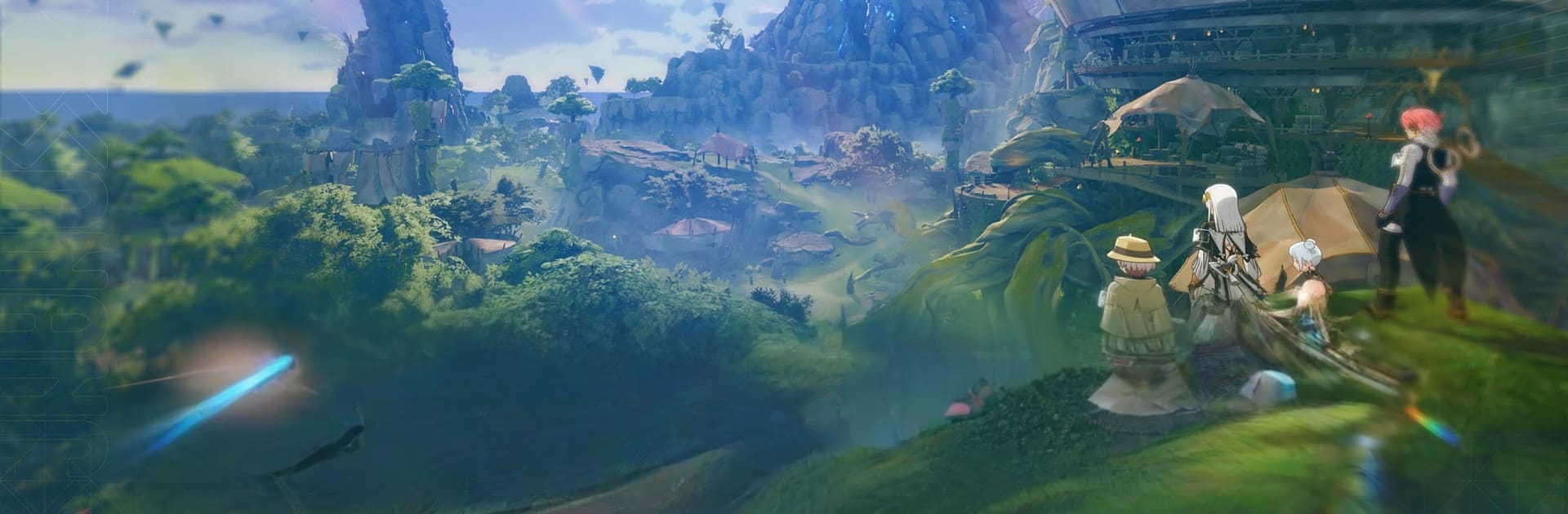
ブループロトコル:スターレゾナンス is a Role Playing adventure from X.D. Global that blends sweeping anime visuals with a living online world. You land on Regnus, a planet shaped by ancient gods and their mysterious relics, and step into a story where a new enemy threatens everything. It’s part epic journey, part hangout spot—fast, flexible combat when you want it, quiet moments with friends when you don’t. Prefer playing on a bigger screen? It also feels great on PC with BlueStacks.

Game Features

  • Cinematic anime world: Explore a richly animated landscape that looks like a feature film brought to life, from glowing cities to quiet fields under starry skies.
  • Make your hero: Create the character you imagined and switch up outfits freely. Cosplay a knight today, a street-styled mage tomorrow—go for it.
  • Classes you can swap: Pick a class and master it, or switch on the fly to suit the fight. Tackle solo challenges or adjust roles to match your party’s needs.
  • Your own skill kit: Mix and match abilities to craft a combat style that clicks with you—burst damage, steady support, or something in between.
  • Team roles that matter: Guard allies, heal the squad, or bring the big hits. Coordinated play turns tough bosses into satisfying wins.
  • Social by design: Watch fireworks, dance in the plaza, or wander dungeons with strangers who quickly feel like friends. Not every moment has to be a battle.
  • One big shared world: Veterans, newcomers, and your crew all connect in the same space. Whether you’re on phone or PC, you’re part of one community.

Start your journey now. Download the game on BlueStacks, invite your friends, and march on a new adventure.


Game Features

Enhancements

  • Macros
  • Rerolling
  • Eco Mode
  • Multi Instance Sync
  • Enhancements
Macros

Macros

Focus more on the fun part of the game, skip the tedious aspects. Master ブループロトコル:スターレゾナンス with Macros. Record yourself completing the monotonous tasks you wish to automate and replay them later with just one keypress.
Rerolling

Rerolling

Speed up the rerolling process in ブループロトコル:スターレゾナンス. Perform multiple summons and keep looking for the best Heroes. Use Multi-Instance sync to replicate the rerolling mechanism in all instances.
Eco Mode

Eco Mode

Farm in-game resources with ease in ブループロトコル:スターレゾナンス. Enable the Eco Mode when running the game in multiple instances. And lower your PC's resource consumption.
Multi Instance Sync

Multi Instance Sync

With the Multi-instance Sync, you can do even more in ブループロトコル:スターレゾナンス. Sync the action of the main instance and repeat them in real time for all other instances. Sync and sit back, let the game progress unfold.
Read More

How to Download and Play ブループロトコル:スターレゾナンス on PC or Mac

  • Download and install BlueStacks on your PC or Mac

  • Complete Google sign-in to access the Play Store, or do it later

  • Look for ブループロトコル:スターレゾナンス in the search bar at the top right corner

  • Click to install ブループロトコル:スターレゾナンス from the search results

  • Complete Google sign-in (if you skipped step 2) to install ブループロトコル:スターレゾナンス

  • Click the ブループロトコル:スターレゾナンス icon on the home screen to start playing

video
Watch Video

Minimum System Requirements

With BlueStacks 5, you can get started on a PC that fulfills the following requirements.

  • Operating System

    Microsoft Windows 7 or above, macOS 11 (Big Sur) or above

  • Processor

    Intel, AMD or Apple Silicon Processor

  • RAM

    at least 4GB

  • HDD

    10GB Free Disk Space

Note:

* You must be an Administrator on your PC. Up to date graphics drivers from Microsoft or the chipset vendor.

ブループロトコル:スターレゾナンス - FAQs

  • How to play ブループロトコル:スターレゾナンス on Windows PC & Mac?

    Play ブループロトコル:スターレゾナンス on your PC or Mac by following these simple steps.

    • Click on 'Play ブループロトコル:スターレゾナンス on PC’ to download BlueStacks
    • Install it and log-in to Google Play Store
    • Launch and play the game.
  • Why is BlueStacks the fastest and safest platform to play games on PC?

    BlueStacks respects your privacy and is always safe and secure to use. It does not carry any malware, spyware, or any sort of additional software that could harm your PC.

    It is engineered to optimize speed and performance for a seamless gaming experience.

  • What are ブループロトコル:スターレゾナンス PC requirements?

    Minimum requirement to run ブループロトコル:スターレゾナンス on your PC

    • OS: Microsoft Windows 7 or above MacOS 11 (Big Sur) or above
    • Processor: Intel, AMD or Apple Silicon Processor
    • RAM: Your PC must have at least 4GB of RAM. (Note that having 4GB or more disk space is not a substitute for RAM)
    • HDD: 10GB Free Disk Space.
    • You must be an Administrator on your PC.